Bank Statement Converters
Convert bank statement PDFs to Excel or CSVExtract, verify every line, then export
Highlights
What you can do with it
- A freelancer converts 12 months of statements for a mortgage application
- A bookkeeping firm batches 50 client PDFs and exports CSV for accounting software
- A finance director spots a misread transaction before an audit
How to use it
- 1 Open https://bankstatementconverters.net with no registration
- 2 Upload PDF, PNG, JPG, or WebP files from your device
- 3 Check the page count; free accounts get a 3-page quota
- 4 Review each transaction against the original, then check the balance result
- 5 Export to Excel or CSV and download the file
Who it is for
Pros
- Conversion and verification happen in one workflow
- Automatic balance checking flags even a 0.01 difference
- Each transaction links to its source page for easy tracing
- No bank login, and guest files are removed after one hour
Limitations
- Only a free 3-page trial is offered; larger jobs need a paid plan
- Paid plans start at a monthly cost, and pricing or free terms could change
- Recognition can still misread rows, so manual checks are needed before export
- Support is tied to marked formats and currencies, so some statements may not be covered
What Bank Statement Converters is
Bank Statement Converters is an online tool built for finance professionals, bookkeepers, and small businesses that need to pull transaction data out of text-based PDF or image bank statements. It puts conversion and verification in the same workflow: every extracted transaction carries its source page number, the original statement and the recognition results sit side by side, and the tool automatically compares the opening balance, income, expenses, and closing balance, flagging any difference as small as 0.01. It needs no bank account login, and guest files are deleted one hour after upload. There is a free 3-page trial, after which monthly, annual, or one-time paid plans apply.
What you can do with it
- Turn a PDF or image statement into one row per transaction in Excel or CSV
- Trace every row back to its source page in a side-by-side view
- Run an automatic balance check that catches even a 0.01 gap
- Batch multiple files, each up to 20MB and 100 pages, and export as often as you need
Who it is for
- Accountants and bookkeepers importing client statements into software
- Small business owners organizing transactions without a finance team
- Auditors and reviewers who must trace every transaction to its source
- Individuals tidying personal accounts for loans, rentals, or budgets
What to watch out for
Only a free 3-page trial is offered, so real work means a paid plan, and pricing or free terms could change over time. Recognition can still misread rows, flip a debit and credit, or miss a line, so verify against the original before you export, especially for accounting or audit use. Support is tied to marked bank formats and currencies, so some statements may fall outside the tested range and need manual entry. Because guest files are deleted after one hour, finish and download your exports in that window, and keep your own copy of the original statements.
FAQ
Is Bank Statement Converters free?
There is a free 3-page trial. Beyond that you choose a paid monthly, annual, or one-time plan.
What files can I upload?
Text-based PDFs and PNG, JPG, or WebP images, with individual files up to 20MB and up to 100 pages per PDF.
How does it check accuracy?
Every row links to its source page, and the tool compares opening balance, income, expenses, and closing balance, flagging even a 0.01 gap.
Do I need to log in to my bank?
No. There is no bank account login, and guest files are deleted one hour after upload.
Why it is free
What the official page says: 免费试用免费
Free limits, trial length and features are decided by the official site and can change at any time.
Product preview
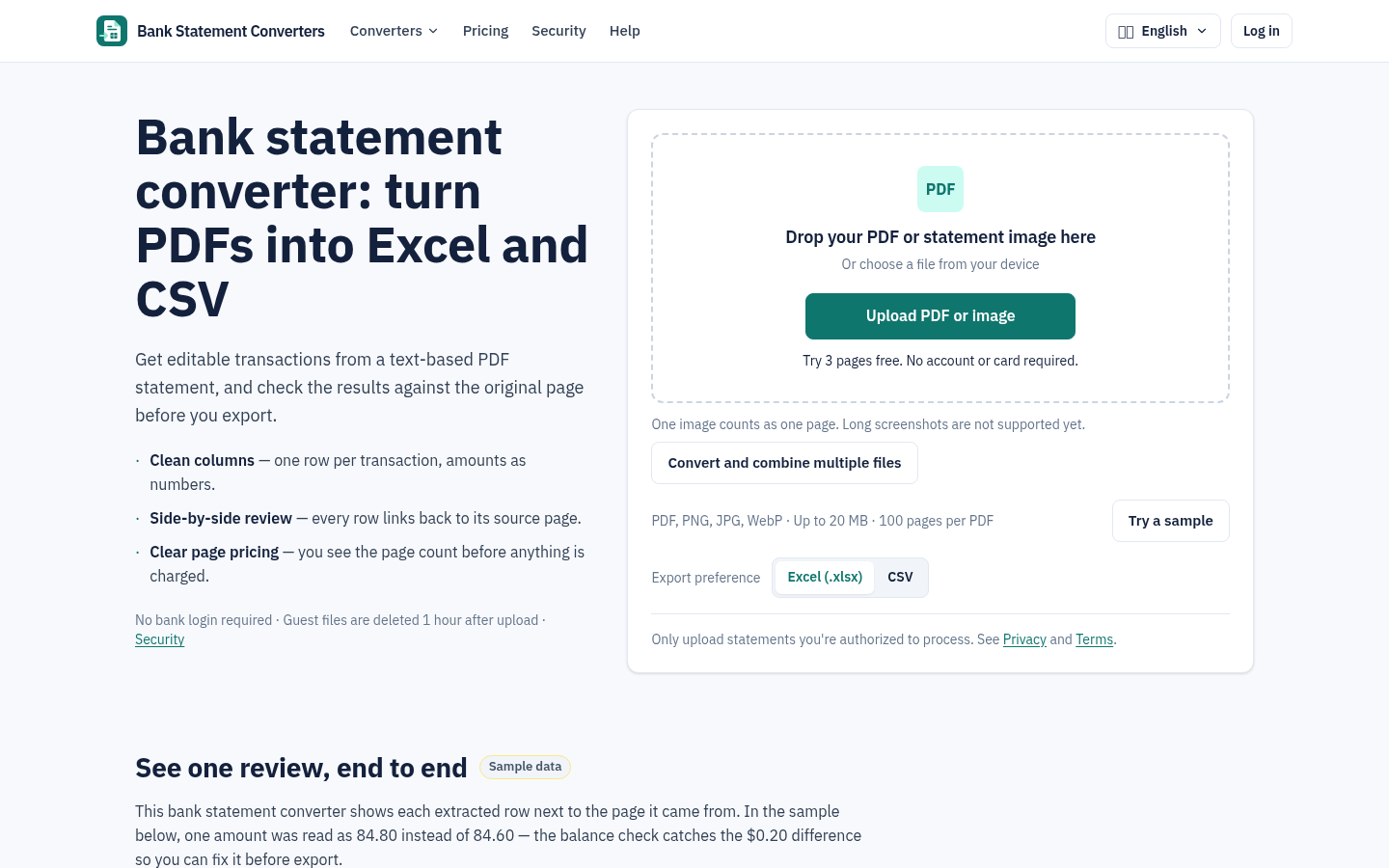
Screenshot archived from the listing page, for preview only.