Character Calls
AI character voice callsTalk to AI characters by voice, for free
Highlights
What you can do with it
- Practice a language and build fluency with a patient conversation partner.
- Rehearse interview answers in a simulated interview setting.
- Role play game plots with an AI character and build a story together.
How to use it
- 1 Download and install the Character Calls app.
- 2 Register an account or log in with an existing one.
- 3 Select a character and open the call screen.
- 4 Start the call with one tap.
- 5 Switch between voice and text as needed.
- 6 Interrupt or continue the conversation whenever you want.
- 7 Use it for learning, entertainment or creative work.
Who it is for
Pros
- Free to use.
- Seven languages supported.
- Voice and text can be mixed in one conversation.
- Different voices and personalities for the same character.
Limitations
- It needs the app and an account, so it is not a browser only tool.
- Voice quality and latency depend on the network and the device.
- You are talking to an AI character, so answers are not verified facts.
- Free availability and the language list can change.
What Character Calls is
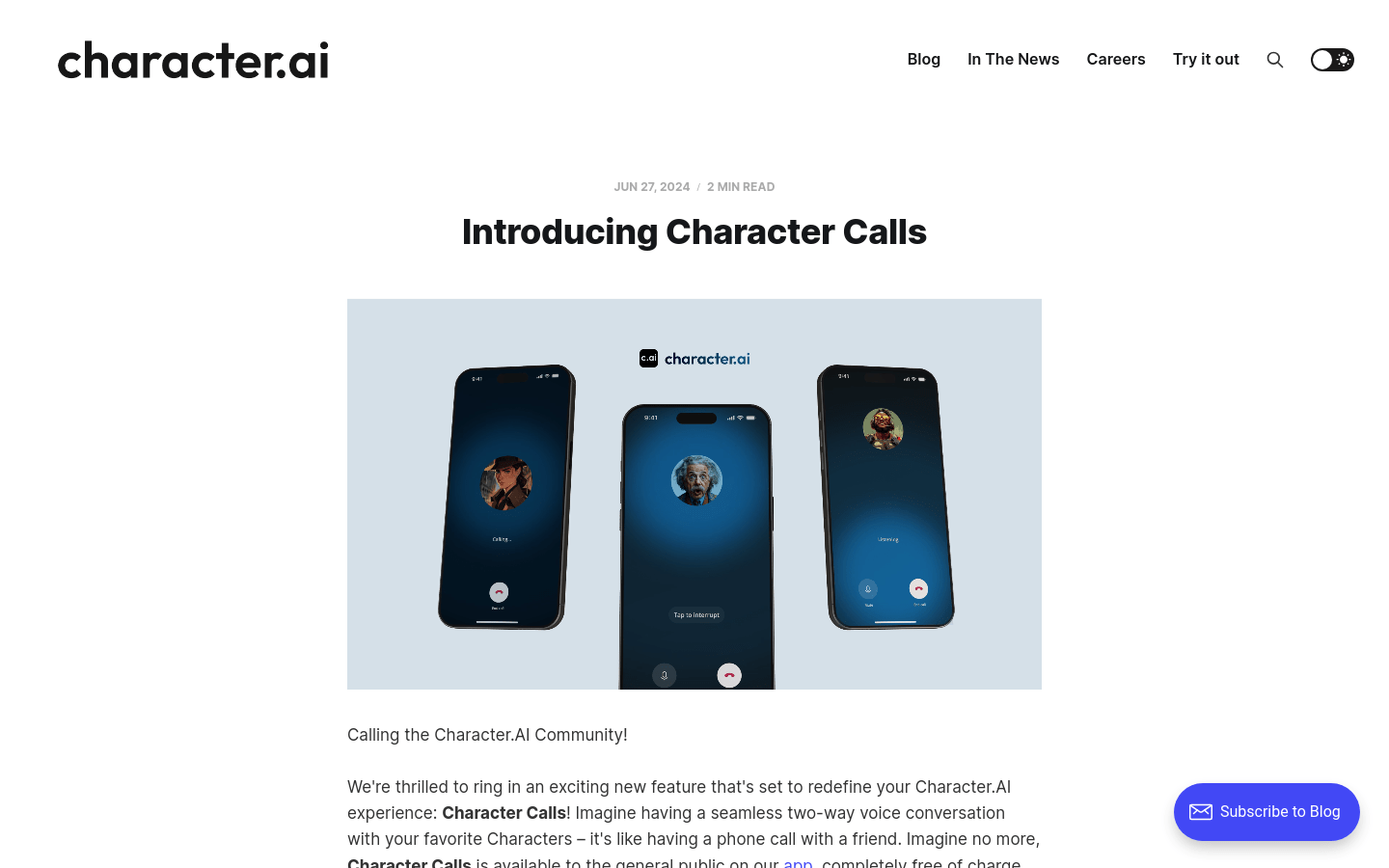
Character Calls is a voice calling feature from Character.AI. Instead of typing to a character, you start a call and hold a two way voice conversation, in the same way you would talk to a friend on the phone. The service is free. It supports English, Spanish, Portuguese, Russian, Korean, Japanese and Chinese, and the company presents it as a step forward in how, where and when people can interact with its characters. Because it is voice first, the focus is on latency: the goal is to cut waiting time so you spend more of the call actually talking. A character keeps one consistent voice across the whole call.
What you can do with it
- Start a call with a character in one tap.
- Choose between different voices, tones, accents and personalities.
- Interrupt the character at any moment, the way you would in a real call.
- Send text instead of speaking when you cannot talk out loud.
- Switch between voice and text inside the same conversation without losing the thread.
Who it is for
- Language learners who want low pressure speaking practice.
- Job seekers who want to rehearse interview questions.
- Role playing and story fans who build plots with a character.
What to watch out for
The service runs inside the Character Calls app, so you need to install it and have an account before you can call. Voice quality and latency depend on your network and your device, and a weak connection will show up quickly in a call. Remember that you are talking to an AI character, so what it says is generated rather than verified, and it should not be treated as a factual or professional source. Free availability and the exact language list can also change as the product develops, and the page describing the feature was not reachable during the last automated check, so confirm current details in the official app.
FAQ
Is Character Calls free?
Yes. The service is described as free.
Which languages does it support?
English, Spanish, Portuguese, Russian, Korean, Japanese and Chinese.
Can I type instead of talking?
Yes. You can send text, and you can switch between voice and text during the same call.
Do I need an account?
You register an account or log in with an existing one before you start calling.
Why it is free
What the official page says: 完全免费免费
Free limits, trial length and features are decided by the official site and can change at any time.
Product preview
Screenshot archived from the listing page, for preview only.