Free Shared GPT Accounts
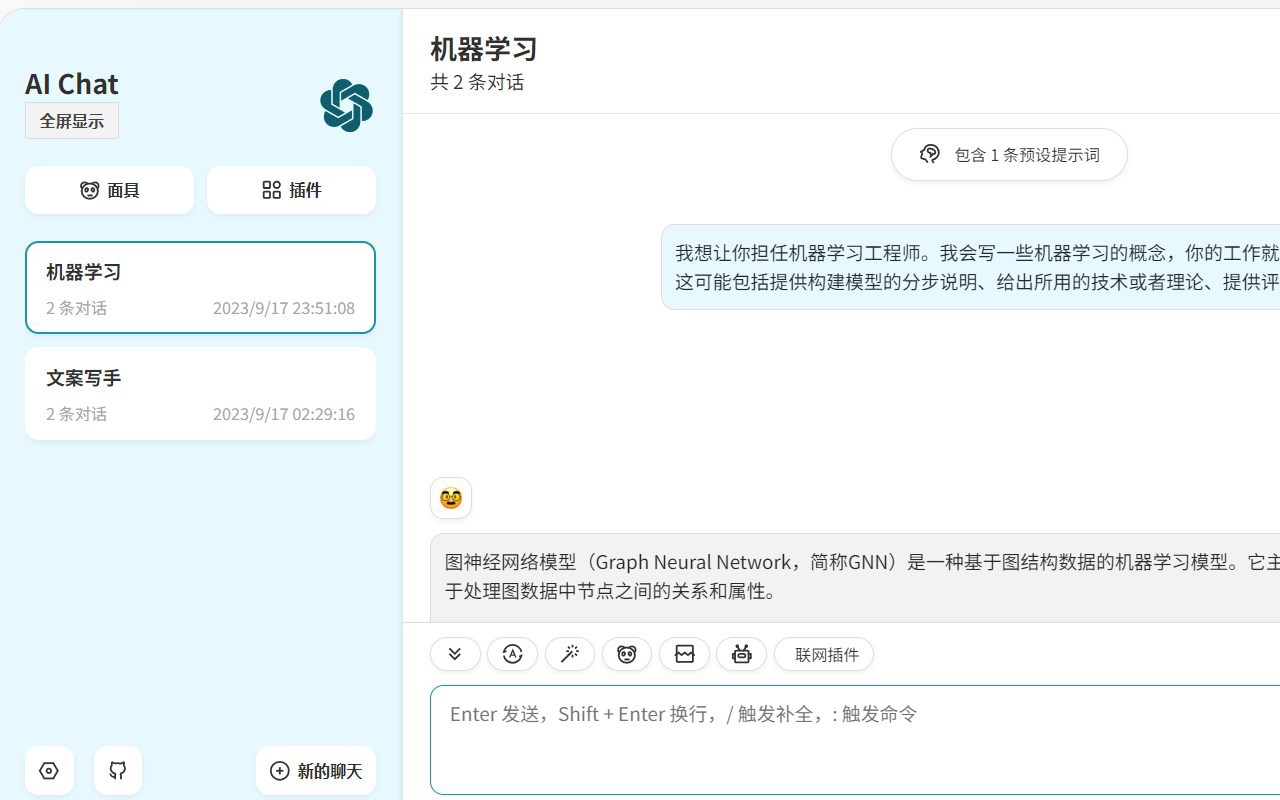
Shared GPT account access pagePick a shared account and start a conversation
Highlights
What you can do with it
- Run a set of conversations on one shared account and move on
- Set a password so your conversation stays separate
- Check live account status before starting work
How to use it
- 1 Visit the account list page
- 2 Browse the GPT accounts shown on the page
- 3 Click the connect button on the account you want
- 4 If needed, set a password to isolate your conversation
- 5 Finish up, then pick another account or try again later
Who it is for
Pros
- No signup of your own, you click an account and start
- Password isolation helps keep conversations separate
- Live usage status shows which accounts are free to use
Limitations
- Sharing accounts may breach the upstream provider's terms and accounts can stop working at any time
- Each account has usage limits, so long sessions are not realistic
- Privacy cannot be guaranteed on infrastructure you do not control
What Free Shared GPT Accounts is
Free Shared GPT Accounts is a website that offers a service for sharing GPT accounts. Instead of creating your own account, you browse a list on the page, pick one, and click its connect button to go straight into the GPT service. Each account carries usage limits so that use stays fair across everyone, and you can set a password to isolate your conversation and protect privacy. Account usage is updated in real time, so the page shows the current status of each account before you commit to one. The design is deliberately simple, with the aim of letting a user find a usable account in a few seconds.
What you can do with it
- Browse a list of shared GPT accounts and pick one
- Connect directly to the GPT service by clicking an account
- Set a password to isolate your own conversation
- Check real-time usage status before you start
Who it is for
- People who want to try GPT without setting up an account of their own
- Users who need short, occasional access rather than a subscription
- Anyone comparing what a paid tier offers before paying for it
What to watch out for
Sharing accounts usually goes against the terms of the upstream provider, which means accounts can be suspended or stop working at any time and without warning, and any consequences of that fall on the user. Each account has usage limits, so long or important sessions are not realistic on this route. Privacy is also limited: even with a password, the account and its infrastructure are not under your control, so avoid entering anything sensitive or personal. Treat it as a short trial surface, not a place for work you cannot afford to lose.
FAQ
How do I use a shared account?
Browse the list on the page, pick an account, and click its connect button to start using the GPT service.
Can I keep my conversation private?
The site says you can set a password to isolate conversations and protect privacy, but control of the account itself is not yours.
Are there limits?
Yes. Each account has usage limits, and the page shows account usage updated in real time.
Why it is free
What the official page says: 免费
Free limits, trial length and features are decided by the official site and can change at any time.
Product preview
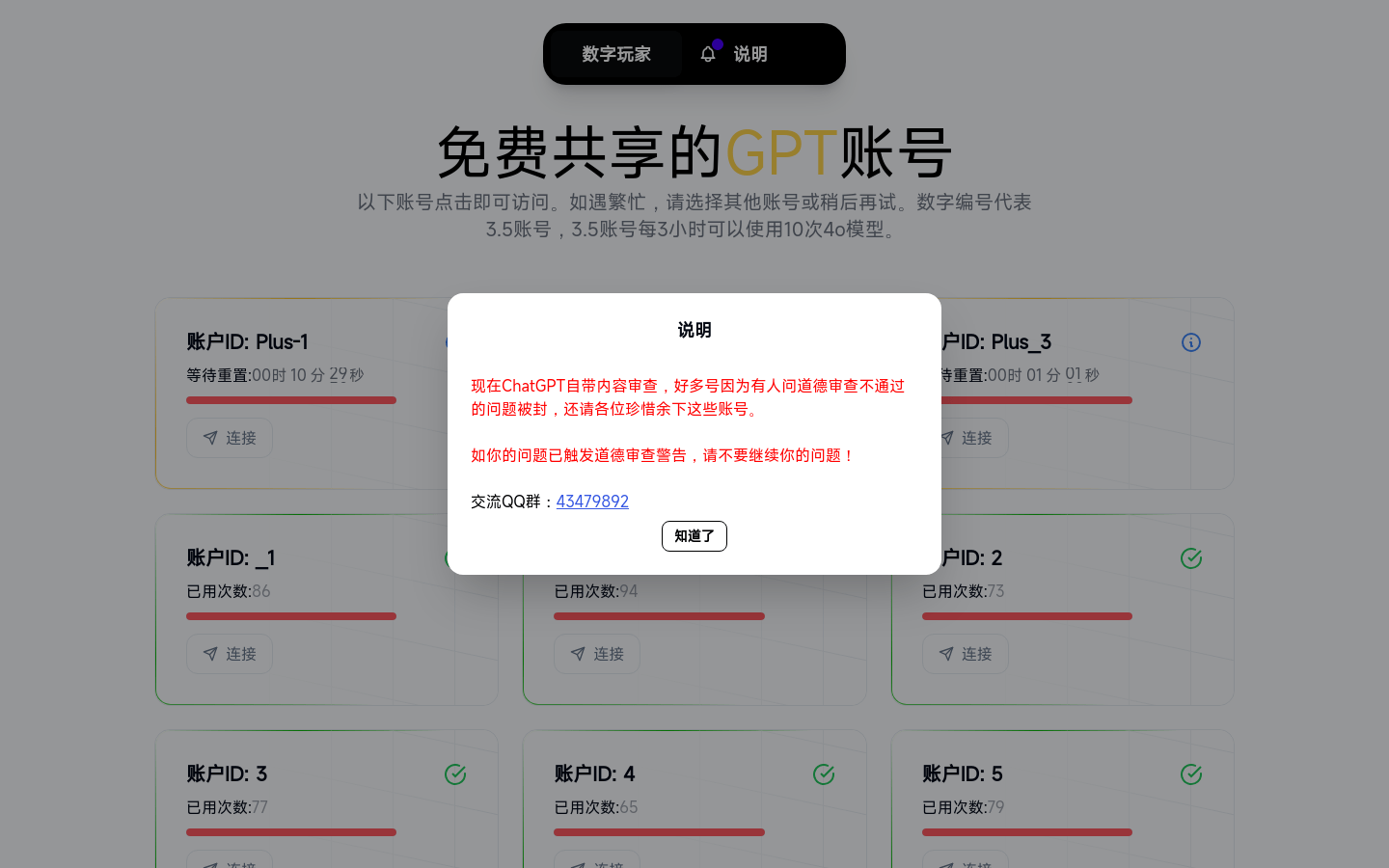
Screenshot archived from the listing page, for preview only.