ChatInDoc
AI PDF reader and document chatChat with your PDFs and get summaries
Highlights
What you can do with it
- Summarize a long research paper
- Look up terms inside a manual
- Analyze an IR report with chat questions
How to use it
- 1 Open ChatInDoc and sign in
- 2 Upload your PDF document
- 3 Ask questions in the chat box
- 4 Read the AI answer or the generated summary
Who it is for
Pros
- Turns long PDFs into answers and summaries
- Free plan with a monthly point allowance
- Works for papers, manuals, and reports
Limitations
- Free plan is capped at 2,000 points per month
- Heavy use needs the professional plan, and pricing can change
- Answers depend on document clarity and may miss context
What ChatInDoc is
ChatInDoc is an AI-powered PDF reader that interprets documents to give you a fast, efficient reading experience. Its features include PDF summarization, term explanation, IR report analysis, and document browsing. Instead of reading page by page, you ask your question in the chat and the AI answers it from the document. There is a free version and a professional version: the free plan offers 2,000 points per month, and the professional plan offers 200,000 points per month. It is ideal for reading research papers, manuals, and other long document types.
What you can do with it
- Summarize a long PDF into key points
- Ask the chat what a term or section means
- Analyze IR reports and pull out facts
- Browse a document and get answers on the spot
Who it is for
- Researchers reading papers and reports
- People working with long manuals
- Anyone who needs fast answers from a PDF
What to watch out for
The free plan is capped at 2,000 points per month, so regular use of large documents will likely need the professional plan, and pricing can change. Answers are drawn from the document, so clarity matters: scanned or poorly formatted PDFs may give weaker results. The AI can miss context or nuance, so verify anything important against the source. Points are consumed as you use it, so track your usage if you stay on the free tier. Generated suggestions are for reference only, so verify anything that affects professional judgment or important data. Start with a small sample to confirm the output meets your expectations before processing the full batch. Save a backup of the original file before large batch jobs, and keep an exported copy of key results in case the page or service becomes temporarily unavailable.
FAQ
Is there a free version?
Yes. The free plan gives 2,000 points per month, and the professional plan gives 200,000.
What can it read?
It is built for PDF documents such as research papers, manuals, and IR reports.
How do I get answers?
You upload a PDF and ask questions in the chat, and the AI answers them.
Why it is free
What the official page says: free version
Free limits, trial length and features are decided by the official site and can change at any time.
Product preview
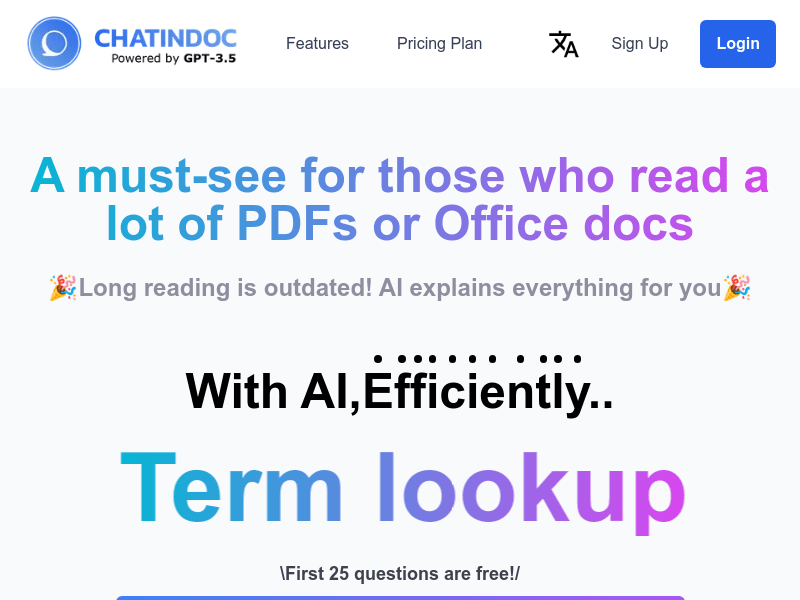
Screenshot archived from the listing page, for preview only.