Clippy AI
Multilingual online translatorText, voice, and offline translation
Highlights
What you can do with it
- Translating study material or textbook passages
- Understanding documents and messages at work
- Getting by while traveling without a connection
How to use it
- 1 Open Clippy AI in your browser
- 2 Paste in the text you want translated
- 3 Choose the source and target languages
- 4 Use voice input if you would rather speak
- 5 Copy the result, or switch to offline mode without internet
Who it is for
Pros
- A free version is available
- Offline mode is useful without internet access
- Covers short phrases through to full articles
Limitations
- Offline packs and voice features may be limited on the free plan
- Machine translation still needs a human check for important text
- Free plan terms can change
What Clippy AI is
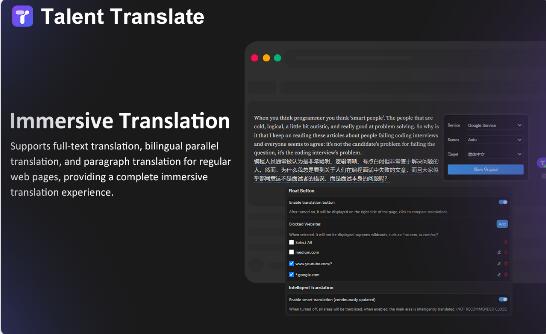
Clippy AI is an online translation tool. It handles text, sentences, paragraphs, and whole articles, and it supports translation between multiple languages in both directions. Two features stand out on the page: voice translation, which lets you speak instead of typing, and offline translation, which keeps the tool useful when there is no internet connection. The site positions it for learning, work, and travel, which covers most everyday reasons people need a translator. Pricing is flexible, with both a free and a paid version available.
What you can do with it
- Translate short phrases, sentences, and full articles
- Use voice input instead of typing
- Keep translating with offline mode
- Move between several language pairs
Who it is for
- Students working with material in another language
- Professionals who read foreign-language documents at work
- Travelers who need a quick translation on the move
What to watch out for
Offline translation and voice features may sit behind limits on the free plan, and the page does not spell out exactly what those limits are. Machine translation is a starting point, not a final answer, so anything contractual, medical, or legal should be checked by someone who reads both languages. Short everyday phrases come out better than nuanced or idiomatic writing. Check the official page for current plan details before you depend on it for important work. For best results, start with a small test file and review the output carefully before working on anything important. Free tiers can change over time, so it is worth checking the current limits on the official page before you rely on the tool daily.
FAQ
Does Clippy AI work without internet?
Yes. Offline translation is listed as one of its features, which is useful when you have no connection.
Can I translate by speaking?
Yes. It offers voice translation, so you can use voice input instead of typing the text.
Is there a free version?
Yes. Clippy AI has both free and paid versions, and the site describes the pricing options as flexible.
Why it is free
What the official page says: 免费版免费
Free limits, trial length and features are decided by the official site and can change at any time.
Product preview
Screenshot archived from the listing page, for preview only.