Documentation.AI
AI docs platformDocs that stay fresh with AI
Highlights
What you can do with it
- Creating product docs that onboard new staff faster.
- Keeping documentation in sync with product changes.
- Updating docs from code during development.
How to use it
- 1 Start the free trial without a credit card.
- 2 Pick a web or code editor for your docs.
- 3 Build the structure with template blocks.
- 4 Use the AI agent and assistant, then integrate your tools.
Who it is for
Pros
- A free trial needs no credit card and launches in minutes.
- The AI agent helps keep docs from going stale.
- Fast pages and clean structure aid readers and search.
Limitations
- AI suggestions still need human review for accuracy.
- Free trial terms and pricing can change over time.
- Its value depends on keeping your tools connected.
What Documentation.AI is
Documentation.AI is an AI-driven documentation and knowledge base platform. Its AI agent suggests, writes, and formats content, watches product changes and user feedback, and flags outdated docs so they stay current instead of rotting. You can edit in a web editor or update documents in code, and you can ask an AI assistant questions inside the document to get quick, referenced answers. It provides 100 reusable template blocks to speed up building pages, and the structure is designed to be easy for large language models and search engines to read. Pages are built for speed with strong performance, accessibility, and SEO scores, and it integrates with tools like GitHub, Slack, Jira, and Linear. A free trial is offered without a credit card, and you can launch within about 5 minutes.
What you can do with it
- Keep documentation fresh with an AI agent that flags stale pages.
- Edit in a web editor or update docs in code.
- Ask an in-document AI assistant for referenced answers.
- Build pages fast with reusable template blocks.
Who it is for
- Startups that need docs built and updated quickly.
- Development teams writing technical documentation.
- Support teams that answer user questions.
What to watch out for
AI suggestions still need a human review for accuracy, since automated edits can introduce errors if you do not check them. Free trial terms and pricing can change over time, so confirm the current offer before you rely on the platform for a long project. The real value depends on keeping your connected tools in sync, so if your stack does not integrate well the automation helps less. Because it stores your content and connects to systems like GitHub and Slack, review the permissions and security terms before you grant access.
FAQ
What is Documentation.AI?
It is AI-driven documentation and knowledge base software that keeps docs up to date, speeds onboarding, and reduces support tickets.
Is there a free trial?
Yes. You can start a free trial without a credit card and be up and running within about 5 minutes.
Can I edit docs in code?
Yes. You can use the web editor or update documents in code form through the code editor.
Why it is free
What the official page says: free trial
Free limits, trial length and features are decided by the official site and can change at any time.
Product preview
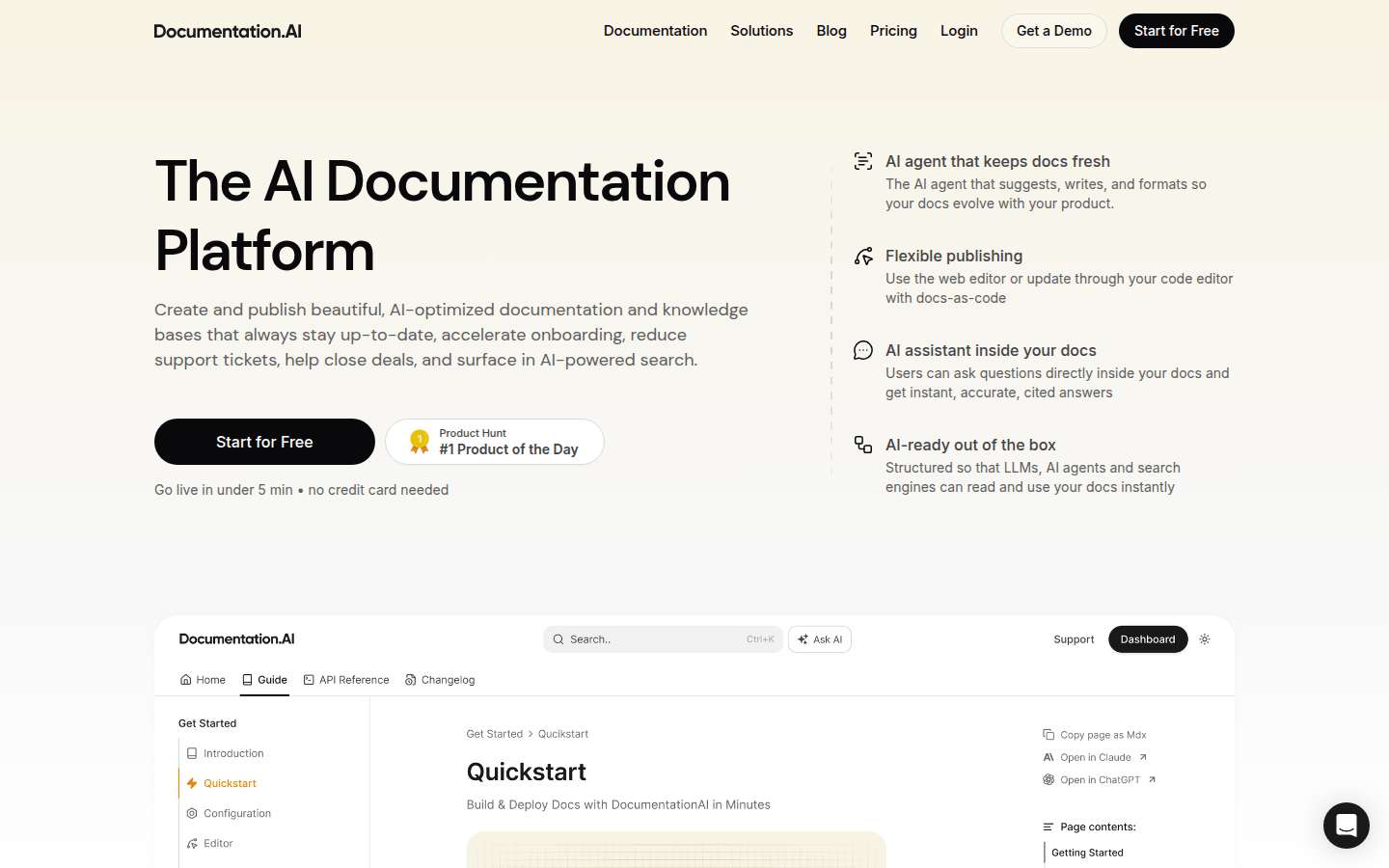
Screenshot archived from the listing page, for preview only.