Dover
AI resume sorting for recruitingSort applicants faster with AI
Highlights
What you can do with it
- Screening a large batch of applications for one role
- Filtering candidates against specific requirements
- Publishing a role and shortlisting quickly
How to use it
- 1 Open the Dover website and set up a role.
- 2 Define the filtering conditions you care about.
- 3 Let the AI sort incoming applications.
- 4 Review candidate details and shortlist people.
- 5 Sync shortlists into your ATS or hiring process.
Who it is for
Pros
- Free to use with free job posting
- Filtering speeds up the first screening pass
- ATS integration fits existing workflows
Limitations
- AI sorting can miss good candidates and needs human review
- Automated screening raises fairness and bias questions
- Free terms and feature limits can change
- Depends on resume quality and clear job criteria
What Dover is
Dover is recruitment software that applies AI and a chatbot to candidate processing. Instead of reading every application by hand, you set filtering conditions and the system sorts and surfaces applicants, with data analysis and ATS integration behind it. Job posts can be published free of charge, which makes it easy for a small team to test a role without committing budget. The listing describes the product as free to use and says resume handling speeds up considerably compared with manual screening. It is aimed at recruiters and hiring teams that receive more applications than they can read comfortably.
What you can do with it
- Sort applicants automatically against your filters.
- Use a chatbot to handle candidate questions.
- Review candidate details and build a shortlist.
- Sync results with your ATS.
- Post roles without a listing fee.
Who it is for
- Recruiters managing high application volumes.
- HR teams at small companies without dedicated screeners.
- Hiring managers who want a first pass before interviewing.
What to watch out for
Automated sorting can miss strong candidates whose resumes use unusual wording, so a human review pass matters before anyone is rejected. Screening automation also raises fairness and bias questions, since filters can encode assumptions that disadvantage some groups. Free terms and feature limits can change, and the quality of results depends heavily on how clearly the role and requirements are written. Treat the shortlist as a starting point, not a decision. Start with a small sample to confirm the output meets your expectations before processing the full batch. Free tiers and usage limits can change, so check the current rules on the official page before relying on it long term.
FAQ
Is Dover free?
The listing describes Dover as free to use, including posting jobs.
How does the sorting work?
You set filtering conditions and the AI ranks and surfaces matching applicants.
Should I trust the shortlist blindly?
No. Review the output yourself, since automated screening can overlook strong candidates.
Why it is free
What the official page says: free to use
Free limits, trial length and features are decided by the official site and can change at any time.
Product preview
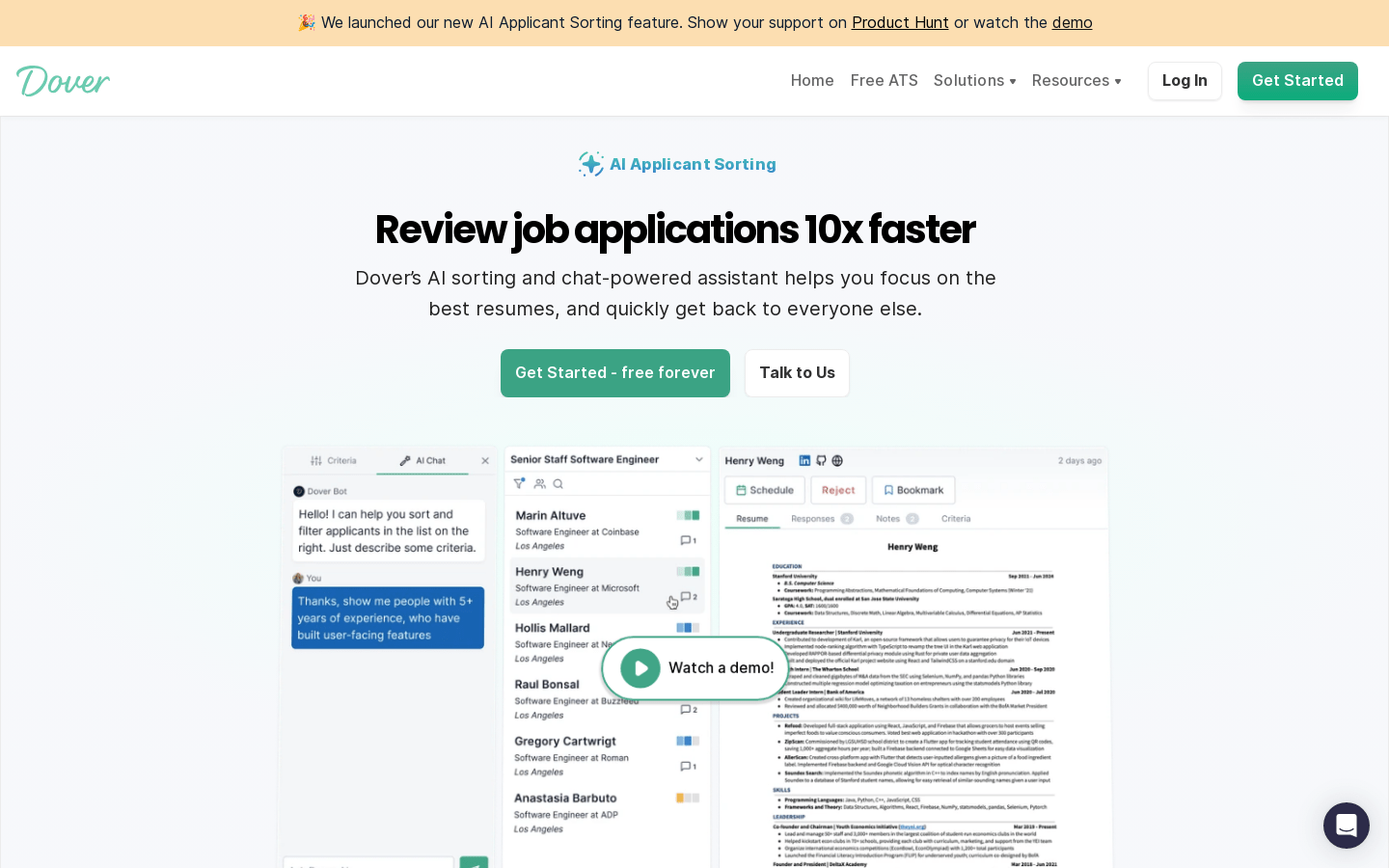
Screenshot archived from the listing page, for preview only.