Excelmatic
Natural language Excel analysisAsk your spreadsheet questions in plain words
Highlights
What you can do with it
- Ask questions about a spreadsheet and get instant answers
- Clean messy data with one click
- Generate professional charts for a report
How to use it
- 1 Upload your Excel or csv file to the platform
- 2 Ask your question in plain language
- 3 Read the instant answer, chart, or insight
Who it is for
Pros
- No formula knowledge required
- Fast answers and chart creation
- Automates tedious data cleaning
Limitations
- Continued use needs a paid plan after the trial
- Trial and pricing terms can change
- Complex analysis may still need manual checks
What Excelmatic is
Excelmatic is an AI-driven Excel data analysis and visualization platform. Instead of mastering complex formulas and functions, you talk to your spreadsheet in natural language and get answers, charts, and insights in return. It accepts files in xlsx and csv formats and helps you move from raw data to a clear result quickly. Beyond answering questions, it automates tedious work like cleaning data, recognizes data types to avoid formatting errors, and generates professional charts in one click. A free trial is offered so you can test it on your own files first.
What you can do with it
- Ask questions about your data in plain language
- Clean messy data with a single click
- Generate bar, pie, and line charts automatically
- Pull key metrics and summaries for a quick read
- Get formula help written in natural language
- Turn spreadsheet data into business insight for reports
Who it is for
- Data analysts who process large datasets and want speed
- Business intelligence managers tracking performance metrics
- Product managers who need to read user and business data fast
- Anyone who works in Excel but does not want to learn formulas
What to watch out for
The free trial is limited, and continued use sits behind a paid plan, with trial and pricing terms that can change, so confirm current details before committing. AI analysis is helpful but not perfect, so check important numbers and complex results by hand. Because it works on uploaded files, make sure you are comfortable sharing the data you put into the platform. Start with a small sample to confirm the output meets your expectations before processing the full batch.
FAQ
Do I need to know Excel formulas?
No, you interact using natural language.
What files are supported?
It supports xlsx and csv formats.
Is there a free trial?
Yes, a free trial is available.
Why it is free
What the official page says: free trial
Free limits, trial length and features are decided by the official site and can change at any time.
Product preview
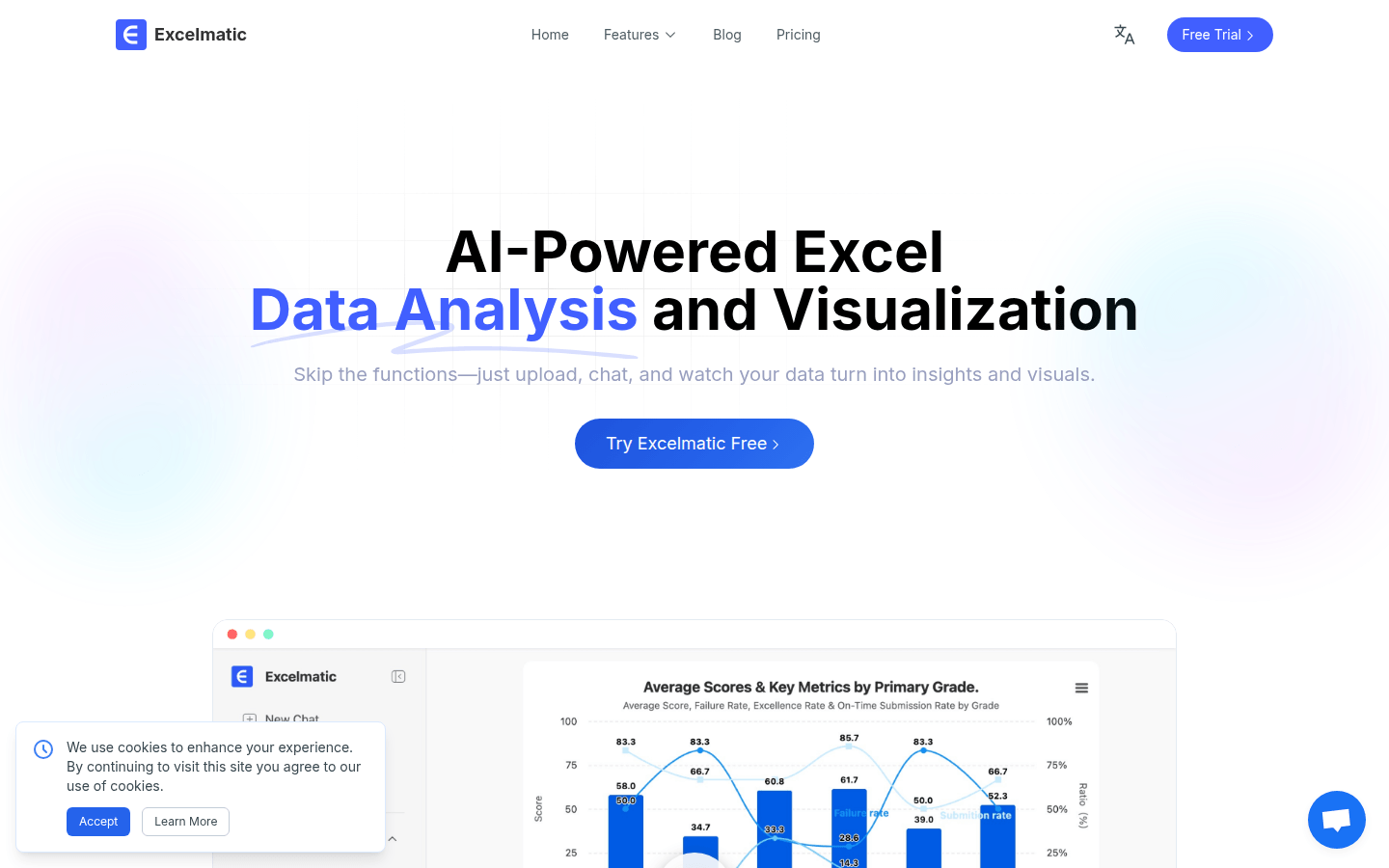
Screenshot archived from the listing page, for preview only.