FlexEdit.app
Free instruction editorCreate and share guides, no signup
Highlights
What you can do with it
- Write and update an operation manual
- Create a software user guide for a team
- Produce teaching materials or tutorials
How to use it
- 1 Visit the FlexEdit.app website
- 2 Click Try Demo or Run Demo to start
- 3 Create or edit your guide with the editor
- 4 Share the finished guide with the people who need it
Who it is for
Pros
- Start without creating an account
- No cost for the core editing
- Sharing is built in for easy handoff
Limitations
- It is positioned as a trial, so the free terms may change
- Focused on instructions, not general documents
- Advanced or long-term needs may push you toward an upgrade
What FlexEdit.app is
FlexEdit.app is an online platform for creating, editing, and sharing guides and instructions. It is built for documents such as manufacturing process guides, software manuals, and step-by-step tutorials. According to the product, you do not need to register, there is no cost, and the process is meant to be hassle-free, so you can start with a single click. It also offers a trial version that lets you experience all features at no charge. The goal is efficient information transfer and knowledge sharing through professional-looking guides that are easy to hand off to others.
What you can do with it
- Create and edit instruction documents and manuals
- Build step-by-step tutorials or process guides
- Share a finished guide with the people who need it
Who it is for
Manufacturing engineers can use it to write and keep operation manuals current as processes and equipment change over time. Software development teams can document user guides, internal runbooks, and onboarding steps in one shared place that everyone can reach. Educators and corporate trainers can turn lessons into structured teaching materials that learners can follow at their own pace. Anyone who regularly produces how-to content and wants a no-signup, no-cost editor will find the workflow straightforward and quick to pick up.
What to watch out for
Because the product frames access as a trial, the free terms could change, so check the site before you build a long-term process on it. It is a specialized editor for instructions rather than a general word processor, so it may not cover every document type you have, such as dense reports or slide decks. The demo-driven start means some features may sit behind an upgrade, so confirm exactly what the trial includes. For heavy, regulated, or widely distributed documentation, test whether the sharing and formatting meet your standards first.
FAQ
Do I need to register?
No, you can start without signing up.
Is it free?
The core editing is free, with a trial of all features.
What is it for?
Guides, manuals, and step-by-step instructions.
Why it is free
What the official page says: no registrationfree trial
Free limits, trial length and features are decided by the official site and can change at any time.
Product preview
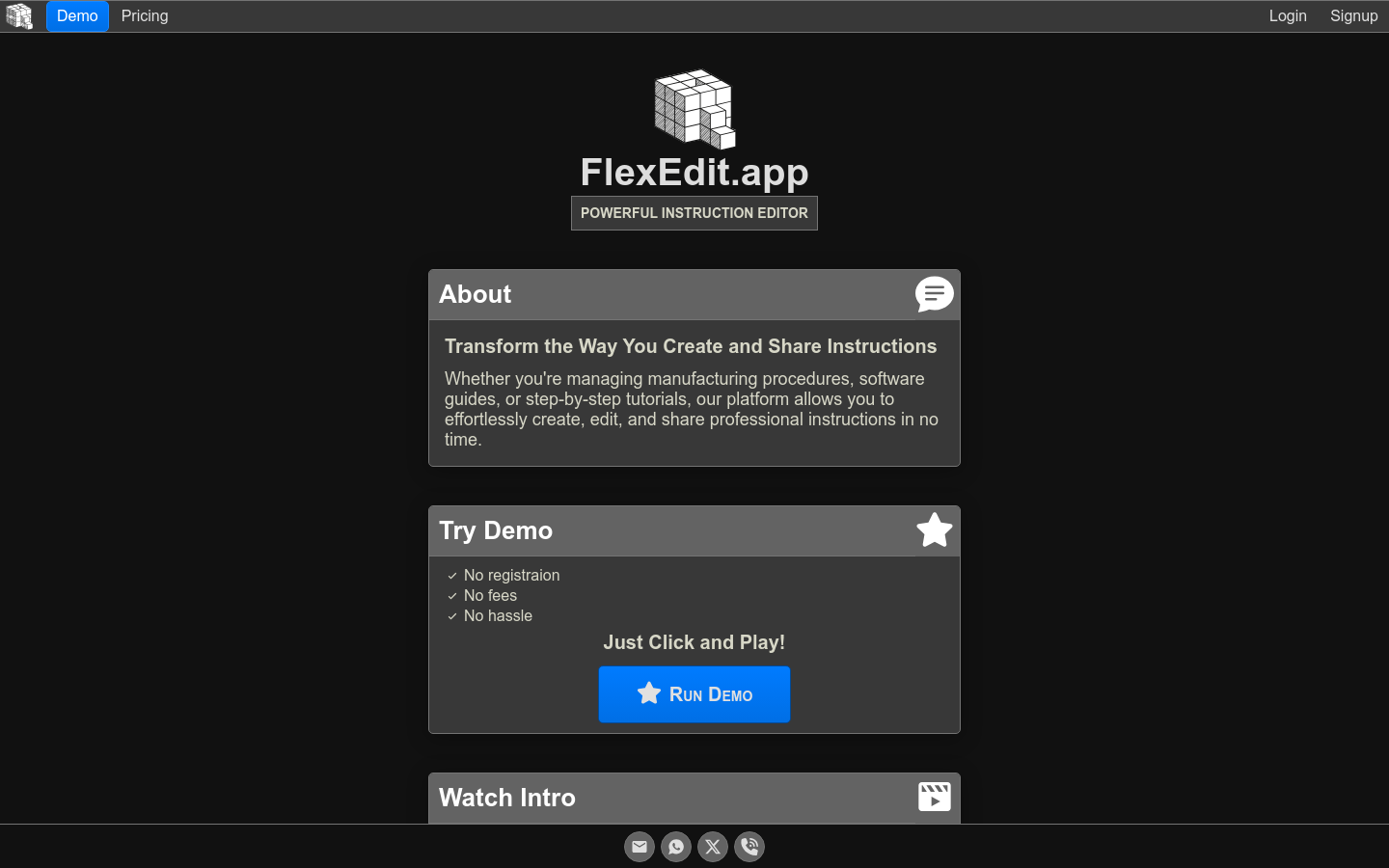
Screenshot archived from the listing page, for preview only.