Hailuo AI Audio
Text to speech with voice controlTurn text into natural, expressive speech
Highlights
What you can do with it
- Generate voice explanations for a course
- Create voiceovers for product promotions
- Produce audiobook narration from text
How to use it
- 1 Open the Hailuo AI Audio page
- 2 Enter the text you want converted
- 3 Click generate speech and let it detect the language
- 4 Adjust emotion, speed, pitch, and volume
- 5 Pick a voice, then play or download the audio
Who it is for
Pros
- Natural, expressive speech output
- Fine control over emotion and pacing
- A history log makes reuse easy
Limitations
- The free trial is limited-time and may end
- Voice quality varies by language and voice choice
- It is not a substitute for a human voice actor on key work
What Hailuo AI Audio is
Hailuo AI Audio is a text-to-speech tool that converts text into natural, fluent speech. It detects the language of your input automatically and lets you adjust emotion, speed, pitch, and volume, with several preset voices to choose from. A history log saves past generations so you can reuse them. It suits audiobook production, voice broadcasting, and course voiceovers, and currently offers a limited-time free trial for users to try before paying.
What you can do with it
- Convert text into natural speech in a few steps
- Let the tool detect the input language automatically
- Adjust emotion, speed, pitch, and volume
- Choose from preset voices and reuse past generations
Who it is for
- Educators adding voice to course material
- Businesses creating product voiceovers
- Creators producing audiobooks or broadcasts
What to watch out for
The free trial is limited-time and can end, so confirm the current offer before you depend on it. Voice quality varies by language and by the preset voice you choose, so test a short sample first. For high-stakes narration, a synthetic voice may not match a human voice actor, so review output carefully. Because it is an online service, availability and features can change over time. Run one full task end to end first, then expand once you are comfortable with the workflow and the result quality. Behavior may vary across browsers and devices, so test before production use and consult the help docs if errors appear. Save a backup of the original file before large batch jobs, and keep an exported copy of key results in case the page or service becomes temporarily unavailable.
FAQ
Is Hailuo AI Audio free?
It offers a limited-time free trial. Check the site for current terms.
Can I change the voice?
Yes. You can adjust emotion, speed, pitch, and volume and choose from preset voices.
What is it used for?
It is used for audiobooks, voice broadcasting, course voiceovers, and product introductions.
Why it is free
What the official page says: free trial
Free limits, trial length and features are decided by the official site and can change at any time.
Product preview
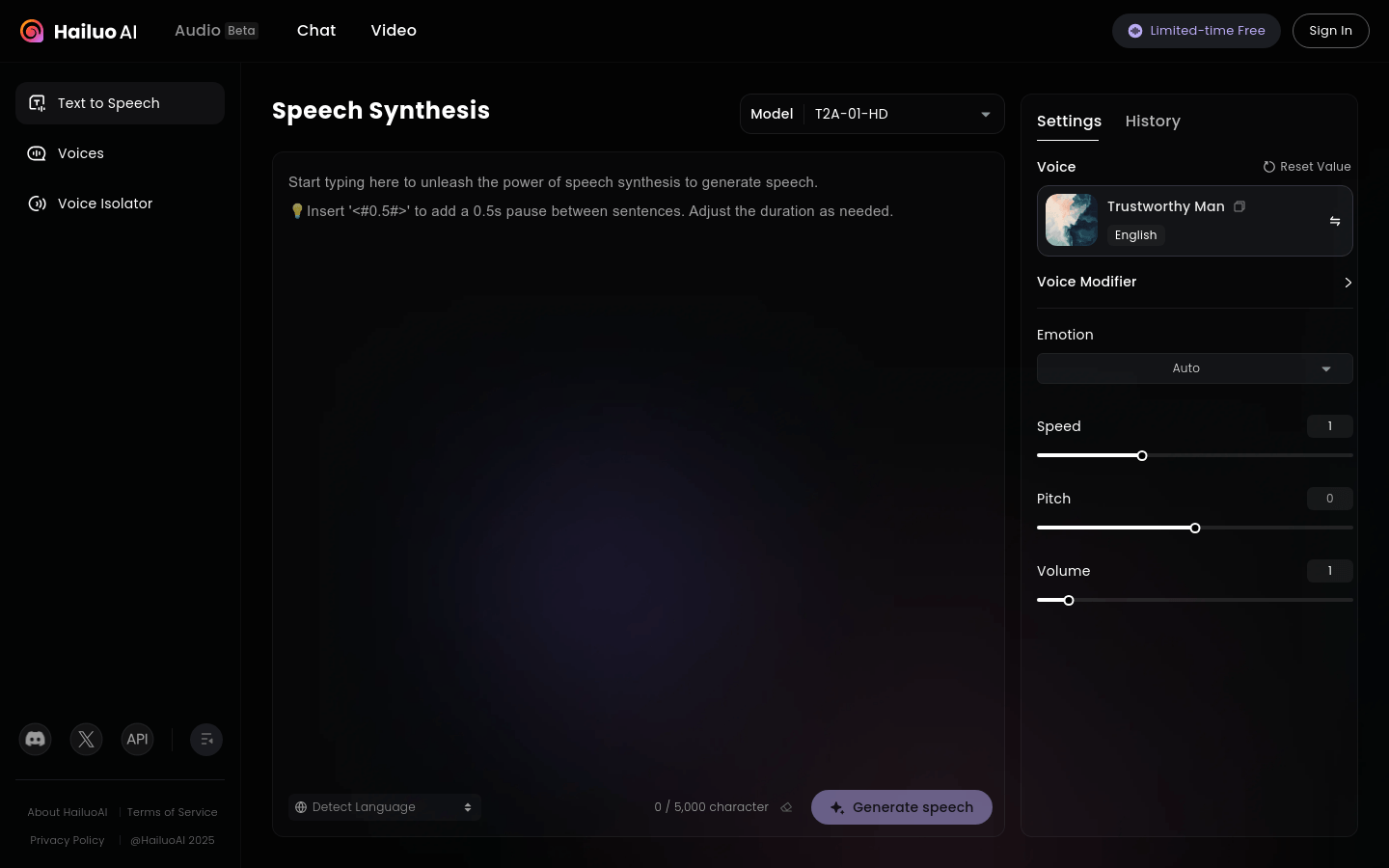
Screenshot archived from the listing page, for preview only.