Hintedly
Invisible desktop overlay for real-time AI guidanceLive AI answers in interviews, meetings, and sales calls
Highlights
What you can do with it
- Job seekers get concise answer points during tough interview questions
- Salespeople get responses to customer objections on a live call
- Team members give accurate updates and capture decisions in meetings
How to use it
- 1 Download the Windows or Mac installer and enter your license
- 2 Open Hintedly alongside your meeting tool to show the overlay
- 3 Read the live answers that only you can see
- 4 After the meeting, review notes, action items, and follow-up emails
Who it is for
Pros
- Instant answers help you avoid awkward silences
- Broad compatibility with common meeting and interview tools
- Overlay stays hidden from screen sharing and capture
- Auto notes and follow-ups save time after the call
Limitations
- Using hidden help in interviews or exams may break school or platform rules, and the consequences are yours to carry
- Free trial and licensing terms can change over time
- Answers are prompts, so you still need to speak and judge well
- Needs a desktop install and a working meeting setup
What Hintedly is
Hintedly is a desktop client from AwesomeAI Inc. that gives real-time AI guidance in interviews, meetings, and sales calls. It shows answers in a transparent desktop overlay that others cannot see, so you always have a prompt for what to say next. The answers are based on the current situation, combining screen content, conversation, and files. It supports many common platforms and tools such as Zoom, Google Meet, Microsoft Teams, Webex, HireVue, CoderPad, and LeetCode, and after a meeting it generates structured records, action items, and follow-up emails. It offers a free trial with no complex settings or admin permissions. Please note that using hidden assistance in interviews, tests, or meetings may break the rules of a school or platform, and the consequences are yours to carry.
What you can do with it
- Get instant answer points when a question catches you off guard
- Receive responses to customer objections during a live sales call
- Capture meeting notes, action items, and follow-up emails automatically
- Search past meetings for names, numbers, and decisions
Who it is for
- Job seekers who face behavioral or technical interview questions
- Salespeople who handle discovery calls and objections
- Team members and executives who must give clear updates
- Anyone in high-pressure conversations who wants a quiet safety net
What to watch out for
Hidden assistance can be against the rules of interviews, exams, or meetings, and if you use it there, any consequences are yours to carry, so check the rules first and get permission where it matters. Answers are prompts, not scripts, so you still need to speak well and judge the situation rather than read blindly. It needs a desktop install and a working meeting setup, and results depend on audio and context quality, so a noisy call can weaken the answers. The free trial and license terms can change, so confirm the current offer before you rely on it.
FAQ
What is Hintedly?
It is a desktop app that shows real-time AI answers in a private overlay during interviews, meetings, and sales calls.
Can others see the overlay?
No, the overlay is excluded from screen capture and recording APIs and does not show during screen sharing.
Is it okay to use in an interview?
It may violate the rules of a school or platform, and any consequences are the user's responsibility, so check the rules first.
Why it is free
What the official page says: free trial
Free limits, trial length and features are decided by the official site and can change at any time.
Product preview
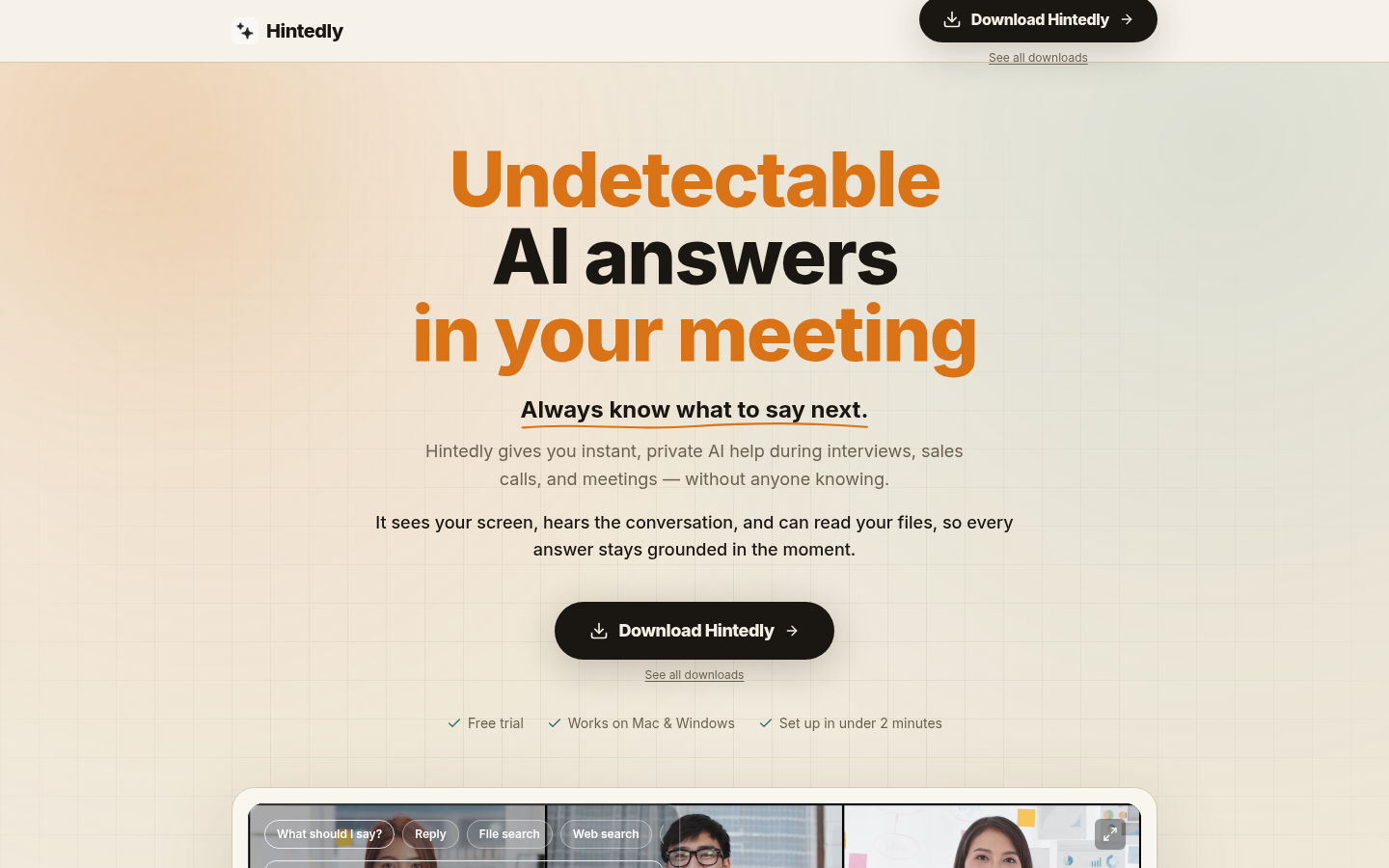
Screenshot archived from the listing page, for preview only.