HumanizerAI.com
Free AI text humanizer toolRewrite AI text to sound human
Highlights
What you can do with it
- Smooth out an AI draft before you edit it yourself.
- Check which sentences a detector is likely to flag.
- Compare an original and a rewritten version side by side.
How to use it
- 1 Paste your AI generated text into the input box.
- 2 Click the humanize button.
- 3 Read the detection score and the rewritten output.
- 4 Copy the version you want and edit it further.
Who it is for
Pros
- Free to try with a simple paste and click flow.
- Detection score gives quick feedback.
- Sentence level view helps you find weak spots.
Limitations
- Using it to disguise AI work may break school or platform rules, and any consequence falls on you.
- Rewriting can change meaning, so facts must be rechecked.
- Detectors change often, so no rewrite stays ahead for long.
- Free limits and paid pricing can change.
What HumanizerAI.com is
HumanizerAI.com is a free AI humanization tool. You paste AI generated text into a box, press a button, and it returns a rewritten version that reads more naturally, along with a detection score and sentence level analysis. The stated purpose is to make AI written content harder for automated detectors to flag, and the site markets itself to students, educators and content professionals. There is no install and no long setup, which makes it easy to test on a single paragraph. Paid tiers sit on top of the free use, and the exact limits of the free version are not spelled out.
What you can do with it
- Rewrite an AI draft into more natural sounding prose.
- See a detection score next to the rewritten text.
- Read sentence level analysis to spot likely problem areas.
- Compare the original and the rewritten version before choosing.
Who it is for
- Students who want a smoother draft they will still edit themselves.
- Writers who find AI phrasing repetitive and want a different rhythm.
- Educators who want to show how detectors behave on rewritten text.
What to watch out for
Using this tool to disguise AI generated work may violate school or platform rules, and any penalty lands on you, not the tool. Treat that as a real risk and check the rules that apply to you before relying on it. Rewriting can also change meaning, introduce errors or drop a qualification, so every fact has to be rechecked. Detectors are updated constantly, so a rewrite that passes today may not pass next month. Free allowances and pricing are current terms and can change.
FAQ
What does the tool actually do?
It rewrites AI generated text into more natural language and shows a detection score for the result.
Can I use it for schoolwork?
Check your institution's rules first. Submitting disguised AI text may count as misconduct, and the risk is yours.
Is the rewritten text accurate?
Not necessarily. Rewriting can alter meaning, so recheck every fact yourself.
Is it free?
The site describes free humanization with paid options for heavier use.
Why it is free
What the official page says: 免费
Free limits, trial length and features are decided by the official site and can change at any time.
Product preview
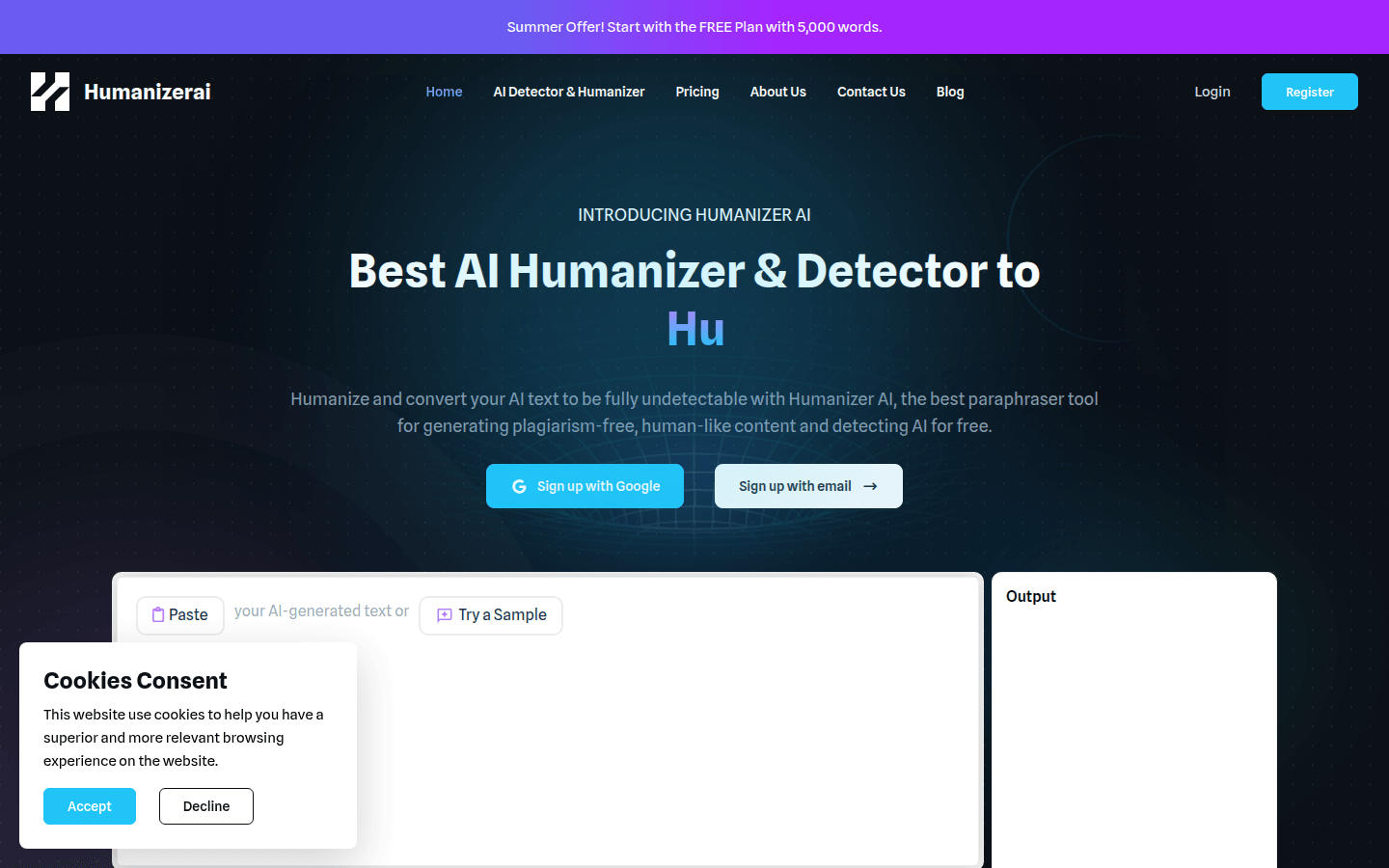
Screenshot archived from the listing page, for preview only.