Image to Excel
Convert image tables and text into ExcelAI image recognition to editable Excel files
Highlights
What you can do with it
- Converting experimental data images into Excel
- Turning images of meeting notes into spreadsheets
- Converting classroom notes into Excel for review
How to use it
- 1 Visit the Image to Excel site or download the app.
- 2 Select the JPG or PNG image to convert.
- 3 Upload it and let the AI recognize tables and text.
- 4 Check the accuracy of the converted Excel file.
- 5 Edit and save or export the file.
Who it is for
Pros
- Free trial available
- Supports multiple languages and image formats
- Available on web, iOS, and Android
Limitations
- Full use requires payment after the free trial
- Conversion accuracy can vary with image quality
- Complex layouts may still need manual correction
What Image to Excel is
Image to Excel is a tool that uses AI to identify tables and text in images and convert them into editable Excel files. It supports multiple languages, including English, Simplified Chinese, Traditional Chinese, and French, and it recognizes image formats like JPG and PNG. The tool is available on web, iOS, and Android so you can convert images to Excel online, and it offers a free trial before you decide to pay.
What you can do with it
- Recognize tables and text in images and turn them into Excel.
- Convert JPG and PNG files into spreadsheets.
- Use it online or through iOS and Android apps.
- Rely on automatic correction of rotated images.
Who it is for
- Researchers converting experimental data images into Excel.
- Office workers turning meeting notes into organized spreadsheets.
- Students converting classroom notes for easier review.
What to watch out for
Image to Excel offers a free trial, but full use requires payment, and the exact pricing is not clearly stated on the page. Conversion accuracy depends on image quality, so blurry or complex layouts may need manual correction. Since it runs online and on mobile, it depends on those platforms staying available. Name and archive exported files consistently so you can find and reuse them, and keep a backup copy of key data. When quality matters, export a small draft first to confirm the result before producing the final file. Save a backup of the original file before large batch jobs, and keep an exported copy of key results in case the page or service becomes temporarily unavailable. Save a backup of the original file before large batch jobs, and keep an exported copy of key results in case the page or service becomes temporarily unavailable.
FAQ
Is there a free trial?
Yes, Image to Excel offers a free trial before you decide to pay.
What formats and languages are supported?
It supports JPG and PNG images and multiple languages including English, Simplified and Traditional Chinese, and French.
Where can I use it?
It is available on the web and through iOS and Android apps.
Why it is free
What the official page says: free trial
Free limits, trial length and features are decided by the official site and can change at any time.
Product preview
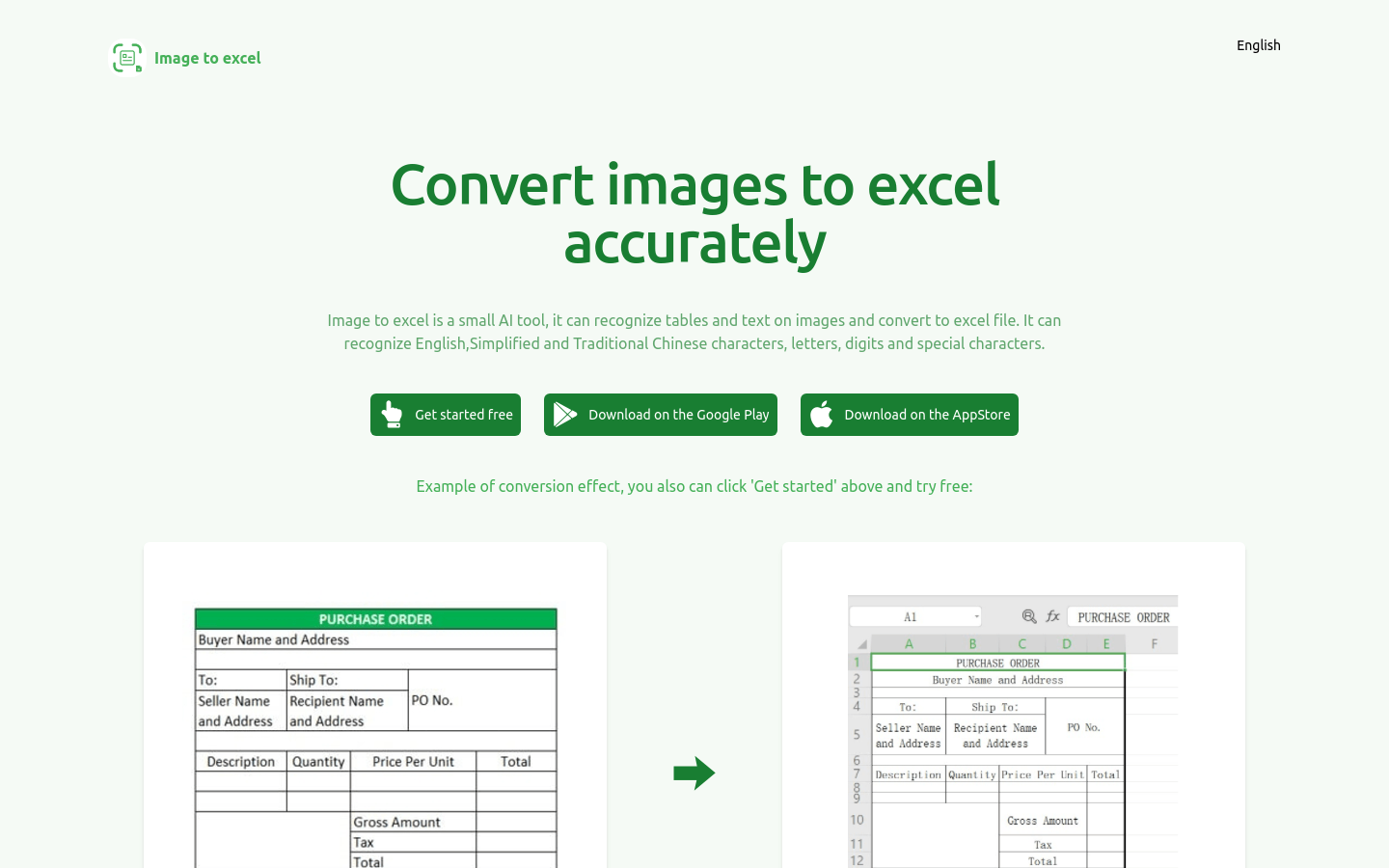
Screenshot archived from the listing page, for preview only.