Kamero
AI event photo sharingGuests find their photos with a selfie
Highlights
What you can do with it
- A wedding photographer sharing the gallery so guests find their own shots by selfie
- A corporate event organiser boosting participation with instant AI photo sharing
- A school sharing sports day and graduation photos with students and parents
How to use it
- 1 Register on the Kamero site from a web or mobile browser; the first event is free
- 2 Create an event and upload photos by drag and drop or batch upload
- 3 Turn on facial AI recognition so the system groups the faces it detects
- 4 Share the event link or QR code with guests
- 5 Guests open the album and use the selfie search to find their own photos, and can add their own
Who it is for
Pros
- Facial recognition removes the manual sorting step after an event
- Guest upload grows the album without extra work for the organiser
- The first event is free and needs no credit card
- Branding and privacy controls suit commercial and institutional use
Limitations
- Free access covers the first event; ongoing use is priced per event or by subscription, and those terms can change
- Facial recognition is privacy sensitive, so guest consent and disclosure matter
- Recognition quality depends on photo quality, angle, and lighting, so some faces will be missed
- The AI image enhancement feature is described as new, so treat results as a starting point
What Kamero is
Kamero is an AI-driven photo sharing platform built around events. The workflow starts when a photographer or organiser uploads photos to an event album, either by drag and drop or in a batch. The system then runs facial recognition across the set, detecting and grouping faces so that each person's shots are collected together. Guests receive a link or a QR code, open the album in a browser or the app, and use a selfie to find their own photos without scrolling through hundreds of images. Attendees can also upload pictures from their own phones, which grows the album at no extra effort. Around that core there is photo screening for print selection, customisable branding with links to your site and social accounts, multi-level privacy settings, app notifications, and embedded video from Instagram, YouTube, Vimeo, and Google Drive. The first event is free, no credit card is required, and ongoing pricing is per event or by subscription.
What you can do with it
- Upload event photos and let facial AI group them by person
- Share a link or QR code so guests find their own photos with a selfie
- Let guests add their own photos to the event album
- Screen and select photos for printed albums
- Present the album under your own branding with website and social links
Who it is for
- Wedding and event photographers who need fast, low-effort delivery
- Event organisers who want guests engaged during and after the event
- Schools and institutions sharing sports days and graduations with families
- Corporate teams that want a branded, controlled event gallery
What to watch out for
The free offer covers the first event. Ongoing use is priced per event or by subscription, and those terms can change, so check current pricing before you commit to a season of events. Facial recognition is privacy sensitive: tell guests it is being used, get consent where the situation calls for it, and use the multi-level privacy settings rather than leaving an album open. Recognition quality depends on the photography. Group shots, side angles, and low light are exactly the cases the listing says it handles, but some faces will still be missed, so plan on manual tidying. The AI image enhancement feature is described as new, so treat its output as a starting point rather than a finished edit.
FAQ
How do guests find their photos?
They open the event link or scan the QR code and use a selfie; the AI compares it with the faces detected in the album.
Is the first event free?
Yes. The listing states the first event is free and no credit card is required.
Can guests add their own photos?
Yes. There is a guest upload feature that adds photos from attendee phones to the event album.
What about privacy?
The platform offers multi-level privacy access settings. Facial recognition still needs guest consent and clear disclosure.
Why it is free
What the official page says: free trialno credit card
Free limits, trial length and features are decided by the official site and can change at any time.
Product preview
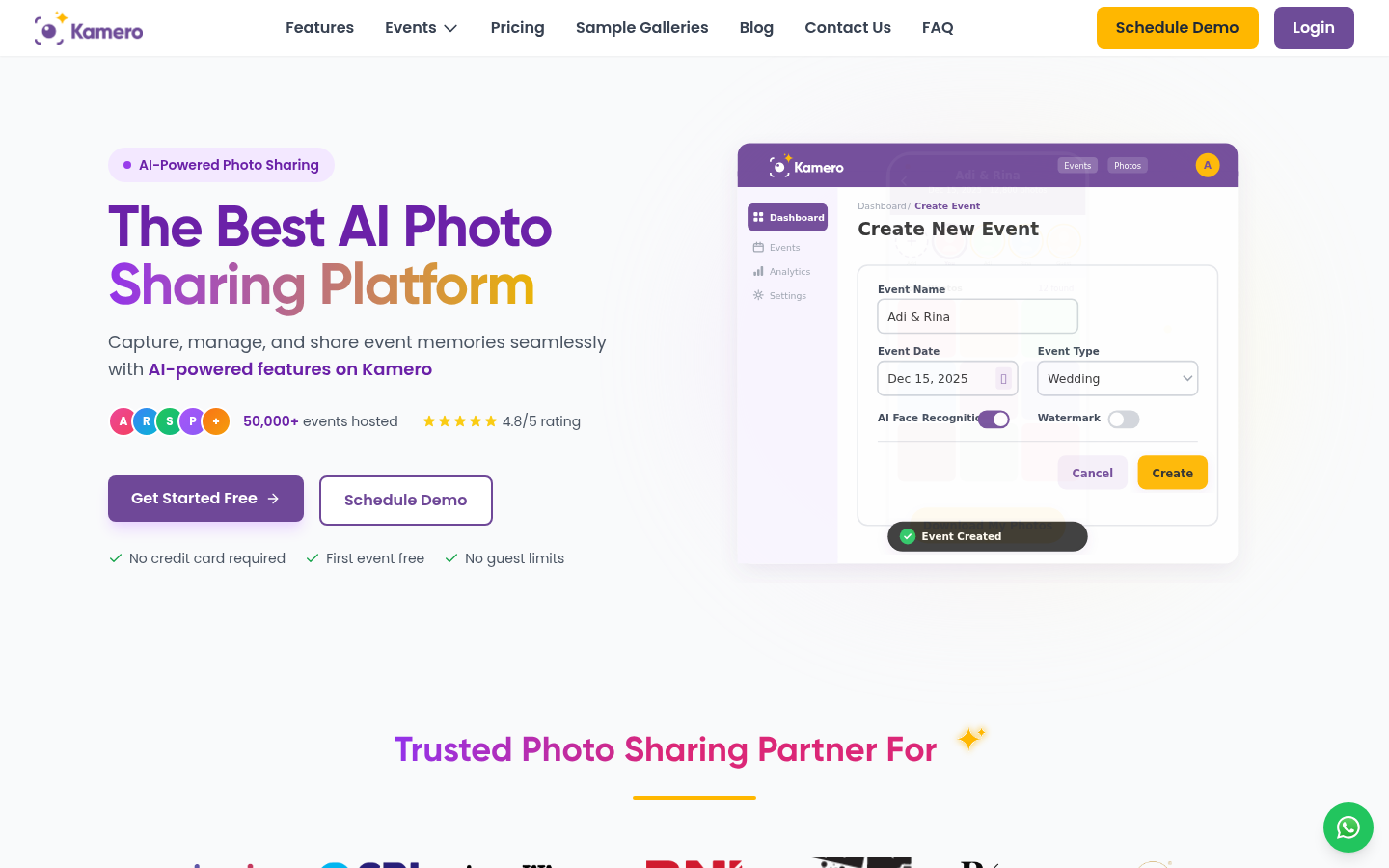
Screenshot archived from the listing page, for preview only.