
LinkedIn Post Preview Generator
Preview LinkedIn posts before you publishSee the See more cutoff before your post goes live
Highlights
What you can do with it
- Previewing a post before publishing so the hook sits above the cutoff
- Collecting feedback from teammates through a generated preview link
- Checking a company update so the important facts land before the fold
How to use it
- 1 Visit the tool at collab.anchors.in/linkedin-post-preview
- 2 Enter or paste your LinkedIn post content into the editor
- 3 Click Preview to see how the post will render in the feed
- 4 Move key information above the See more cutoff based on what you see
- 5 Click Save and Generate Link to create a shareable link for feedback
- 6 Refine the draft after feedback, generate a new link, then publish on LinkedIn
Who it is for
Pros
- Completely free to use, no payment step to get started
- Focuses on one job, so the interface stays short and clear
- Shareable links make it easy to gather feedback from a team
Limitations
- It previews a post layout, it does not write the post for you
- Free tools can change or disappear, so do not build a process on one site alone
- Results depend on the LinkedIn layout, which can shift when the platform updates
What LinkedIn Post Preview Generator is
LinkedIn Post Preview Generator is an online tool that shows how a post will look in the LinkedIn feed before you publish it. The point is simple: LinkedIn hides part of a longer post behind a See more cutoff, and if your key line falls below that point people may never read it. This tool recreates that cutoff so you can rearrange the draft while it is still private. It was first built for internal use and later released publicly, completely free.
The tool is deliberately narrow. It does not schedule posts, write copy, or analyze performance. It answers one question, which is what a reader will actually see when the post lands in their feed. That focus is also why the interface stays short and easy to read.
What you can do with it
- Preview post content and check where the See more cutoff lands
- Keep key information visible above the fold instead of buried in the middle
- Generate a shareable preview link so teammates can comment on the draft
- Create a new link after each edit so different versions stay easy to tell apart
- Refine the wording repeatedly before anything goes live
Who it is for
- Content creators who need their opening hook to survive the fold
- Founders sharing company updates where the facts have to be readable at a glance
- Marketers and teams that review and approve drafts together
What to watch out for
The preview is only an approximation of the LinkedIn layout. When LinkedIn changes how posts render in the feed, the cutoff in the tool may no longer line up exactly, so treat it as a guide rather than a guarantee. It is a free tool, so it may change or go offline without a long notice period. It also does not help with the writing itself; you still need a draft worth previewing. Because it is a single purpose utility, expect to use it alongside your regular editing tools.
FAQ
Does this tool cost anything?
No. It was released to the public completely free.
What does the See more cutoff preview do?
It shows where LinkedIn truncates a post, so you can move important lines above that point.
Can I share a preview with a colleague?
Yes, you can generate a shareable link, and each edit produces a new link.
Why it is free
What the official page says: completely free
Free limits, trial length and features are decided by the official site and can change at any time.
Product preview
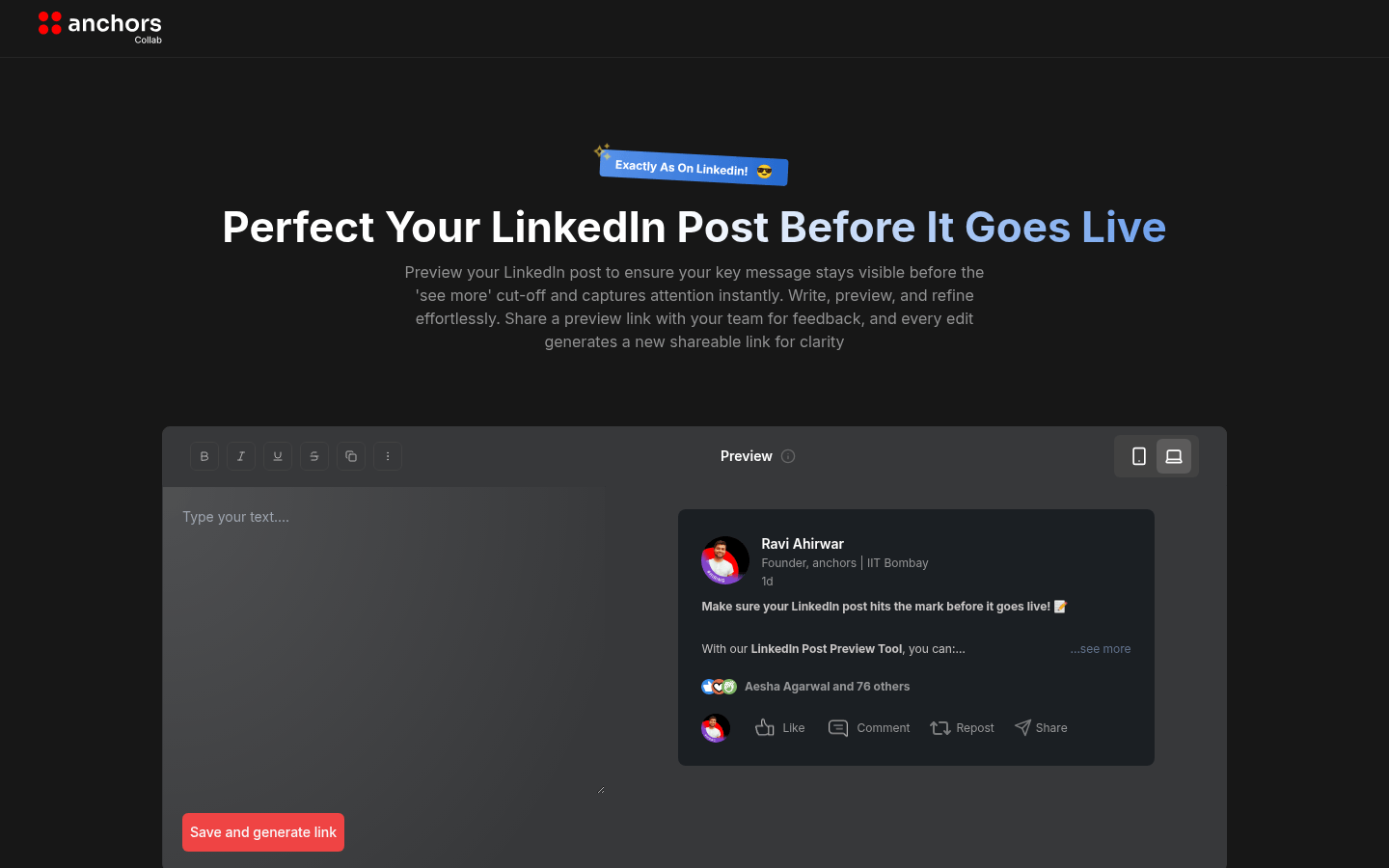
Screenshot archived from the listing page, for preview only.











