myaudiotools
Free browser audio toolbox, 48 toolsEdit, convert, compress, analyze and test audio in one place, free
Highlights
What you can do with it
- A podcaster trims an interview, unifies volume with compressor and normalizer, then exports MP3.
- A musician converts a WAV master to MP3 or FLAC and checks BPM and key before mastering.
- A student turns a class recording into timestamped text and edits subtitles for review.
How to use it
- 1 Open the site; no registration is needed to start.
- 2 Pick a tool from the homepage or categories, such as converter, editor, compressor or microphone test.
- 3 Upload an audio or video file, or record and select a device input.
- 4 Adjust parameters like format, bitrate, volume, pitch, speed or equalization, and preview the result.
- 5 Export or download in your target format, or return to the tool list for another task.
Who it is for
Pros
- 48 tools in one free, browser-based page with no account or install.
- Covers editing, conversion, analysis and device testing, replacing several apps.
- Voice and text tools plus music analysis make it useful for many workflows.
Limitations
- It is free of charge now, but that can change, and heavy use may hit browser limits.
- Browser processing depends on your device, so large files can be slow.
- Automatic mastering and analysis are aids, not substitutes for trained ears.
What myaudiotools is
MyAudioTools is a free browser-based online audio toolbox that brings 48 audio tools together for everyday tasks. It needs no account registration and no desktop software install, and it does as much processing in the browser as possible, which lowers the barrier and speeds up simple work. The platform spans audio editing, format conversion, compression, normalization, volume boosting, mastering, ringtone creation, looping, metadata editing, video to audio, audio to MIDI, equalization, reverb, pitch and speed changes, text to speech, audio to text, soundboards, metronomes, tone generators, visualization, BPM, key and LUFS analysis, instrument tuning and device testing. It is free of charge and built for creators, musicians, podcasters, students and general users.
What you can do with it
- Edit and trim audio on a browser timeline, then export clips, podcasts or ringtones.
- Convert between MP3, WAV, FLAC, OGG and more, and compress files for sharing.
- Adjust pitch, speed, volume and EQ, or master a track toward LUFS and peak targets.
- Analyze BPM, key and chords, test microphones and speakers, and turn audio into timestamped text.
Who it is for
- Content creators and podcasters who trim interviews and unify volume quickly.
- Musicians and producers converting formats and checking BPM and key.
- Students and teachers turning class recordings into text and subtitles.
- General users and office workers handling ringtones, voice memos and format problems.
What to watch out for
The toolbox is free of charge now, but that can change, and very heavy or large jobs may strain the browser, so processing speed depends on your device. Automatic mastering, LUFS matching and analysis are helpful aids, not replacements for trained ears, and results vary with the source file. Because it leans on browser processing, extremely large files may be slow or limited, and you should keep local copies of anything important.
FAQ
Is it free?
Yes, it is free of charge and needs no account registration.
How many tools are there?
48 tools spanning editing, conversion, compression, analysis, voice and device testing.
Do I need to install anything?
No, it runs in the browser and processes files locally as much as possible.
Can it transcribe audio?
Yes, audio to text generates timestamped text you can export for notes and subtitles.
Why it is free
What the official page says: free of charge
Free limits, trial length and features are decided by the official site and can change at any time.
Product preview
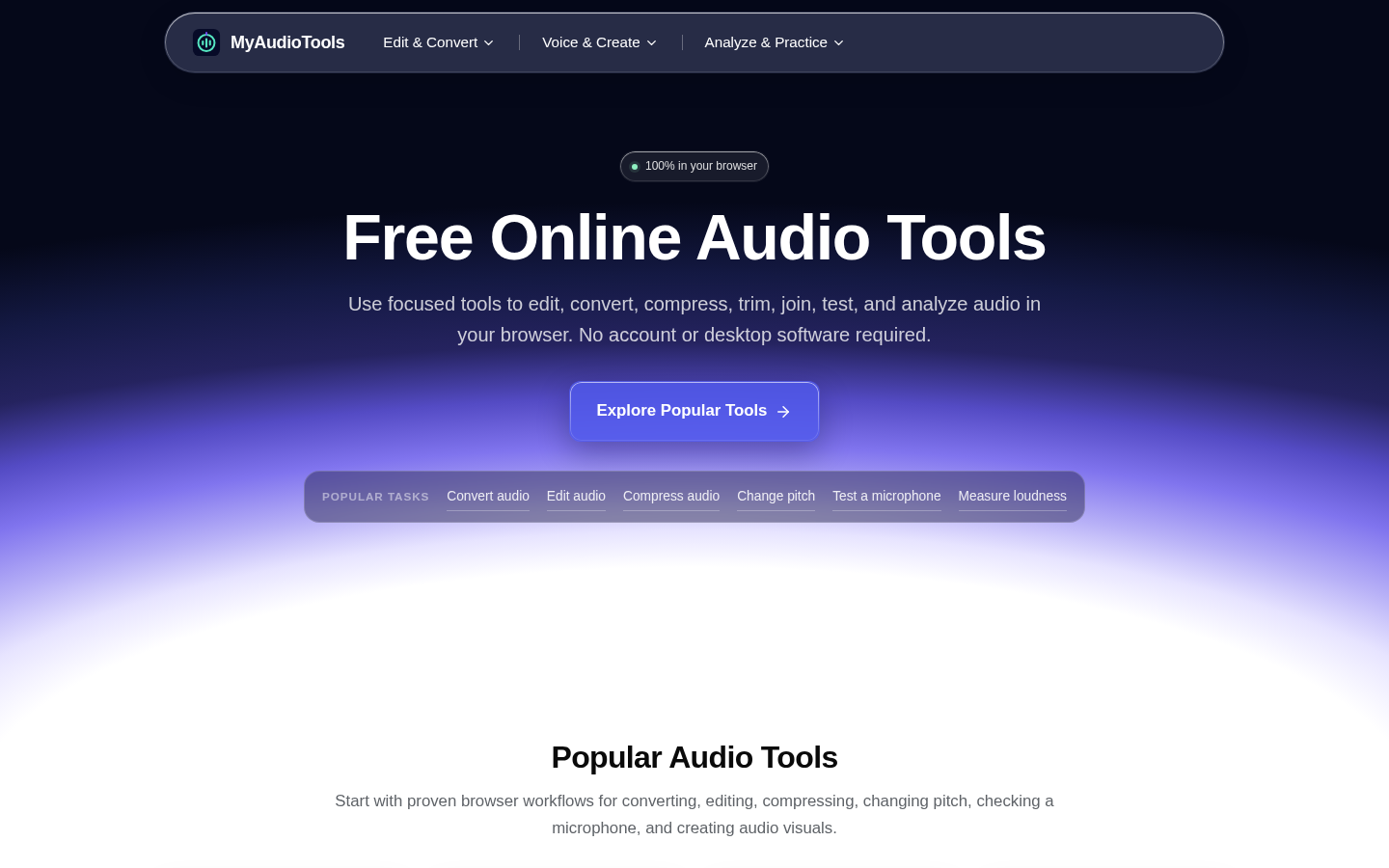
Screenshot archived from the listing page, for preview only.