kikivoice.ai
Free AI voice cloning toolClone a voice in three steps
Highlights
What you can do with it
- Adding narration or dubbing to videos.
- Creating character voices for games.
- Adding voice effects and variety to podcasts.
How to use it
- 1 Record your voice or upload an existing audio file.
- 2 Enter the text you want converted, then start cloning.
- 3 Preview the result and download it when you are happy.
Who it is for
Pros
- Completely free and needs no registration.
- Fast cloning with a simple three-step flow.
- Broad language coverage with emotion and accent control.
Limitations
- Voice cloning can be misused for impersonation, so only clone voices you have the right to use and follow platform and school rules, with any consequences falling on you.
- Free access and generation limits can change over time.
- Cloning quality depends on the sample audio and the model you pick.
What kikivoice.ai is
kikivoice.ai is a free, instant AI voice cloning platform that needs no registration. You record or upload a few seconds of audio, enter the text you want spoken, and it produces a realistic voice clone in about three minutes. It supports 75 languages and can clone across languages, and it includes three built-in models: Kiki Core for speed and stability, and Kiki Pro for richer emotion and more parameters. With Kiki Pro you can access emotion presets and intensity settings to control the feeling and accent of the voice, which makes it useful for dubbing, games, and podcasts.
What you can do with it
- Clone a voice from a short recording or uploaded file.
- Convert text into speech in one of 75 languages.
- Adjust emotion, intensity, and accent for the delivery you want.
- Preview the result and download it for your project.
Who it is for
- Video creators who need quick, clean dubbing.
- Game developers building character voices.
- Podcasters and educators adding multilingual narration.
What to watch out for
Voice cloning can be misused for impersonation, so only clone a voice you have the right to use, and follow any school or platform rules, since responsibility for misuse falls on you. The service is free, but access, model options, and generation limits can change over time, so do not build a critical workflow that depends on it staying free. Cloning quality also depends on your sample audio and the model you choose, so a noisy or short clip may give weaker results. For best results, start with a small test file and review the output carefully before working on anything important.
FAQ
Is KikiVoice free?
Yes. It is completely free and you do not need to register.
How long does cloning take?
It can produce a usable voice clone in about three minutes.
How many languages are supported?
It supports 75 languages, and you can clone across languages depending on the model.
Why it is free
What the official page says: no registrationcompletely free
Free limits, trial length and features are decided by the official site and can change at any time.
Product preview
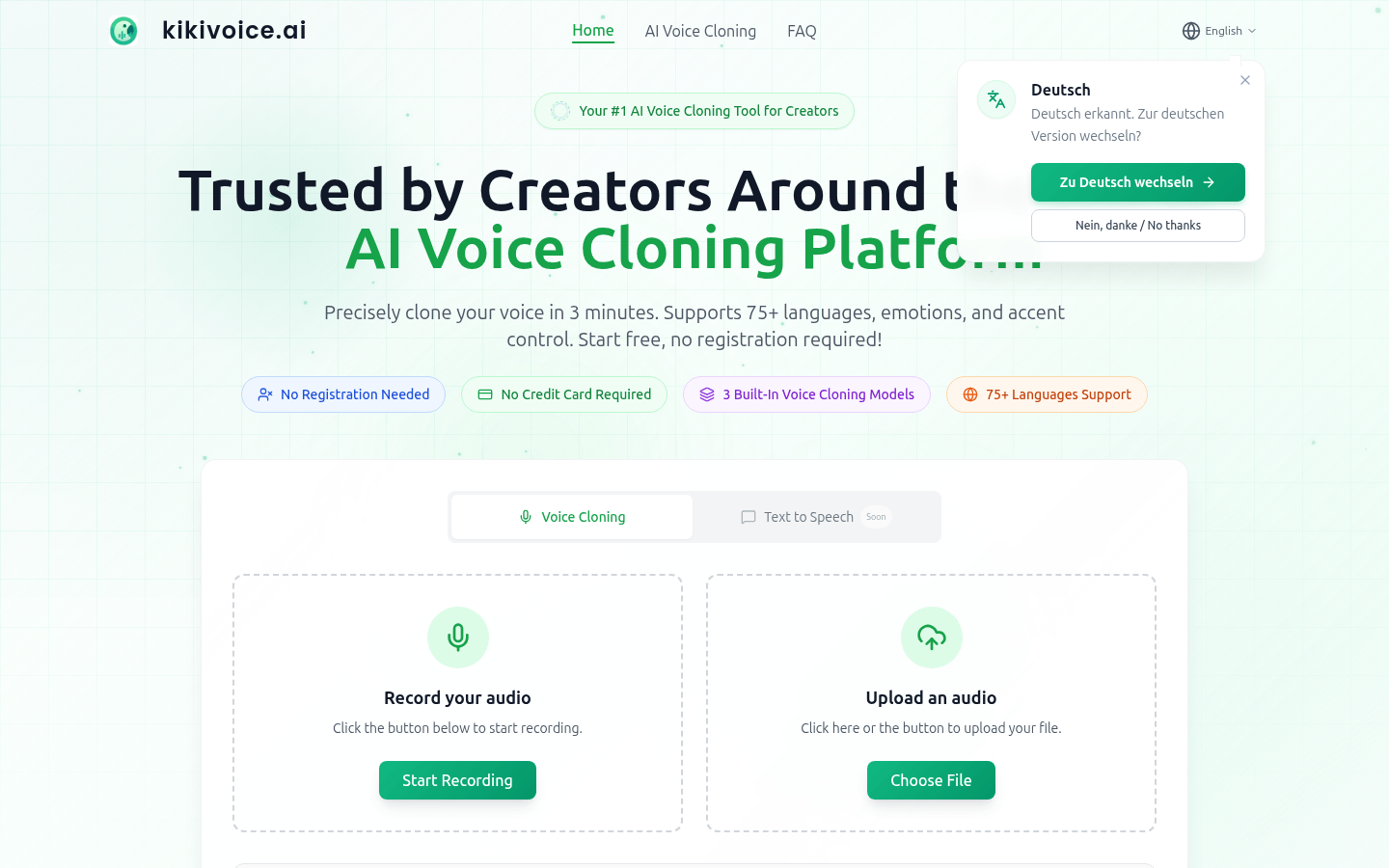
Screenshot archived from the listing page, for preview only.