NoteLyn AI
AI note-taking app for learning and workTurn lectures and meetings into structured notes
Highlights
What you can do with it
- Recording a class lecture and reviewing auto-generated flashcards before an exam.
- Capturing a client meeting and sharing the minutes link with your team.
- Importing PDF papers and turning key points into a mind map for a literature review.
How to use it
- 1 Visit the NoteLyn website or download the app, then register and log in.
- 2 Click New Note and pick a capture method: record audio, upload a file, type text, take a photo, or paste a link.
- 3 Wait for AI processing, then open the note to see the structured content, summary, and keywords.
- 4 Switch to the Study tab to review with flashcards, quizzes, mind maps, or podcast mode.
- 5 Edit, add action items, and click Share to send a link, or export the mind map as an image.
Who it is for
Pros
- One app covers capture, structuring, and review in a single flow.
- Many input methods reduce manual copying and typing.
- Basic AI notes are free for new users, so you can try the core workflow before paying.
Limitations
- Unlimited notes and the podcast feature sit behind the Pro subscription.
- Free plan rules and limits can change over time.
- AI summaries still need a quick human check before you rely on them.
What NoteLyn AI is
NoteLyn AI is an AI-powered note-taking app built for learning and work. It is offered under a freemium model: new users can use basic AI notes for free, while a Pro subscription unlocks unlimited notes and podcast features. The app takes classroom lectures, meeting discussions, and reading material and converts them into structured notes with summaries, key points, and action items. It runs on Web, iOS, and Android, and keeps your data synchronized across devices so you can start a note on one device and finish it on another.
What you can do with it
- Capture content in many ways: type text, record voice, upload an audio file, import a PDF, paste a web link, or scan an image with OCR.
- Let AI structure the raw input into titles, key points, definitions, and excerpts, which cuts down on manual organizing.
- Pull a short summary and a clear list of action items out of long content, which helps with meeting follow-ups and study review.
- Review what you captured with flashcards, quiz questions, mind maps, and a podcast-style audio mode built on active recall.
Who it is for
- Students who record lectures or import courseware and want structured notes plus flashcards for exam prep.
- Working professionals who record meetings, interviews, or brainstorming sessions and need minutes and to-dos quickly.
- Lifelong learners who pull knowledge points from books, articles, and podcasts and use AI Q&A and mind maps to digest them.
What to watch out for
The most useful features sit behind a freemium wall. Basic AI notes are free for new users, but unlimited notes and the podcast feature require a Pro subscription, and these free rules can change over time. Transcription and summary quality depend on audio clarity and the source material, so plan to review and edit the output before you treat it as final. Because notes sync to the cloud across devices, check the current privacy terms if you handle sensitive meeting content.
FAQ
Is NoteLyn AI free?
New users can use basic AI notes for free. A Pro subscription unlocks unlimited notes and podcast features.
What can I import into NoteLyn?
Text, voice recordings, audio files, PDFs, web links, and images through OCR.
Which devices support NoteLyn?
Web, iOS, and Android, with data synchronized across them.
Why it is free
What the official page says: freemiumfor free
Free limits, trial length and features are decided by the official site and can change at any time.
Product preview
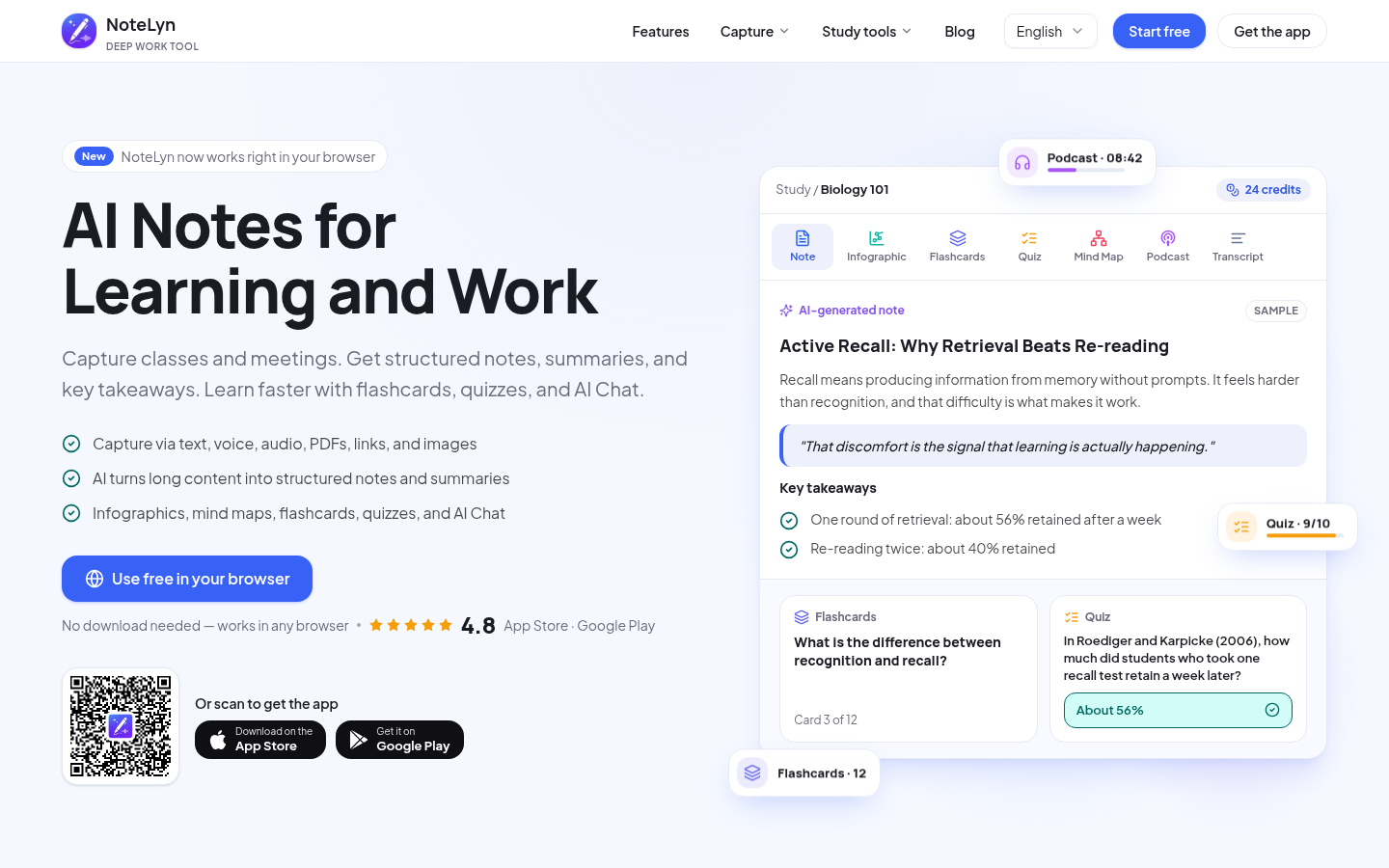
Screenshot archived from the listing page, for preview only.