Recapo.ai
One-stop AI video editing platform for commentary creatorsSummaries, subtitles, scripts, voiceover, and clipping in one place
Highlights
What you can do with it
- A film commentator turns a 2-hour movie into summary, clips, and script
- A streamer splits a replay into clips with golden lines and subtitles
- An e-commerce blogger makes a promo short with script and AI voiceover
How to use it
- 1 Register and log in on the Recapo.ai site
- 2 Upload your video materials in a supported format
- 3 Set the workbench options like duration, genre, voice, and music
- 4 Confirm the auto-generated summary and commentary script
- 5 Generate the video, then publish to Shorts or TikTok or export it
Who it is for
Pros
- Many editing and scripting steps in one platform
- Auto summary, subtitles, and script save time
- AI voiceover and vertical clipping built in
- 300 free credits for new users
Limitations
- 300 free credits are limited and pricing can change over time
- Generated summaries and scripts need review for accuracy and tone
- Commentary and clips must respect copyright and platform rules
- Rendering long video can take time
What Recapo.ai is
Recapo.ai is a one-stop AI video editing platform made for video commentary creators. You import footage in formats such as MP4, MOV, and MKV, and it can generate a content summary, subtitle drafts, a commentary script, and a voiceover draft from the video or its transcript, then handle format conversion, AI voiceover, short-video cropping, covers, and audio cleanup like extraction, noise reduction, and volume normalization. It helps creators find highlight clips and golden lines and turn them into vertical shorts for platforms like Shorts and TikTok. It says new users get 300 credits for free, and there is a paid video editing experience card priced at 19.9 yuan per week with a new-user discount. It targets film and TV commentary creators, live-stream clip creators, and e-commerce promo creators.
What you can do with it
- Import footage and convert between formats like MKV, MOV, and MP4
- Auto-generate a summary, subtitles, and a commentary script
- Add AI voiceover with a chosen voice timbre
- Crop highlights into 9:16 vertical shorts and make covers
Who it is for
- Film and TV commentary creators processing long source video
- Live-stream clip creators pulling golden lines and highlights
- E-commerce promo short video creators making product clips
- Anyone who wants scripting, voice, and clipping in one tool
What to watch out for
Generated summaries and scripts are a starting point, so review them for accuracy and tone before you publish, especially for factual claims about a film or product, since a wrong summary can mislead viewers. Commentary and clips should respect copyright and platform rules where you post, and any consequences of misuse are yours to carry, so use footage you have the right to use. The 300 free credits are limited, and the weekly card price and credits can change, so confirm current terms. Rendering long video can take time, so plan for that on big projects and keep your source files safe.
FAQ
What is Recapo.ai?
It is a one-stop AI video editing platform for commentary creators, covering summaries, subtitles, scripts, voiceover, and clipping.
Which formats can I import?
It supports video formats such as MP4, MOV, and MKV.
Is there a free offer?
It says new users can get 300 credits for free, with a paid weekly editing card also available.
Why it is free
What the official page says: for free
Free limits, trial length and features are decided by the official site and can change at any time.
Product preview
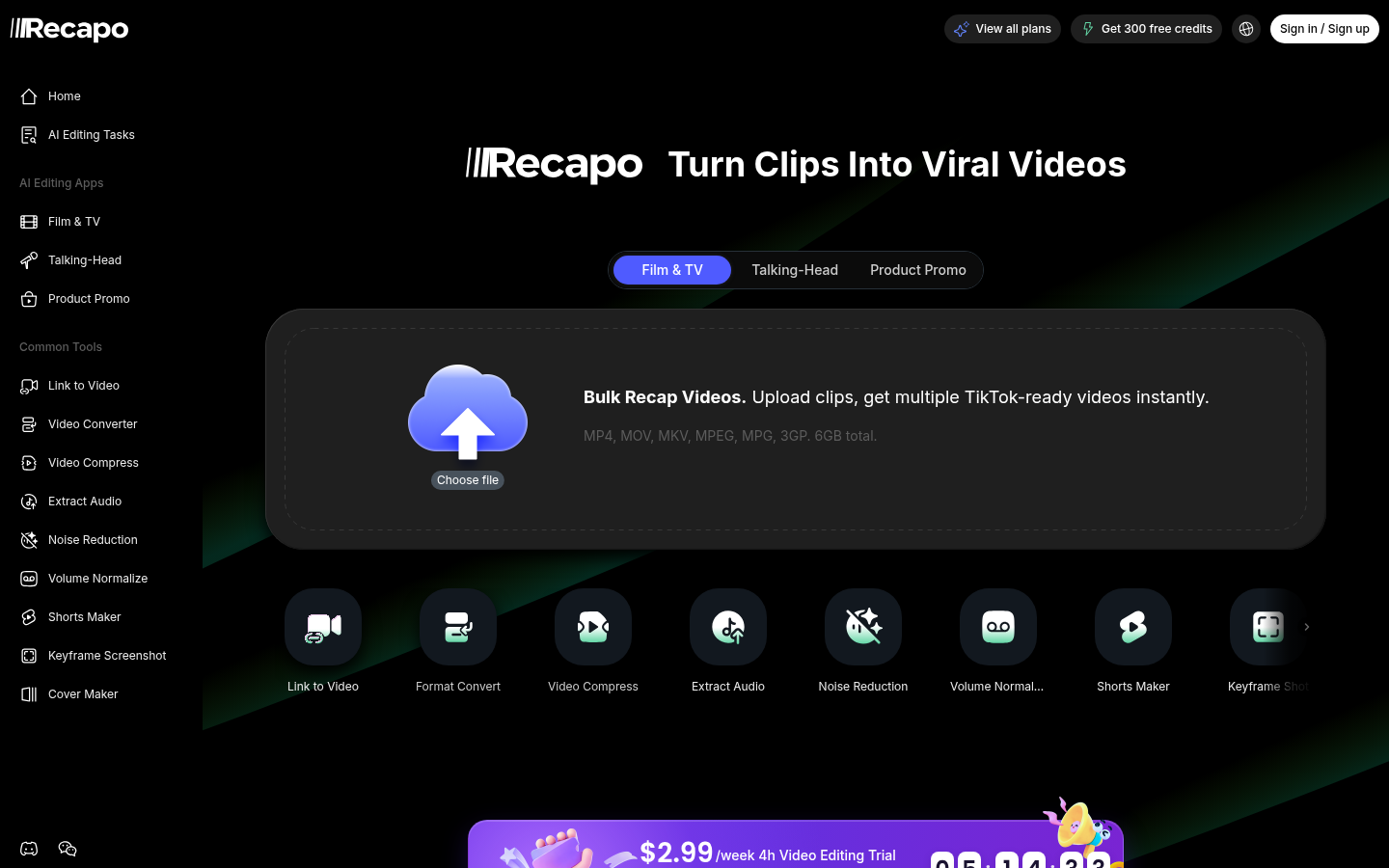
Screenshot archived from the listing page, for preview only.