Soda Office
Office tool navigation siteOne page of practical office tools
Highlights
What you can do with it
- Find a PDF conversion tool for a document task
- Locate an image processing utility without searching
- Pick a video editing tool from a single page
How to use it
- 1 Open the Soda Office homepage
- 2 Browse by category or search for the task you need
- 3 Open the tool you want from the listing
- 4 Use it directly, checking whether it is free or paid
Who it is for
Pros
- Free to browse the directory
- Covers several common office task types in one place
- Saves time compared with searching for each tool separately
- Both free and paid options are visible side by side
Limitations
- It is a directory, not a tool, so the actual work happens elsewhere
- Some listed tools charge money while others are free
- Quality and reliability vary from tool to tool
What Soda Office is
Soda Office is an office navigation website. It is not an application you work inside; it is a directory that gathers a large number of practical tools onto one page so you can find the right utility quickly. The categories listed cover the routine office tasks: PDF conversion, image processing, video editing, and general productivity. Pricing across the listed tools is mixed, with some available for free and others charging, and the site positions itself as a toolkit index that lifts everyday office efficiency.
What you can do with it
- Find a PDF conversion tool for a document task
- Locate an image processing utility without a fresh search
- Pick a video editing tool from a single page
- Compare free and paid options in the same listing
Who it is for
- Office workers who need a utility for a one-off task
- Administrative staff handling documents, images, and video
- Anyone who prefers browsing a curated list to searching repeatedly
What to watch out for
Because it is a directory, the quality of your experience depends entirely on which tool you land on, and that varies widely across a large index. Pricing is also uneven: some tools are free, others are not, and the distinction is not always obvious until you open the listing, so check before you rely on something for a paid deliverable. Treat the directory as a starting point for discovery rather than a guarantee that a listed tool is still available, current, or appropriate for your specific file types. Start with a small sample to confirm the output meets your expectations before processing the full batch.
FAQ
Is Soda Office free?
Browsing the directory is free. Some listed tools are free and others cost money.
What kind of tools are listed?
PDF conversion, image processing, video editing, and other office utilities.
Do the tools run on the site?
No. It is a navigation site that points to tools you then use yourself.
Why it is free
What the official page says: for free
Free limits, trial length and features are decided by the official site and can change at any time.
Product preview
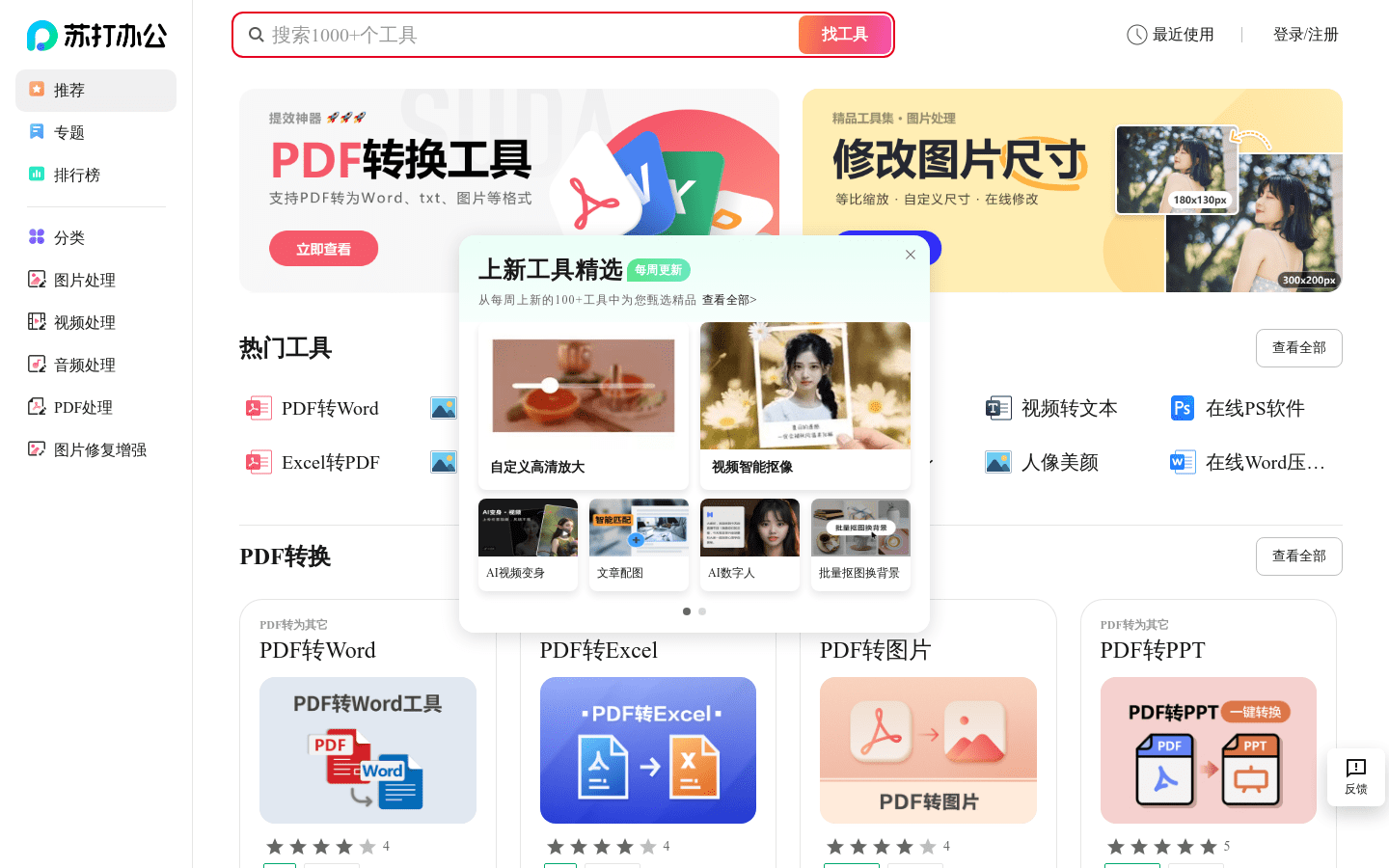
Screenshot archived from the listing page, for preview only.