Super Canvas
AI portrait creative generatorTurn portraits into styled AI art
Highlights
What you can do with it
- Turn a portrait photo into a lifelike artwork
- Add light and shadow effects with conditional control
- Use inspiration recipes for quick dreamy portraits
How to use it
- 1 Open the Super Canvas page on Baidu Netdisk
- 2 Upload the portrait image you want to work with
- 3 Choose a style, such as realistic or fantasy
- 4 Adjust settings or apply an inspiration recipe
- 5 Generate the image and save the result
Who it is for
Pros
- Style switching is quick, from realistic to fantasy
- Inspiration recipes lower the barrier for new users
- Backed by Baidu Netdisk, with a free trial to test
Limitations
- The free trial has limits, regular use needs a subscription
- Good results need a decent source portrait
- Generated images should be checked before professional delivery
What Super Canvas is
Super Canvas is an AI creative generation tool produced by Baidu Netdisk, and it specializes in portrait photography. You upload a portrait image and it generates creative images in different styles, such as realistic, beautiful, and fantasy. The feature list includes AI intelligent portrait generation, multiple creative style choices, local image editing, and inspiration recipe recommendations. The stated goal is to help photographers work faster while letting anyone explore their own image creativity. A free trial is available, with flexible subscription plans behind it.
What you can do with it
- Turn a portrait photo into a lifelike piece of art.
- Switch between styles to see different creative directions.
- Use conditional control to add light and shadow effects.
- Start from inspiration recipes for quick dreamy portraits.
Who it is for
- Photographers who want to speed up creative work.
- Portrait studios that need fresh looks for clients.
- Casual users who want to play with AI portrait styles.
What to watch out for
The free trial is limited, so regular use points to a subscription. Output quality depends on the source portrait, and a weak photo will limit what the tool can do. If you use the results for client work, review each image before delivery, since small artifacts can appear around hair, hands, and edges. Run one full task end to end first, then expand once you are comfortable with the workflow and the result quality. Behavior may vary across browsers and devices, so test before production use and consult the help docs if errors appear. Save a backup of the original file before large batch jobs, and keep an exported copy of key results in case the page or service becomes temporarily unavailable.
FAQ
Is Super Canvas free?
It offers a free trial and flexible subscription plans for different needs.
What styles can it generate?
The site lists realistic, beautiful, and fantasy styles, among others.
Who makes it?
It is produced by Baidu Netdisk.
Can I edit images locally?
Local image editing is listed among its features.
Why it is free
What the official page says: free trial
Free limits, trial length and features are decided by the official site and can change at any time.
Product preview
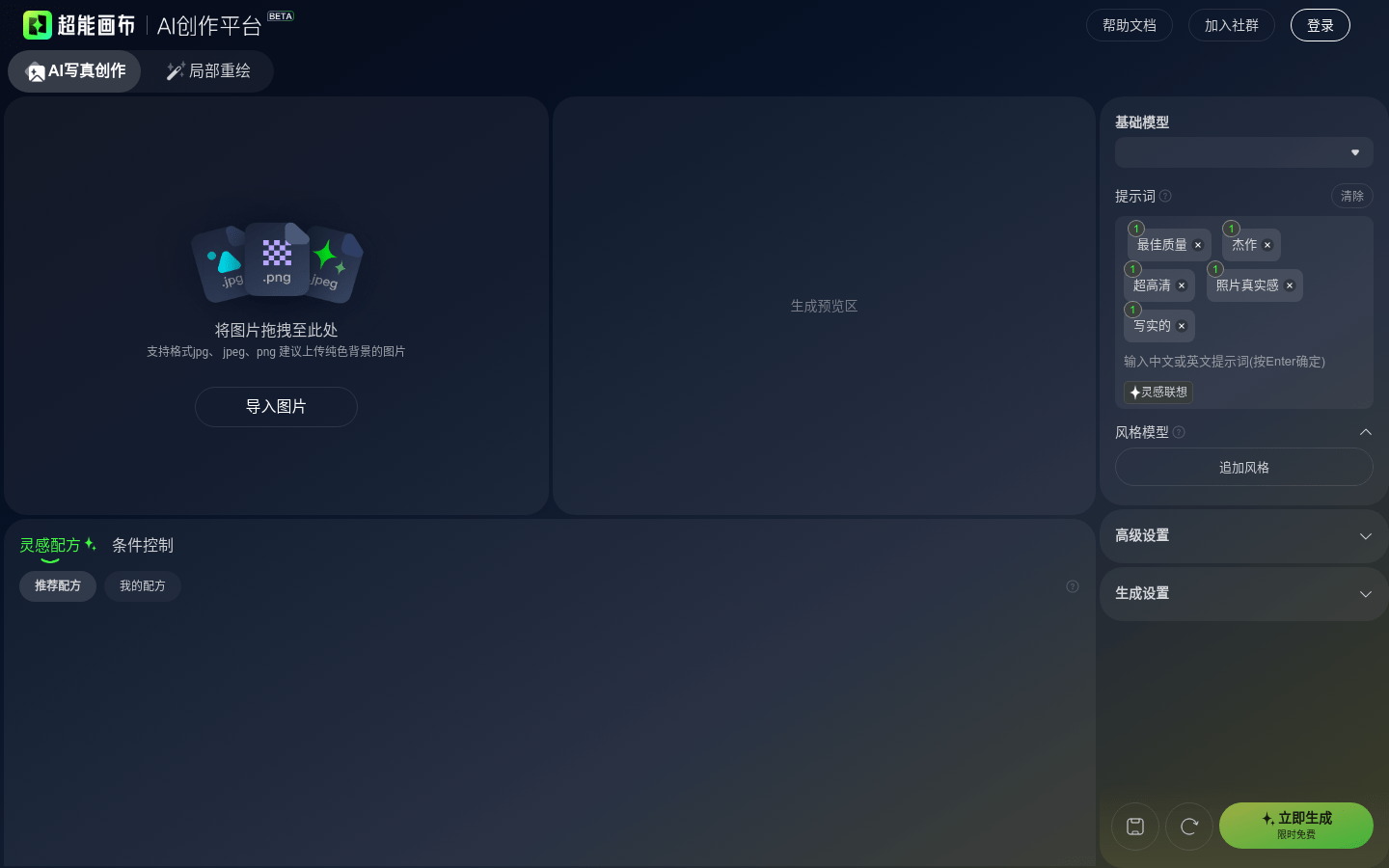
Screenshot archived from the listing page, for preview only.