Taskade AI
All-in-one team collaboration and task toolReal-time teamwork, tasks, and project tracking
Highlights
What you can do with it
- Coordinating a team project in real time
- Tracking tasks and progress across devices
- Organizing work with templates and reminders
How to use it
- 1 Visit taskade.com and create an account.
- 2 Set up a workspace or pick a template.
- 3 Invite team members to edit in real time.
- 4 Add tasks, set reminders, and track progress.
- 5 Start on the free plan and upgrade if you need more.
Who it is for
Pros
- Combines chat, tasks, and tracking in one place
- Works across devices with syncing
- Free plan for individuals and small teams
Limitations
- Advanced features and larger teams need paid plans
- Rich feature set can feel busy at first
- Free plan limits can change over time
What Taskade AI is
Taskade AI is an all-in-one team collaboration tool. It brings real-time editing, cross-device syncing, task management, and project tracking together in one place. The interface is designed to be simple and user-friendly, and it works across multiple platforms so a team can stay in sync whether they are on desktop or mobile. There are customizable templates and workflows, plus calendar reminders and file management, so a group can keep tasks, notes, and conversations in a single space. Both free and paid plans are available for individual users and teams.
What you can do with it
- Edit and collaborate with your team in real time
- Create, assign, and track tasks and project progress
- Sync work across devices with cloud storage
- Use templates, reminders, and file attachments in one workspace
Who it is for
- Teams that want live collaboration in one space
- Individuals managing personal tasks and projects
- Groups that need tasks, notes, and chat together
What to watch out for
The free plan covers the basics, but larger teams and advanced features generally require a paid plan, so check what your group actually needs before committing. Because the tool packs in many features, new users may need a little time to find the workflow that fits them. As with most collaboration platforms, plan limits and pricing can change over time, so review the current plans on the site. Run one full task end to end first, then expand once you are comfortable with the workflow and the result quality. Behavior may vary across browsers and devices, so test before production use and consult the help docs if errors appear.
FAQ
What is Taskade AI?
It is an all-in-one team collaboration tool with real-time editing, task management, and project tracking.
Is there a free plan?
Yes, Taskade offers free and paid pricing plans for individuals and teams.
What devices does it support?
It supports multiple platforms with cross-device syncing and cloud storage.
Why it is free
What the official page says: 免费
Free limits, trial length and features are decided by the official site and can change at any time.
Product preview
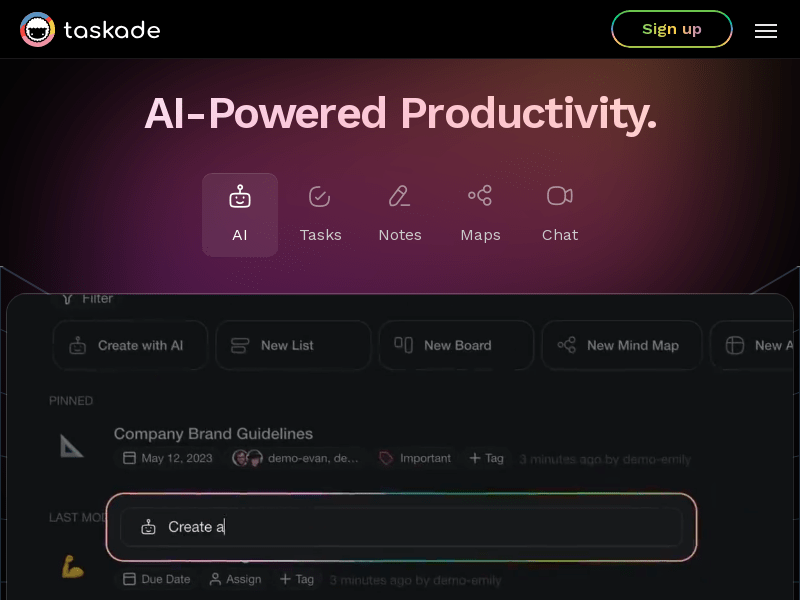
Screenshot archived from the listing page, for preview only.