Tugaigai
Free online AI editor for text inside images.Edit, add, or remove text in images with a click.
Highlights
What you can do with it
- Update text in a promo image fast.
- Change wording in a design draft.
- Edit names or dates on a graphic.
How to use it
- 1 Open Tugaigai in your browser.
- 2 Upload the image you want to edit.
- 3 Click the text you want to change.
- 4 Type new text or adjust font, color, and size.
- 5 Erase or add text as needed, then download.
Who it is for
Pros
- Free and easy click-to-edit flow.
- No design skills required.
- Works on desktop and mobile.
Limitations
- Image size is capped by resolution.
- Complex edits may still be limited.
- Free access and limits can change.
What Tugaigai is
Tugaigai is a free online AI image text editor. It lets you modify, add, or delete text on an image by clicking the text directly, with no need for professional editing skills or complex software. It supports formats such as JPG, PNG, JPEG, WEBP, and BMP, and it handles images up to 2560x2560, with a smaller limit on the mobile version. It offers font, color, size, and position controls, plus text removal and text box addition. The site stresses data security with end-to-end encryption and says it works on both computer and mobile.
What you can do with it
- Edit text in an image by clicking it.
- Add or remove text without design skills.
- Adjust font, color, size, and position.
- Work on desktop or mobile.
Who it is for
- Social media managers updating graphics.
- Designers tweaking text in drafts.
- Anyone editing text on an image quickly.
What to watch out for
The service is free, but access and limits can change over time. Image size is capped by resolution, so large or high-detail files may not load or may be reduced, especially on mobile. Complex edits such as matching a custom font or blending text into a busy background can still be limited, so results vary by image. Because you upload files, review the privacy and data terms before you edit sensitive graphics. Start with a small sample to confirm the output meets your expectations before processing the full batch. Free tiers and usage limits can change, so check the current rules on the official page before relying on it long term. Save a backup of the original file before large batch jobs, and keep an exported copy of key results in case the page or service becomes temporarily unavailable.
FAQ
Is Tugaigai free?
It is presented as a free service, though terms can change.
What formats and sizes does it take?
JPG, PNG, JPEG, WEBP, and BMP, up to 2560x2560 on desktop.
Do I need design skills?
No, you can click the text in the image and edit it directly.
Why it is free
What the official page says: 免费
Free limits, trial length and features are decided by the official site and can change at any time.
Product preview
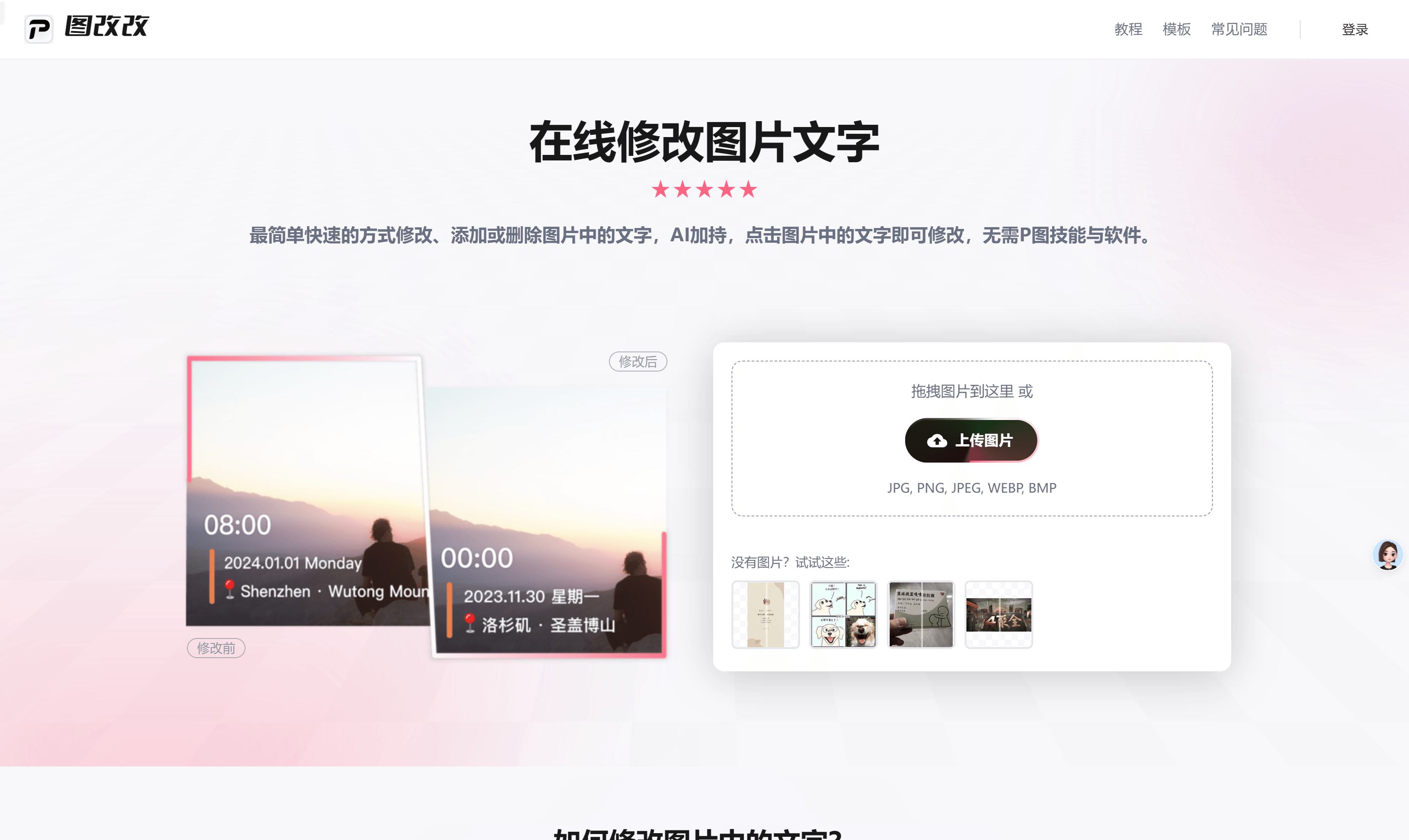
Screenshot archived from the listing page, for preview only.