3D Floor Plan AI
Free tool that turns 2D plans into 3D viewsUpload a 2D floor plan, get a 3D view in minutes
Highlights
What you can do with it
- Turn a three-bedroom home plan into an isometric 3D view to preview the layout
- Generate a furnished bird's-eye apartment view to talk through renovation choices
- Convert an office plan into a 3D drawing to plan desks and meeting areas
- Make a 3D layout of a restaurant or showroom to show circulation and seating
How to use it
- 1 Open https://3dfloorplan.io/ in your browser
- 2 Upload or drag and drop your 2D plan, up to 50MB, or pick a sample plan
- 3 Choose a realistic or presentation style and furnished or unfurnished
- 4 Select a viewing angle such as top, isometric, bird's-eye, or human-eye
- 5 Pick a background, then click generate to build the 3D result
- 6 Compare the original and the AI result with the slider, then download
Who it is for
Pros
- Free to use with no registration required
- Handles common plan formats including PDF and HEIC
- Multiple styles, angles, and backgrounds in a single tool
- A downloadable 3D result within minutes, with no 3D skills needed
Limitations
- The free, no-registration model could change and the domain is fairly new
- Files are capped at 50MB, which may not suit very large drawings
- The 3D result is an AI approximation that keeps your plan as a reference, not an exact model
- Hand-drawn or cluttered plans may not read cleanly, so quality varies
What 3D Floor Plan AI is
3D Floor Plan AI is a free online tool that turns an existing 2D floor plan into a clear 3D visualization. You upload a plan in JPG, PNG, WEBP, HEIC, or PDF format up to 50MB, set the style, and the tool builds a 3D result you can download. It is free, requires no registration, and does not ask you to learn complex 3D software, and the site says you can get a downloadable 3D view within minutes. It is built for homeowners, interior designers, real estate professionals, builders, and commercial planners who need to see a space quickly rather than model it from scratch. The original plan acts as a structural reference so the room layout stays recognizable in the finished 3D image.
What you can do with it
- Convert a residential or commercial 2D plan into a 3D view
- Switch between realistic and presentation styles, with or without furniture
- Change the camera between top, isometric, bird's-eye, and human-eye views
- Set a white, community, or garden background to fit web, client, or marketing use
- Compare the original plan against the AI result, then download the 3D image
Who it is for
- Homeowners renovating or planning where furniture will go
- Interior designers showing clients a layout during early talks
- Real estate agents helping buyers grasp room connections fast
- Builders and commercial planners sharing structure with a project team
What to watch out for
The tool is free and needs no registration, but that model can change, and the domain is fairly new, so treat long-term availability as something to confirm before you rely on it for client work. Uploads are capped at 50MB, which rules out very large scanned drawings. The 3D output is an AI approximation that uses your original plan as a structural reference, not an exact measured model, so verify dimensions before you depend on it. Hand-drawn or cluttered plans may not read cleanly, which affects the quality of the result, and the level of detail will not match a fully modeled 3D scene.
FAQ
Is 3D Floor Plan AI free?
Yes. The site states it is free and needs no registration to generate and download a 3D plan.
What files can I upload?
JPG, PNG, WEBP, HEIC, and PDF are supported, with a maximum single-file size of 50MB.
Do I need any 3D software?
No. Everything runs online and you do not need to learn complex 3D design tools.
What can I change in the 3D view?
You can switch style, furniture, viewing angle, and background before you generate the result.
Why it is free
What the official page says: for freeno registration
Free limits, trial length and features are decided by the official site and can change at any time.
Product preview
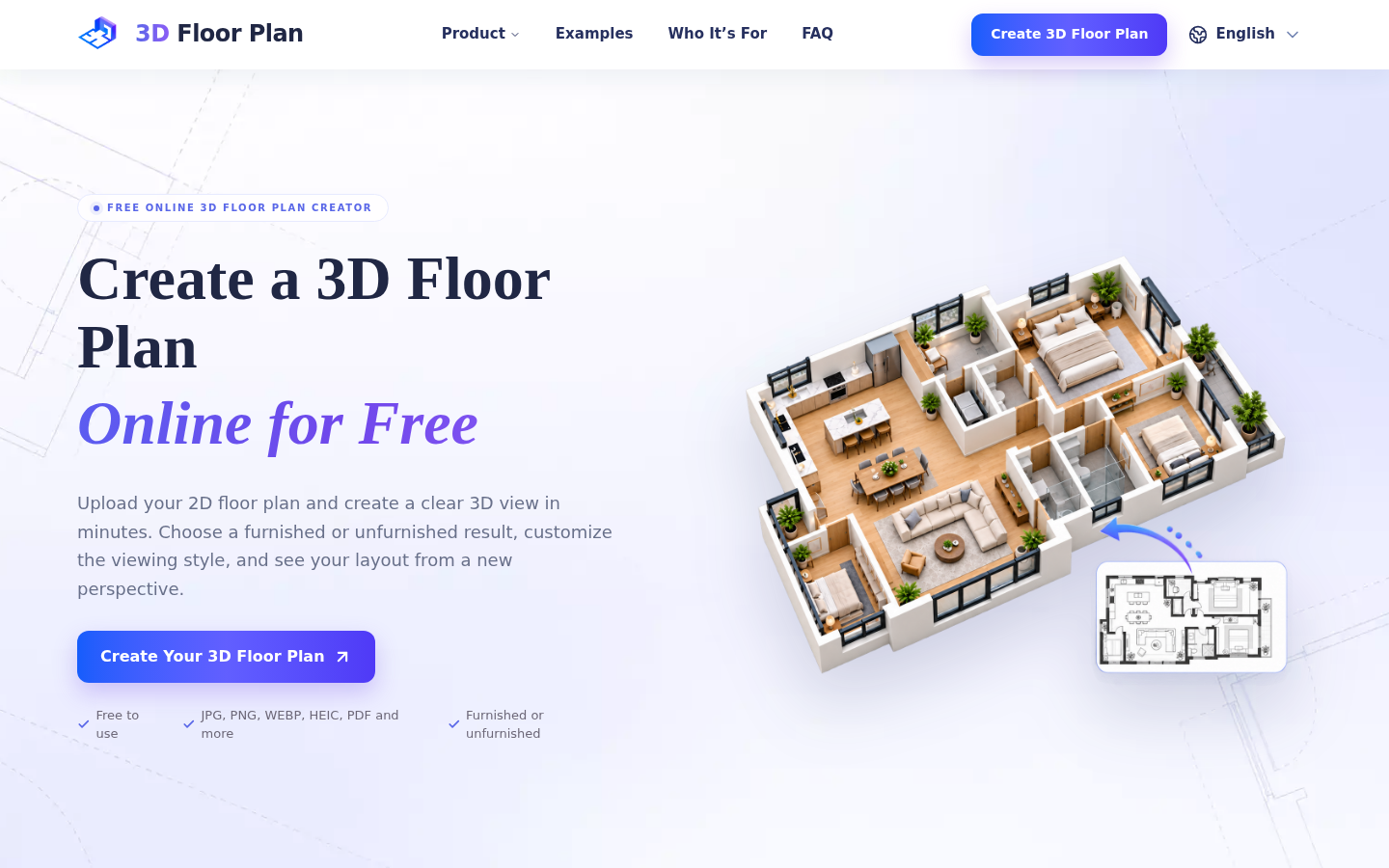
Screenshot archived from the listing page, for preview only.