3D Room Design
Floor plans into 3D designsUpload a plan, get an editable 3D room
Highlights
What you can do with it
- Home designers presenting a living room concept to a client
- Decoration companies comparing styles for a commercial space
- Real estate developers building virtual show flats for new properties
How to use it
- 1 Register on 3DRoomDesign.ai and log in to receive 300 free credits
- 2 Upload a floor plan in PDF, JPG, PNG, or sketch form
- 3 Wait for AI to convert it into a 3D room design
- 4 Edit walls, floors, lighting, and furniture in real time
- 5 Share a link with your client, then export renderings and PDF proposals
Who it is for
Pros
- No CAD background needed to produce a 3D design
- Plans convert in minutes rather than hours
- Clients view designs through a link without installing software
Limitations
- Free credits are limited; continued use needs credit packages or a subscription
- The AI interprets your plan, so rough sketches may need manual correction
- Output is design communication, not construction-grade documentation
- Credit pricing and plan terms can change
What 3D Room Design is
3D Room Design, at 3DRoomDesign.ai, is an online design tool that converts floor plans into editable 3D room designs with AI. It removes the CAD barrier: instead of learning drafting software, you upload a plan and get a 3D model you can move through and change. Uploads accept PDF, JPG, PNG, and hand-drawn sketches, and the AI reads the spatial relationships rather than just pixels. Conversion usually takes under ten minutes. New users start with 300 free credits, and after those run out, credit packages or a premium subscription continue the work.
What you can do with it
- Turn any floor plan format into an editable 3D room
- Change wall colors, flooring, lighting, and furniture placement in real time
- Generate multiple design options from one uploaded plan
- Share a single link with clients, who need no install or account
- Export high-resolution renderings, dimensioned plans, and PDF proposals with estimates and material specifications
Who it is for
- Home designers producing quick concepts for clients
- Decoration companies aligning with owners on style before work starts
- Real estate developers creating virtual show flats
- Ordinary users planning their own decoration
What to watch out for
The 300 free credits are a starting allowance; heavier projects will need credit packages or a subscription, and those terms can change. Because the AI interprets your uploaded plan, rough sketches or inaccurate measurements may produce a model that needs correction in the editor. The output is meant for design communication and presentations, not as construction-grade drawings. Check current credit costs on the site before committing to a large project. For team use, agree on naming and editing conventions in advance to avoid version conflicts or duplicated work.
FAQ
What plan formats can I upload?
PDF, JPG, PNG, hand-drawn sketches, blueprints, room photos, or rough measurement files.
How long does conversion take?
Usually less than ten minutes.
How do clients see the design?
Each design generates a shareable link that opens in the browser without registration.
Why it is free
What the official page says: free credits
Free limits, trial length and features are decided by the official site and can change at any time.
Product preview
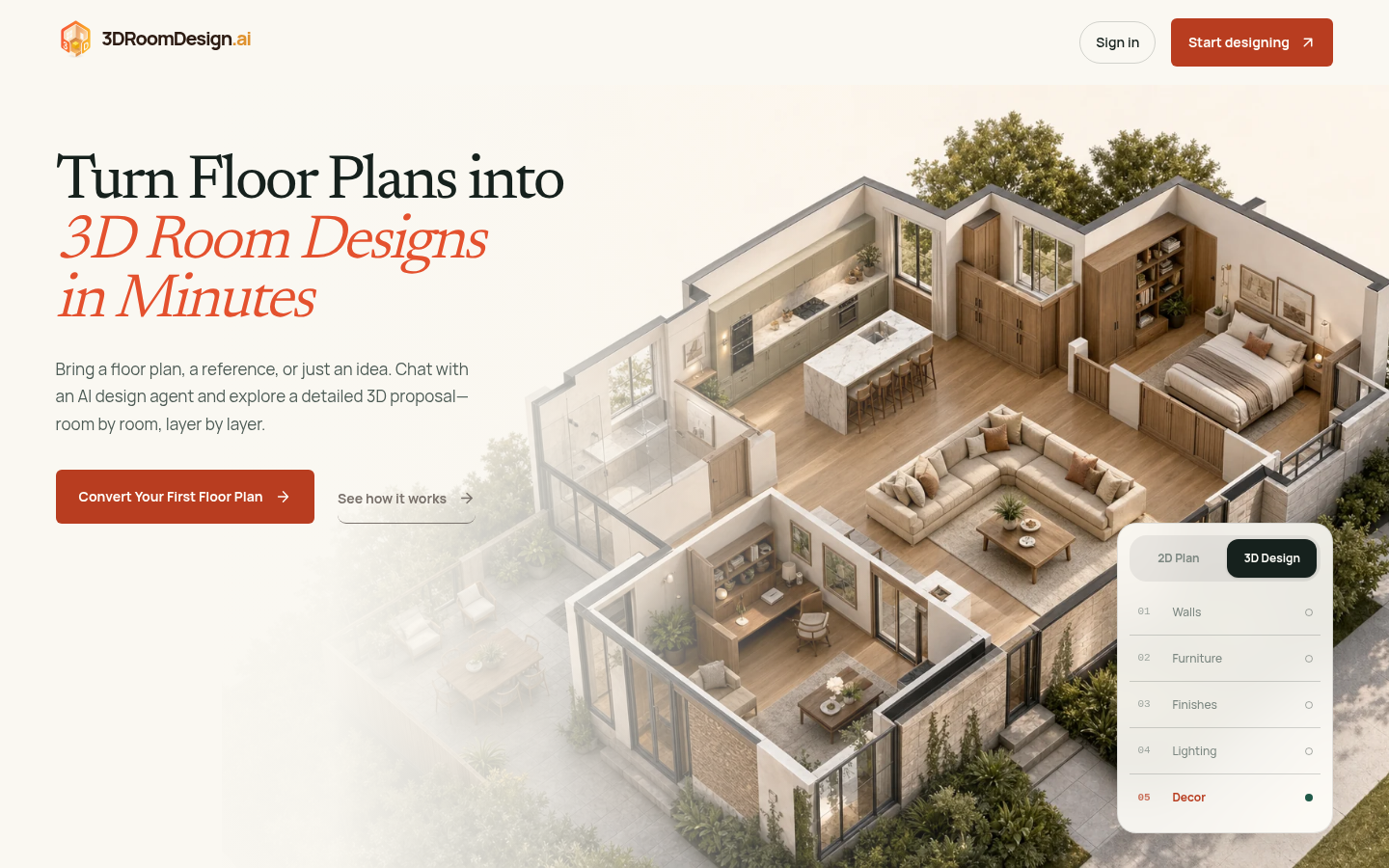
Screenshot archived from the listing page, for preview only.