AIUpscaler
Image and video upscalerEnhance images and videos to 4K free
Highlights
What you can do with it
- Creators sharpen social media videos and photos
- Sellers upgrade product images and clips for listings
- Families restore color and detail in old photos
How to use it
- 1 Open the AIUpscaler website in your browser
- 2 Drag in or upload an image or video file
- 3 Check size and duration limits before uploading
- 4 Click Generate to enhance the file
- 5 Preview and download the finished result
Who it is for
Pros
- Free online use with no software install
- One-click enhancement up to 4K quality
- Broad format support and secure file handling
Limitations
- Free uses are limited and the rules may change
- Full features need the PRO version or credits
- Very damaged sources may not fully recover
What AIUpscaler is
AIUpscaler is an online free AI image and video enhancement tool. Its core is advanced AI upscaling that raises the clarity and resolution of your media without professional editing skills. You upload a file, click generate, and the tool improves quality while keeping motion smooth for video. It also deblurs soft images, restores old photos, and sharpens edges and detail. Many common formats are supported, including JPG, PNG, and WebP for images plus MP4, MOV, and M4V for video. Uploaded files get strict security handling, and everything runs in the browser with no install. A limited number of free uses are offered, and a PRO version or extra credits unlock more functions.
What you can do with it
- Upscale low quality images and lift them toward 4K
- Enhance video clarity while keeping motion smooth
- Deblur, restore, and sharpen old or soft media
- Process files directly in the browser in seconds
Who it is for
- Social media creators who need sharper visuals
- E-commerce sellers improving product images and clips
- Everyday users restoring color and detail in old photos
What to watch out for
Free uses are limited, and those limits and rules may change over time, so heavy users should expect to pay for the PRO version or credits. Results depend on the source, and very damaged or extremely low resolution files may not fully recover. Watch the file size and duration caps before uploading large video. Because it is a browser tool, a stable connection helps with bigger files. Treat the free tier as a way to test quality before you commit to a paid plan.
FAQ
Is AIUpscaler free?
It offers a limited number of free uses online. You can upgrade to the PRO version or buy credits to unlock more.
What are the upload limits?
Images should stay under 20MB, and videos under 300MB and about 10 minutes in length.
Do I need to install anything?
No. Processing happens in your browser, so you can enhance files within a few seconds.
Why it is free
What the official page says: 免费使用免费
Free limits, trial length and features are decided by the official site and can change at any time.
Product preview
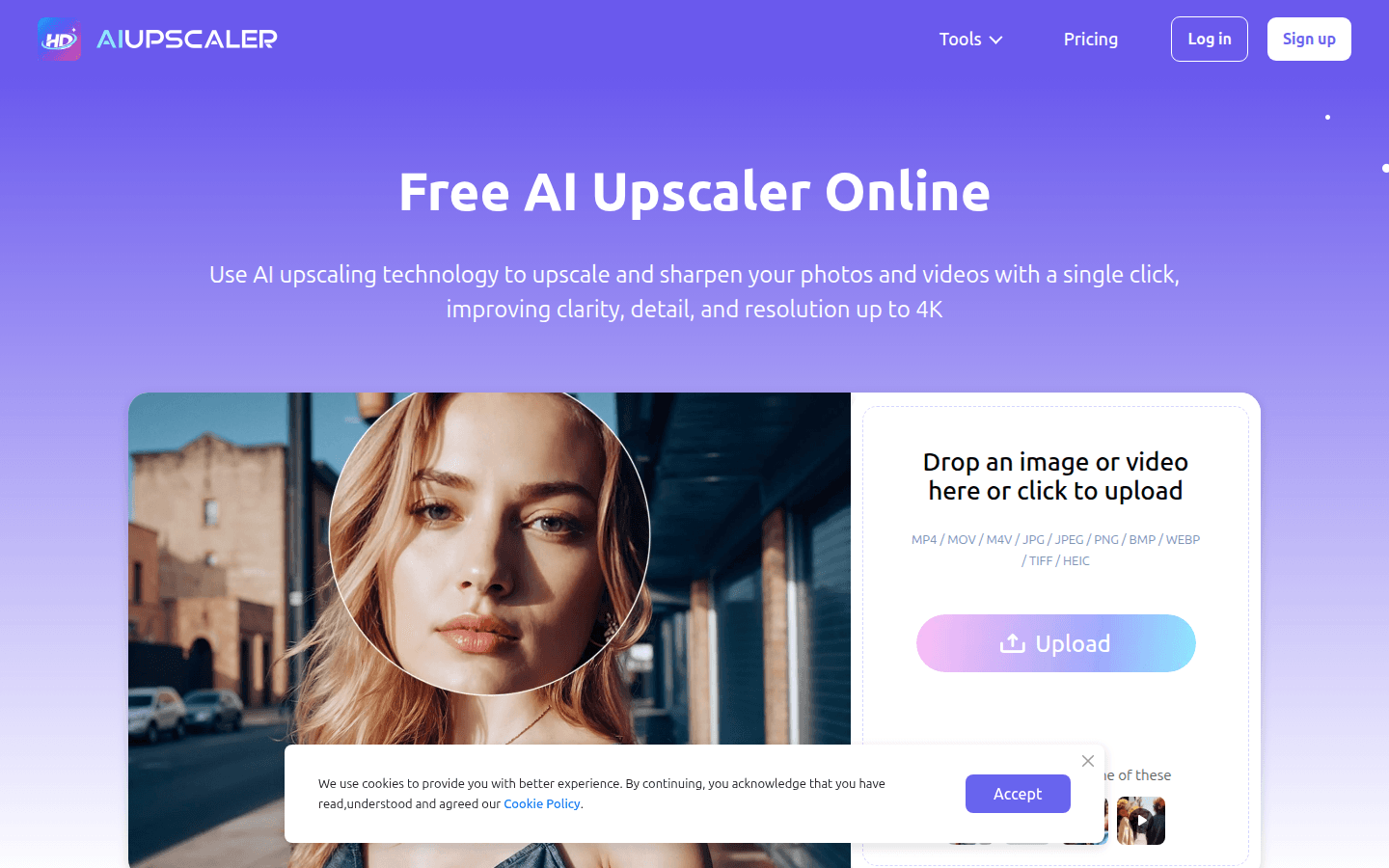
Screenshot archived from the listing page, for preview only.