AnyParser Pro
LLM document parser for PDF, PPT, and imagesPull text and tables out of documents with AI
Highlights
What you can do with it
- Pull key figures from PDF reports for analysis
- Extract information from slide decks
- Read text out of images in research papers
How to use it
- 1 Register an account and get an API key
- 2 Upload your PDF, PPT, or image file
- 3 Choose a parsing mode: full content, tables, or key-value
- 4 Wait for processing and download the extracted result
Who it is for
Pros
- Handles several file types including images
- Flexible extraction modes for different needs
- Free trial with simple API access
Limitations
- API use means some setup and technical comfort
- Free trial limits how much you can parse
- Parsing accuracy depends on document quality
What AnyParser Pro is
AnyParser Pro is a document parsing tool from CambioML that uses a large language model to pull content out of PDF, PPT, and image files. You can ask it for the full document text, only the tables, or key-value pairs, and it can also read text that sits inside images. The tool is reached through an API, so you register, get an API key, and send files to be parsed. It offers a free trial, and it can handle the first 10 pages of a PDF. It is built for analysts and researchers who need clean data out of documents without copying everything by hand.
What you can do with it
- Extract full text, tables, or key-value pairs from a document.
- Read text out of images and scanned-style files.
- Parse PDF reports, slide decks, and image-based papers.
- Send files through an API to fit a larger workflow.
Who it is for
- Financial and data analysts working with reports.
- Researchers pulling text from papers and slides.
- Teams that need document parsing inside an API workflow.
What to watch out for
Because it is API-driven, you need some technical comfort to wire it into your work, and the free trial caps how much you can parse. Accuracy depends on the quality of the document, so a scan or a messy layout can give rougher results than a clean file. It is built by an early-stage startup, so features and trial terms can shift as the product grows. Test it on your own files before you rely on it for a large job. Behavior may vary across browsers and devices, so test before production use and consult the help docs if errors appear.
FAQ
What files can it parse?
PDF, PPT, and image files.
How do I access it?
You register, get an API key, and upload files to the API.
Is there a free trial?
Yes, it offers a free trial and can parse the first 10 pages of a PDF.
Why it is free
What the official page says: free trial
Free limits, trial length and features are decided by the official site and can change at any time.
Product preview
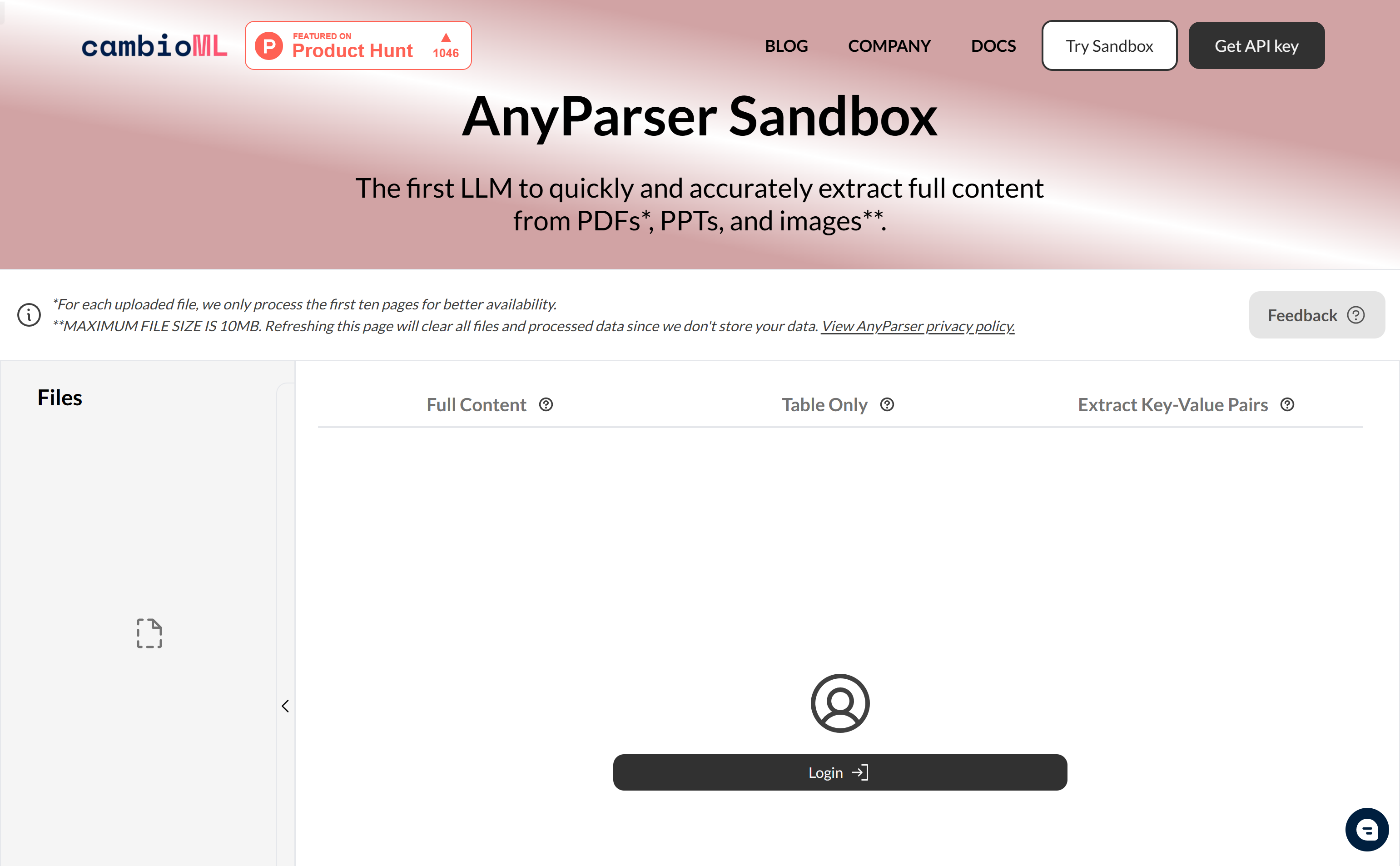
Screenshot archived from the listing page, for preview only.