Blogcast
AI text-to-speech service that turns written posts into podcasts and video voiceover.Turn any text into natural speech with over 110 neural voices.
Highlights
What you can do with it
- Turning blog posts into podcast episodes
- Adding voiceover to videos without recording audio
- Publishing a hosted audio version of an existing article series
How to use it
- 1 Start the free trial and sign in
- 2 Paste your text or import an article by URL or RSS
- 3 Pick a voice and adjust pronunciation, tone, and pauses in the editor
- 4 Generate the audio, then download, stream, or embed it
- 5 Optionally publish it as a hosted podcast feed
Who it is for
Pros
- Large voice and language selection
- Hosting and embedding are included, not just raw files
- Free trial before any subscription
Limitations
- The site was returning an access error at the time of review, so availability may be interrupted
- Full use needs a paid subscription after the trial
- Synthetic speech still needs editing for pacing and emphasis on longer scripts
What Blogcast is
Blogcast is an AI text-to-speech service. You give it text based content and it returns a clear, natural voice track you can use for podcasts, videos, and similar projects, so you do not need a microphone or a recording setup. The service lists more than 110 neural network voices across 25 languages and dialects, and a synthesis editor where you adjust voice, pronunciation, tone, and pauses. It goes further than raw audio files: Blogcast stores and streams your audio, can generate and host podcast feeds, and lets you embed a custom media player into a website or blog. It can import and sync articles from a URL or an RSS feed, and a WordPress plugin adds audio to posts. Access runs through a free trial plus monthly or yearly subscriptions.
What you can do with it
- Convert pasted text into natural speech in many languages
- Fine tune pronunciation, tone, and pauses in a synthesis editor
- Host and stream audio files, including full podcast feeds
- Embed a custom player in a site or blog, or add audio to WordPress posts
Who it is for
- Bloggers who want an audio version of their written work
- Podcast and video creators who need voiceover without a studio
- Site owners who want listenable articles without recording anything
What to watch out for
The Blogcast site was returning an access error when this entry was checked, so availability can be interrupted and you should confirm the service is live before planning around it. The free trial is limited, and continued use requires a paid subscription. Synthetic speech also still needs editing for pacing, emphasis, and correct pronunciation of unusual names, especially on longer scripts. If you are publishing a podcast feed, check the hosting terms, since storage and bandwidth are usually the parts that cost money.
FAQ
Do I need a microphone?
No. Blogcast generates speech from text using neural voices.
How many voices are available?
The service lists more than 110 neural network voices and 25 languages and dialects.
Can I put the audio on my own site?
Yes. You can embed a custom Blogcast media player in a website or blog, and a WordPress plugin is provided.
Can I publish a podcast?
Blogcast supports generating and hosting podcast subscription feeds from your audio.
Why it is free
What the official page says: free trial
Free limits, trial length and features are decided by the official site and can change at any time.
Product preview
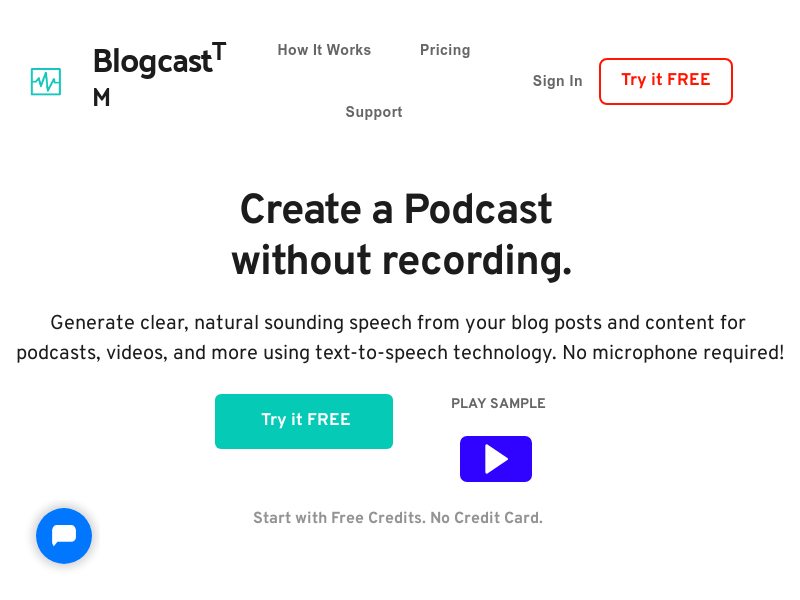
Screenshot archived from the listing page, for preview only.