Dictation IO
Free online voice to textType with your voice, free
Highlights
What you can do with it
- Dictate emails without typing
- Write documents and articles by voice
- Take quick notes hands-free
How to use it
- 1 Open the Dictation.io site
- 2 Allow microphone access
- 3 Start speaking and watch the text appear
- 4 Use voice commands for punctuation and paragraphs
Who it is for
Pros
- Free to use in the browser
- Multiple languages supported
- Voice commands for punctuation and formatting
Limitations
- Free access and accuracy can vary
- Needs a working microphone and a quiet space
- Suits dictation rather than heavy editing
What Dictation.io is
Dictation.io is a free online voice recognition tool. You speak into your microphone and it turns your words into text, so you can write emails, documents, and articles without typing. It supports multiple languages, and you can add paragraphs, punctuation, and emoji using simple voice commands. Because it runs in the browser, there is nothing to install. It is built for people who want to draft text hands-free or who find typing slow or uncomfortable.
What you can do with it
Here is what you can do with it:
- Dictate text straight into the browser
- Switch between supported languages
- Add punctuation, paragraphs, and emoji by voice
- Draft emails, documents, and notes hands-free
Who it is for
It suits a few groups:
- People who want to write without typing
- Anyone drafting emails and documents by voice
- Users who prefer hands-free note taking
What to watch out for
The tool is free, but free access and recognition accuracy can vary, and it depends on your browser, microphone, and an external service you do not control. A noisy room or a weak microphone will hurt accuracy, so a quiet setup helps a lot. It is built for dictation rather than heavy editing, so expect to clean up the text afterward. Keep your own copy of anything important, since a browser session may not save your work. Generated suggestions are for reference only, so verify anything that affects professional judgment or important data. Start with a small sample to confirm the output meets your expectations before processing the full batch. Save a backup of the original file before large batch jobs, and keep an exported copy of key results in case the page or service becomes temporarily unavailable.
FAQ
Is Dictation.io free?
Yes, it is a free online voice recognition tool.
What can I do with it?
You can dictate emails, documents, and articles instead of typing.
Does it support other languages?
Yes, it supports multiple languages.
Why it is free
What the official page says: 免费
Free limits, trial length and features are decided by the official site and can change at any time.
Product preview
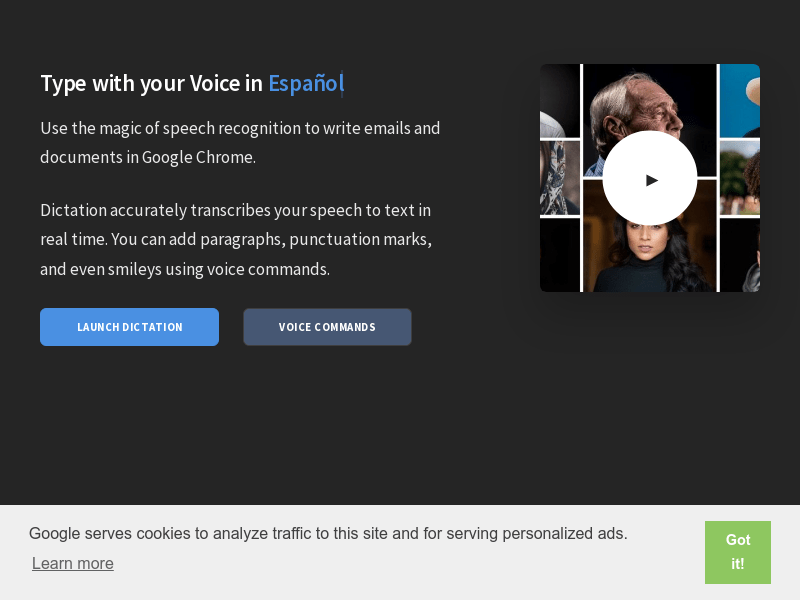
Screenshot archived from the listing page, for preview only.