Luvvoice
Free text-to-speech tool with over 200 voicesTurn text into natural speech in many languages
Highlights
What you can do with it
- Turn a written article into audiobook-style narration
- Add a custom voice track to a video project
- Prototype a voice assistant with spoken replies
How to use it
- 1 Open luvvoice.com in your browser
- 2 Type or paste the text you want spoken
- 3 Choose a language and one of the voices
- 4 Generate the speech, then preview or download it
Who it is for
Pros
- Large library of over 200 voices
- Free to start, with multi-language support
- Simple paste-text-and-pick-a-voice workflow
Limitations
- Advanced features sit behind paid plans
- Voice cloning can be misused, so only generate voices you have the right to use; misuse may break platform or school rules and the consequences fall on you
- Free access limits and the voice list may change over time
What Luvvoice is
Luvvoice is a free text-to-speech tool with more than 200 voices. You type or paste your text, pick a voice and language, and it turns the words into natural, high-quality speech. The tool supports multiple languages and aims to be simple enough for anyone to use, while still offering paid advanced features for people who need more. Whether you are making a quick narration, adding a voice to a clip, or testing a character voice, the workflow stays the same: paste text, choose a voice, generate. It suits creators, authors, and developers who want quick spoken output without recording their own voice.
What you can do with it
- Turn a written article into audiobook-style narration
- Add a custom voice track to a video project
- Prototype a voice assistant with spoken replies
- Produce spoken versions of scripts for podcasts or radio-style segments
Who it is for
- Creators who need voiceovers for videos and short clips
- Authors and publishers turning text into audiobooks
- Developers prototyping conversational voice features
What to watch out for
The free tier covers basic use, while deeper features sit behind paid plans, and the exact limits can change over time. Because voice cloning can be misused, only clone or generate voices you have the right to use, and avoid imitating real people without consent. Using generated voices to deceive others or break platform or school rules can carry real consequences, and those fall on you. Voice quality also varies by selection, so preview a sample before you commit to a final take. Check the site's current terms, especially for commercial projects, before publishing. For best results, start with a small test file and review the output carefully before working on anything important.
FAQ
Is Luvvoice free?
Yes, it offers free text-to-speech with over 200 voices; paid plans unlock more advanced features.
How many languages does it support?
It supports multiple languages, and you pick the language that matches your text.
Can I use the voices commercially?
Check the site's current terms for commercial use and any limits before publishing.
Why it is free
What the official page says: 免费使用免费
Free limits, trial length and features are decided by the official site and can change at any time.
Product preview
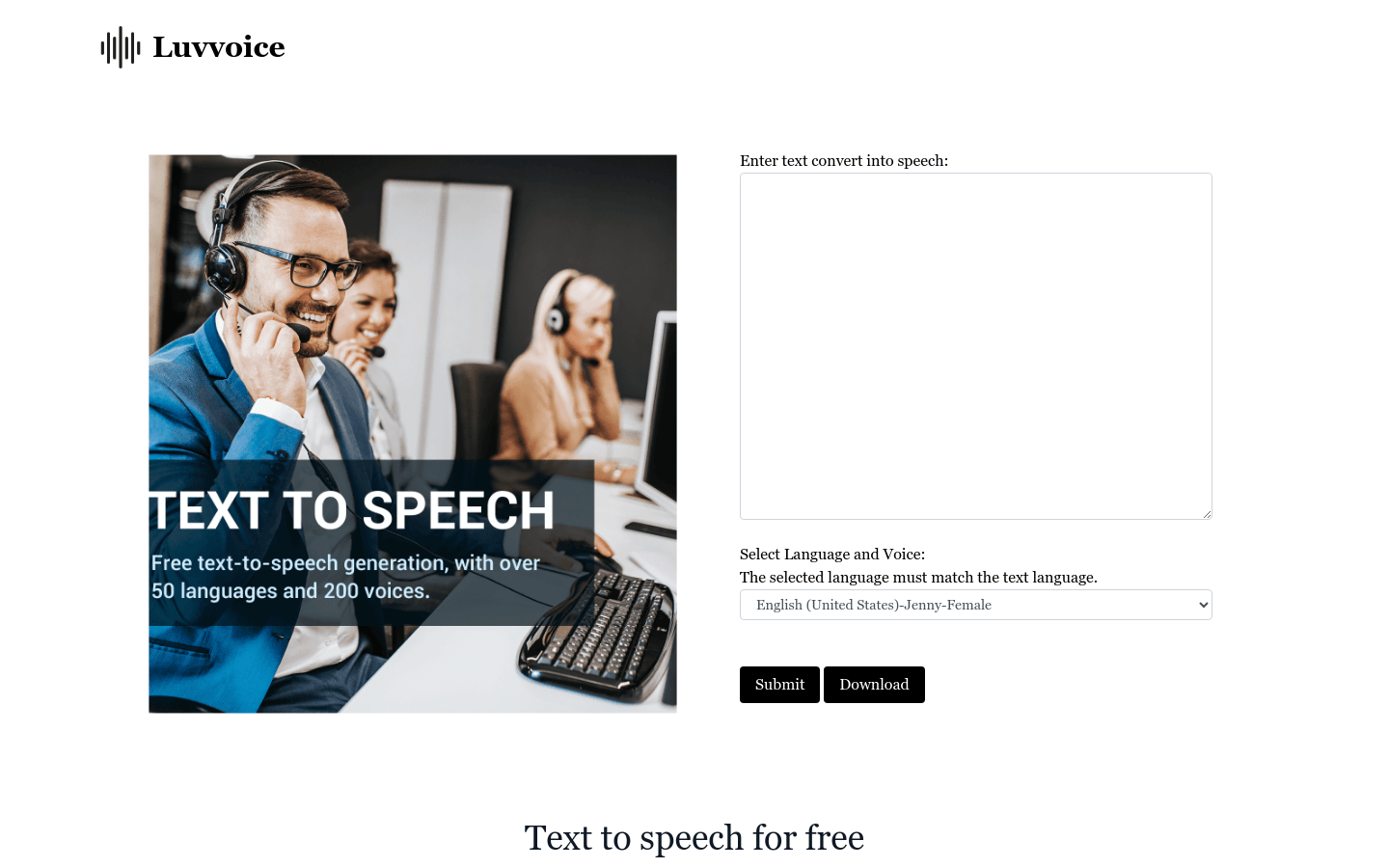
Screenshot archived from the listing page, for preview only.