Eklipse.GG
Turn Twitch clips into short videosConvert Twitch highlights to TikTok, Reels, and Shorts
Highlights
What you can do with it
- A streamer turns a Twitch clip into a TikTok Short
- A creator reposts a gameplay highlight as an Instagram Reel
- A channel shares stream moments as YouTube Shorts
How to use it
- 1 Go to the Eklipse.GG website.
- 2 Choose or import the Twitch clip you want to use.
- 3 Let the tool convert it to a vertical short format.
- 4 Use the simple editing tools to trim and polish it.
- 5 Download and post it to TikTok, Reels, or Shorts.
Who it is for
Pros
- Free to use with no payment required
- Fast way to make vertical clips from Twitch
- Simple editing keeps the workflow light
Limitations
- Free rules and features can change over time
- Editing is basic, not a full video editor
- Depends on the quality and length of the source clip
What Eklipse.GG is
Eklipse.GG is an AI powered game highlight clipping tool, and it is free to use. Its main job is to take Twitch live stream clips and convert them into TikTok, Reels, and YouTube Shorts formats, so you can share the top moments of a stream where short form video lives. The tool includes simple editing functions to trim and polish a clip without a complicated setup. It is designed as a fast, straightforward way to pull highlights out of gameplay and turn them into vertical clips that are ready to post. For streamers and creators, that removes a lot of the manual work that usually comes with repurposing content.
What you can do with it
- Convert Twitch clips into TikTok, Reels, and Shorts formats.
- Trim and polish a highlight with simple editing tools.
- Pull the top moments out of a live stream quickly.
- Post vertical clips without a heavy editing workflow.
Who it is for
- Streamers who want to repurpose Twitch clips for other platforms.
- Content creators who post short form gameplay video.
- Channels that share highlights across TikTok, Reels, and Shorts.
What to watch out for
The tool is free now, but free rules and features can change over time, so check the current terms before you build a workflow around it. The editing is basic and not a full video editor, so complex cuts still need other software. Results also depend on the source clip, because a long or low quality stream segment may need more trimming to make a good short. Start with a small sample to confirm the output meets your expectations before processing the full batch.
FAQ
Is Eklipse.GG free?
Yes, it is free to use and no payment is required.
What formats can it output?
It converts Twitch clips into TikTok, Reels, and YouTube Shorts formats.
Who is it for?
It is built for streamers and creators who share game highlights as short form video.
Why it is free
What the official page says: for free
Free limits, trial length and features are decided by the official site and can change at any time.
Product preview
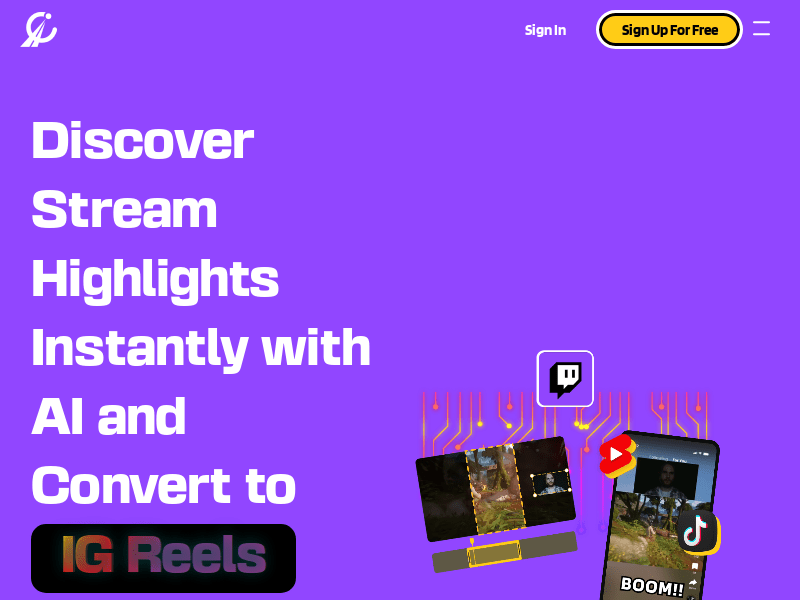
Screenshot archived from the listing page, for preview only.