AI Video Editing | Clipchamp
Browser AI video editorEdit video with AI, no download
Highlights
What you can do with it
- Turn speech into text and generate subtitles automatically
- Enhance audio quality inside video projects
- Create short videos with AI-assisted editing
How to use it
- 1 Open Clipchamp in your web browser.
- 2 Upload the video or audio you want to edit.
- 3 Use speech-to-text to generate subtitles automatically.
- 4 Apply AI audio enhancement to improve sound quality.
- 5 Export the finished video.
Who it is for
Pros
- Free features are available according to the site
- No download required, it runs in the browser
- Combines subtitles and audio enhancement in one place
Limitations
- Free feature set may change over time
- Runs online, so a stable internet connection is needed
- Focused on quick AI-assisted editing, not full post-production
What Clipchamp is
Clipchamp is an AI video editor that runs in your browser with no download required. It uses AI to make editing easier, with automatic video synthesis, speech-to-text conversion, automatic subtitle generation, real-time speech feedback, and AI audio enhancement. The site says Clipchamp offers free features, so you can start creating short videos without installing any software. It is aimed at people who want quick, AI-assisted editing rather than a complex professional suite. Free feature access is the current offer, and what is included for free can change over time.
What you can do with it
- Turn speech into text and generate subtitles automatically
- Enhance audio quality with AI audio tools
- Assemble short videos with automatic synthesis
- Edit video in the browser without installing anything
Who it is for
- Content creators who make short videos regularly
- Users who need fast, accurate subtitles for their clips
- Anyone who wants simple AI-assisted editing without heavy software
What to watch out for
Because it runs online, you need a stable internet connection, and upload and export speeds depend on your network. The free feature set may change, and some advanced tools may sit behind paid plans. It is designed for quick AI-assisted editing rather than full professional post-production, so complex projects with heavy effects or long timelines may still need dedicated editing software. For best results, start with a small test file and review the output carefully before working on anything important. Free tiers can change over time, so it is worth checking the current limits on the official page before you rely on the tool daily. If the result is not quite right, try adjusting your input description or settings and run the task again.
FAQ
Is Clipchamp free?
The site says Clipchamp offers free features, so you can start editing without paying. What is included for free can change over time.
Do I need to install anything?
No. Clipchamp runs in the browser, and the site says no download is required.
What AI features does it have?
It offers automatic video synthesis, speech-to-text, automatic subtitle generation, real-time speech feedback, and AI audio enhancement.
Why it is free
What the official page says: 免费使用免费
Free limits, trial length and features are decided by the official site and can change at any time.
Product preview
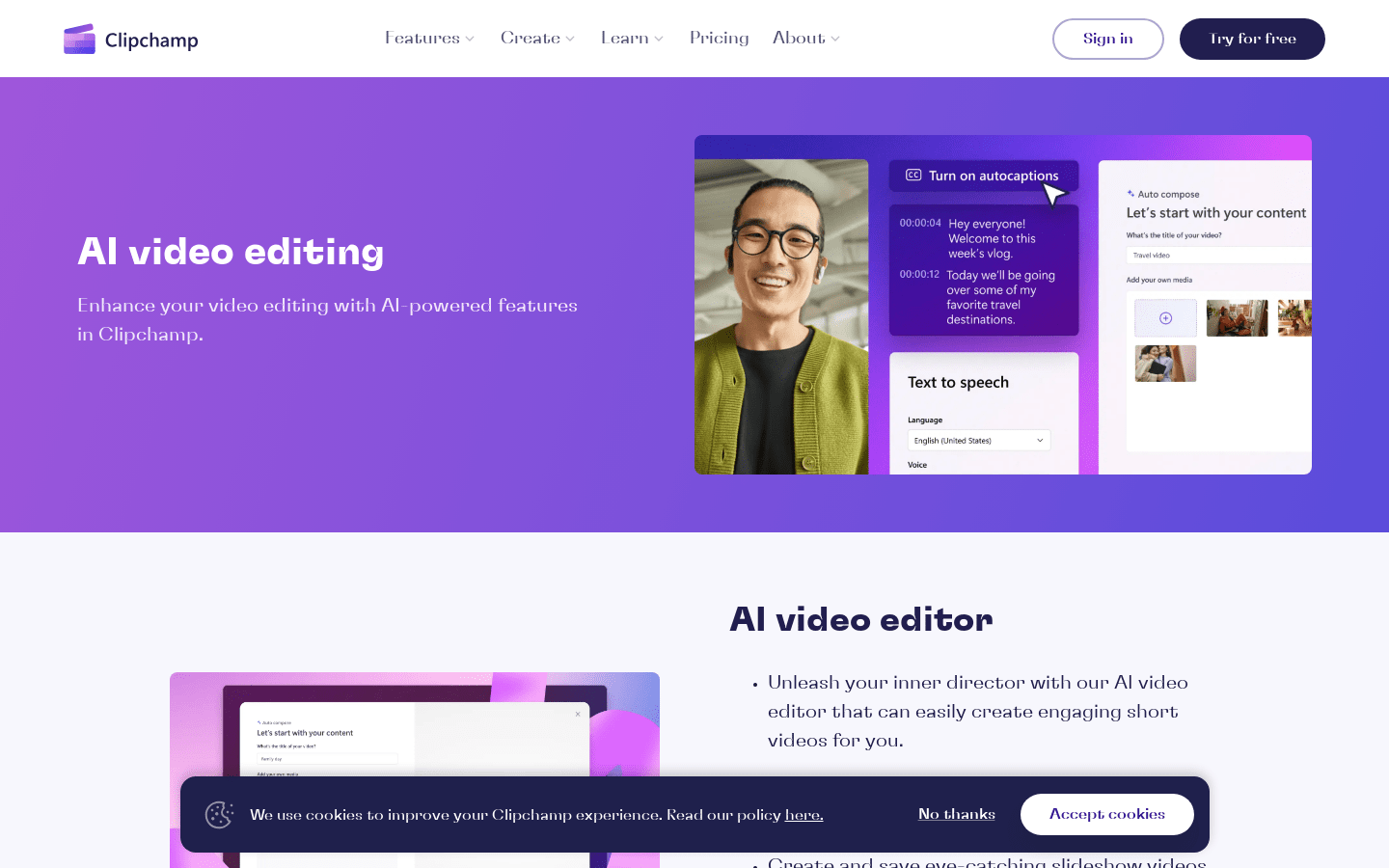
Screenshot archived from the listing page, for preview only.