Enhance-A-Video
Free tool to improve video generation qualitySharpen video frames without retraining
Highlights
What you can do with it
- Video creators raise the quality and realism of generated clips
- Researchers improve video generation models for academic work
- Platforms deliver smoother, higher-quality generated video to viewers
How to use it
- 1 Visit the Enhance-A-Video project page.
- 2 Read the introduction to understand how it changes temporal attention.
- 3 Review the code to see how to integrate it with your video model.
- 4 Adjust the temperature parameter to balance focus and diversity.
- 5 Test on supported models and analyze the quality results.
Who it is for
Pros
- Free to use and needs no retraining of the base model
- Improves frame consistency and visual quality
- Comes from a documented academic research project
Limitations
- It is aimed at people who work with video models, so it needs some technical skill
- Results depend on the base model you apply it to
- As a research project, support and availability can change
What Enhance-A-Video is
Enhance-A-Video is a project focused on improving the quality of generated video. It works by adjusting the temporal attention inside video models to strengthen consistency and visual quality between frames. The main advantage is that it can enhance existing video models at no cost and without retraining, which saves both time and compute. It introduces a temperature parameter that controls how strongly frames relate to each other, and it adds an enhancement block that computes a cross-frame measure to boost the temporal attention output. The project comes from a collaboration among researchers at the National University of Singapore, Shanghai AI Laboratory and the University of Texas at Austin, and it reports consistent improvements across several test datasets.
What you can do with it
- Improve consistency and visual quality between video frames
- Apply the method to existing video models without retraining
- Use a temperature parameter to balance focus and diversity across frames
- Test the enhancement on supported models and measure the results
Who it is for
- Researchers working on video generation models
- Developers who build on top of existing video models
- Creators who want clearer, more consistent generated video output
What to watch out for
Enhance-A-Video is aimed at people who already work with video models, so it expects some technical skill to integrate and tune. Results depend heavily on the base model you apply it to, so the same settings can behave differently across models and datasets. Because it is a research project rather than a polished consumer app, documentation and support may be limited, and availability can change over time. It also improves quality within the limits of the underlying model rather than fixing every flaw, so set realistic expectations and test on your own content before relying on it.
FAQ
Does Enhance-A-Video cost anything?
No, it is described as a free, zero-cost way to enhance existing video models.
Do I need to retrain my model?
No retraining is required. It adjusts temporal attention in the model you already have.
Who developed it?
It is a collaboration among researchers at the National University of Singapore, Shanghai AI Laboratory and the University of Texas at Austin.
Why it is free
What the official page says: 免费零成本
Free limits, trial length and features are decided by the official site and can change at any time.
Product preview
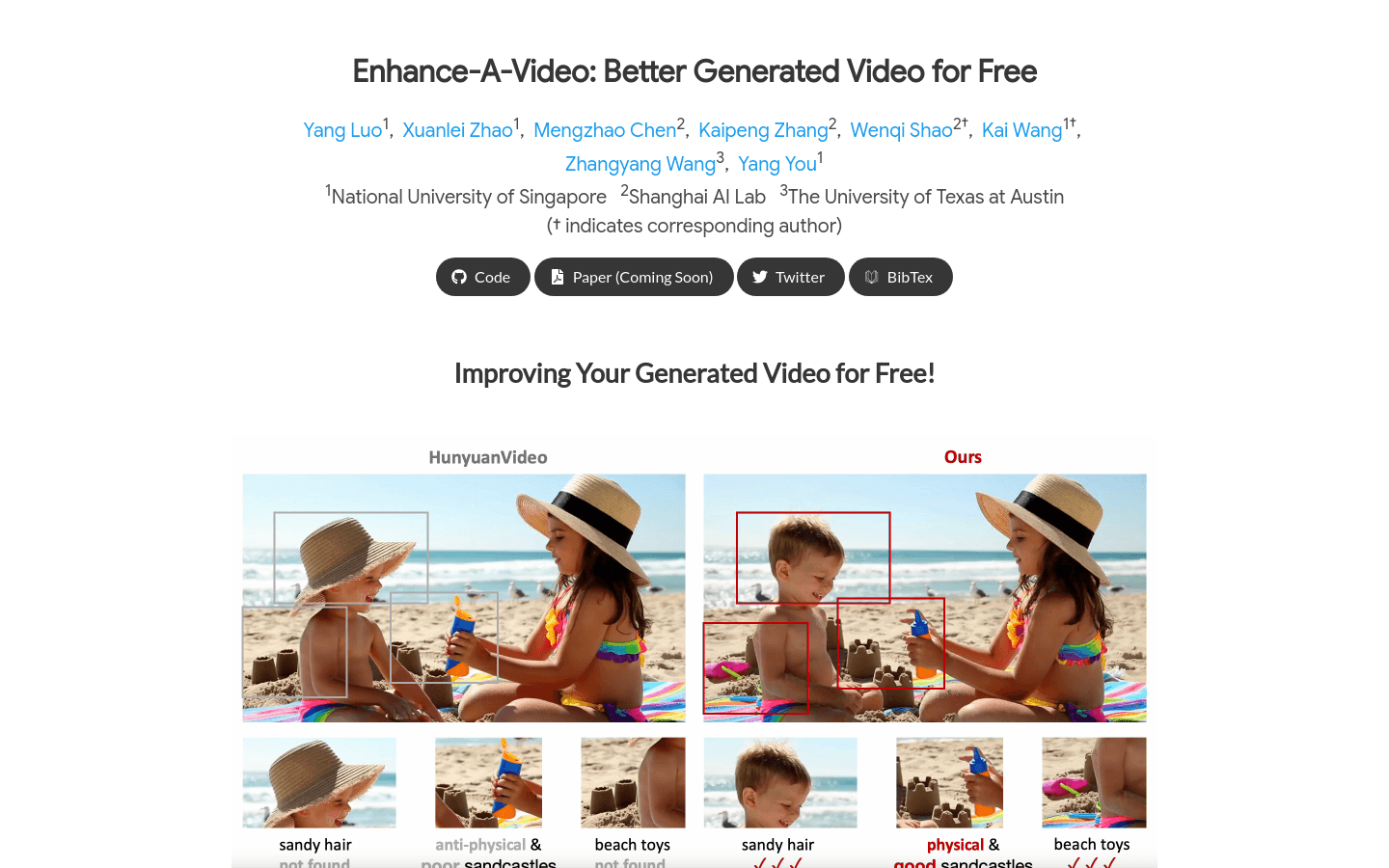
Screenshot archived from the listing page, for preview only.