FineVoice Text to Speech
Text to speech with many AI voicesTurn text into realistic, emotional AI speech
Highlights
What you can do with it
- Turn books or articles into spoken audiobook tracks.
- Generate voice-over for advertising and promo videos.
- Convert course material into audio for online lessons.
How to use it
- 1 Type, paste, or import your text (txt, docx, or srt).
- 2 Pick an AI voice and a TTS model, then set pitch, speed, or emotion tags.
- 3 Click generate and wait a few seconds for the audio.
Who it is for
Pros
- Large voice library with many languages and accents.
- Fine control over style, speed, pitch, and emotion.
- Free quota to test before paying.
Limitations
- Voice cloning can be misused; cloning a real person without consent may break platform rules or law, and the consequences fall on you.
- The free quota is limited and pricing plans can change.
- Voice quality and the available voice list can shift as models update.
What FineVoice Text to Speech is
FineVoice Text to Speech is the speech engine behind a larger AI voice platform. It turns written text into realistic, context-aware speech and can also clone voices, with more than 1,500 AI voices across 154 languages and accents. You can control style, speed, pitch, and emotion, add emotion tags, and import text by typing, pasting, or loading txt, docx, or srt files. The output is meant for audiobooks, podcasts, ads, and training video. A free quota is available, with paid plans for more use. The platform also bundles a voice changer, voice cloning, and sound effect tools in one place.
What you can do with it
- Turn books or articles into spoken audiobook tracks.
- Generate voice-over for advertising and promo videos.
- Convert course material into audio for lessons.
- Fine-tune pace, pitch, and emotion for each project.
Who it is for
- Creators making audiobooks, ads, or explainer videos.
- Marketers who need expressive ad narration.
- Educators and language learners who want spoken material.
What to watch out for
The voice cloning feature is powerful and easy to misuse. Cloning a real person's voice without their clear permission may break platform rules or the law, and any consequences fall on you, so only clone voices you own or have the right to use. The free quota is limited and pricing plans can change over time. Voice quality and the available voice list can also shift as the underlying models update, so re-check your outputs before you publish them anywhere. For best results, start with a small test file and review the output carefully before working on anything important.
FAQ
Is there a free option?
Yes, free quotas are available before you pay.
Can I clone a voice?
The platform offers cloning, but only clone voices you own or have the right to use.
What files can I import?
txt, docx, or srt, plus typing and pasting.
Why it is free
What the official page says: 免费额度免费
Free limits, trial length and features are decided by the official site and can change at any time.
Product preview
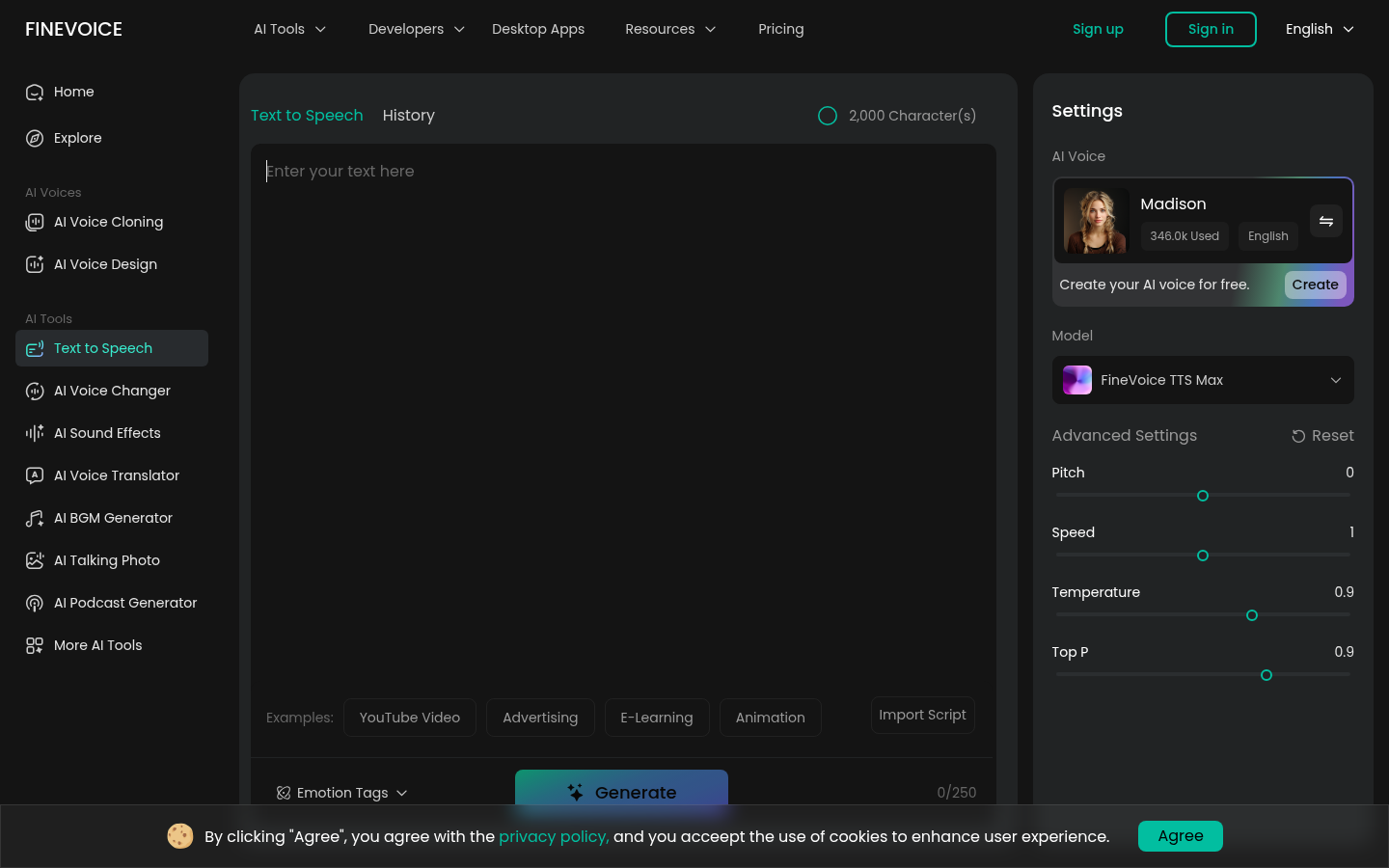
Screenshot archived from the listing page, for preview only.