SaaS-y Santa by Trupeer.ai
Free Santa video makerRecord your screen, add Santa
Highlights
What you can do with it
- Holiday promotions on a website or app
- Personalized Santa greetings for social media
- Festive messages for classrooms or teams
How to use it
- 1 Visit the Trupeer.ai website
- 2 Click create your Santa video
- 3 Record your screen following the prompts
- 4 Choose a Santa avatar and voiceover
- 5 Add visual effects, preview, and download
- 6 Share the video on your site, social channels, or by email
Who it is for
Pros
- Free to create
- No editing skill required
- Quick output from a screen recording
- Easy to share across channels
Limitations
- Seasonal tool with a short useful window each year
- Free status can change
- Output quality depends on your recording
- Creative control is limited to avatars, voices, and effects
What SaaS-y Santa by Trupeer.ai is
SaaS-y Santa is a free tool from Trupeer.ai that turns a screen recording into a festive video. You click create, record your screen while following the prompts, then layer on a Santa avatar, a Santa voiceover, and visual effects. The result is a short holiday clip you can put on a website, embed in an app, or share on social media and by email. Several Santa character styles are offered, ranging from jolly to playful, so the tone can be tuned to the audience. The listing pitches it at businesses that need holiday marketing flair and at individuals who want a personalized seasonal greeting.
What you can do with it
- Record your screen as the base of the video
- Add a Santa avatar and Santa voiceover
- Layer visual effects to lift the production value
- Choose between different Santa character styles
- Download and share on a site, social channel, or by email
Who it is for
Marketers and site owners who want a seasonal touch without commissioning a video are the main audience. Social media users making personalized greetings for friends and family get a quick novelty clip. Teachers and teams sending festive messages to a class or a staff group also fit, since the output is shareable and requires no editing knowledge.
What to watch out for
It is a seasonal tool, so its useful window is a few weeks a year and there is little reason to keep it around otherwise. Free access is advertised rather than guaranteed and can change, particularly for tools tied to a larger paid product. Output quality depends directly on your screen recording, so a cluttered or low-resolution capture will show in the final video. Creative control is also limited to avatars, voices, and effects; if you need a scripted narrative or precise timing, you will be editing elsewhere.
FAQ
Is it free?
Yes. The listing states users can create Santa videos on the platform for free.
How do I make a video?
Record your screen, then choose a Santa avatar, voiceover, and visual effects before previewing and downloading.
What is it used for?
Holiday marketing on websites and apps, personalized greetings, and festive content for teams or classrooms.
Are there different Santa styles?
Yes, several character options are listed, including jolly Santa and playful Santa.
Why it is free
What the official page says: 免费
Free limits, trial length and features are decided by the official site and can change at any time.
Product preview
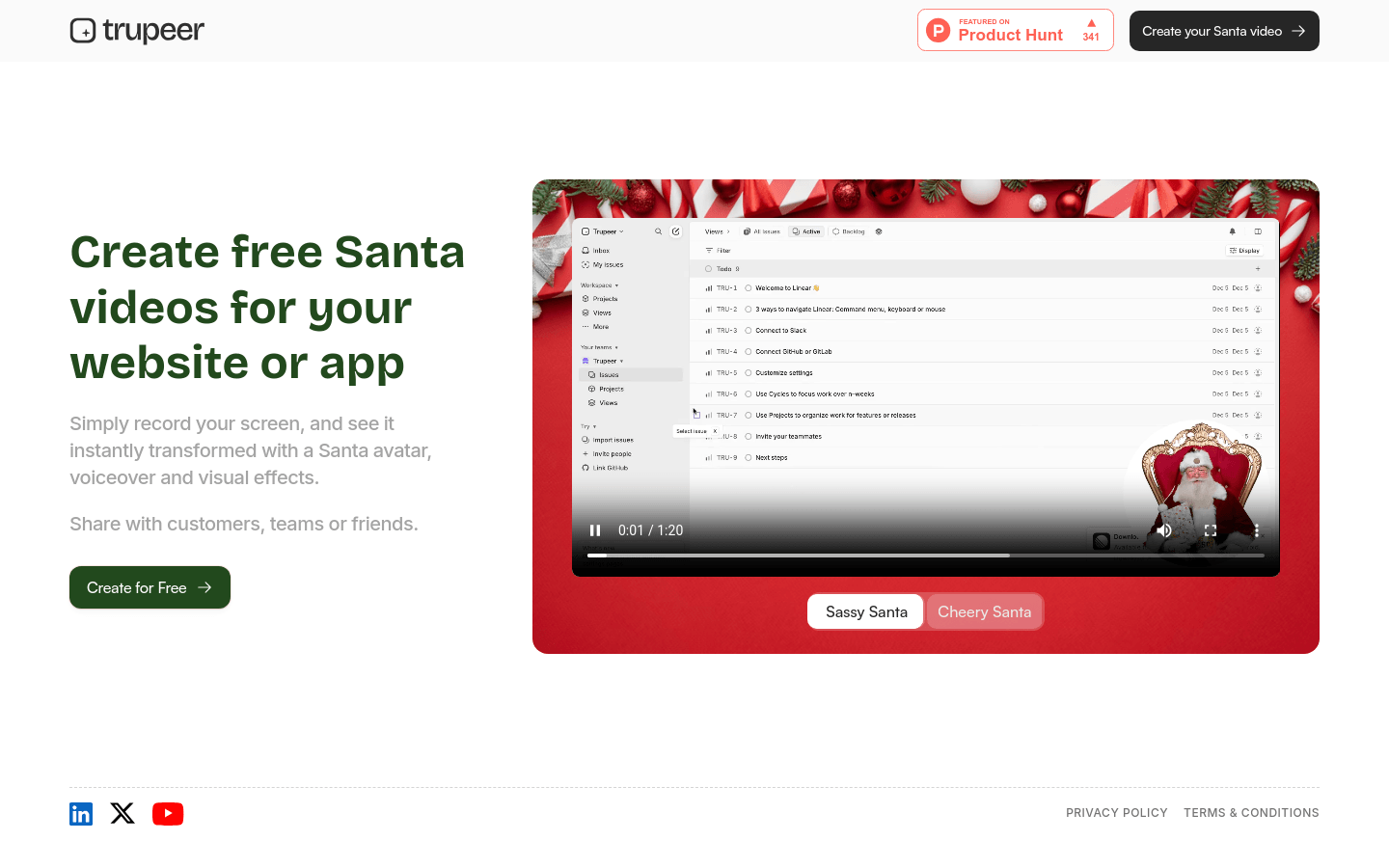
Screenshot archived from the listing page, for preview only.