Speechify
Text-to-speech app with a free trialListen to documents, articles, and PDFs
Highlights
What you can do with it
- Listen to articles and PDFs while doing other tasks
- Convert documents into audio for on-the-go review
- Create voice content with the AI voice studio suite
How to use it
- 1 Install Speechify on your device or browser
- 2 Choose the text or file you want to hear
- 3 Select a voice and playback speed
- 4 Play the audio and organize files online
Who it is for
Pros
- Works across many platforms
- Handles many document and web sources
- Voice studio suite included
- Free trial to test voices
Limitations
- A free trial only; continued use needs a paid plan
- Trial terms and pricing can change
- Voice quality varies by language and content
- Some sources may need extra setup
What Speechify is
Speechify is a text-to-speech app that can convert any document, article, PDF, email, and more into spoken words, so you can hear the voice of the internet on any device. It is compatible with the Chrome browser, iOS, Android, and other platforms, and it supports sources such as Google Docs, web articles, Gmail, and Twitter. A complete AI voice studio suite is included for content creators. A free trial is offered so you can test the voices and workflow before paying, and you can listen to and organize files online.
What you can do with it
- Convert text to speech for documents, articles, and PDFs
- Listen on Chrome, iOS, Android, and other platforms
- Read Google Docs, web articles, Gmail, and Twitter
- Organize and listen to files online
- Use the AI voice studio suite for content creation
Who it is for
- People who prefer listening over reading
- Students and professionals with heavy reading loads
- Content creators who need voice output
- Anyone who wants audio versions of documents
What to watch out for
Speechify offers a free trial rather than a permanent free plan, so continued use needs a paid subscription. Trial terms and pricing can change, so check the current offer before you commit. Voice quality varies by language and by the type of content, and some sources need extra setup before they read smoothly. Treat the trial as a way to test voices on your own material rather than a guarantee of a specific result. Start with a small sample to confirm the output meets your expectations before processing the full batch. Free tiers and usage limits can change, so check the current rules on the official page before relying on it long term.
FAQ
Is there a free trial?
Yes, Speechify offers a free trial.
What can it read?
Documents, articles, PDFs, emails, and more.
Which platforms are supported?
Chrome, iOS, Android, and other platforms.
Who is it for?
Anyone who wants to listen to text, including content creators.
Why it is free
What the official page says: free trial
Free limits, trial length and features are decided by the official site and can change at any time.
Product preview
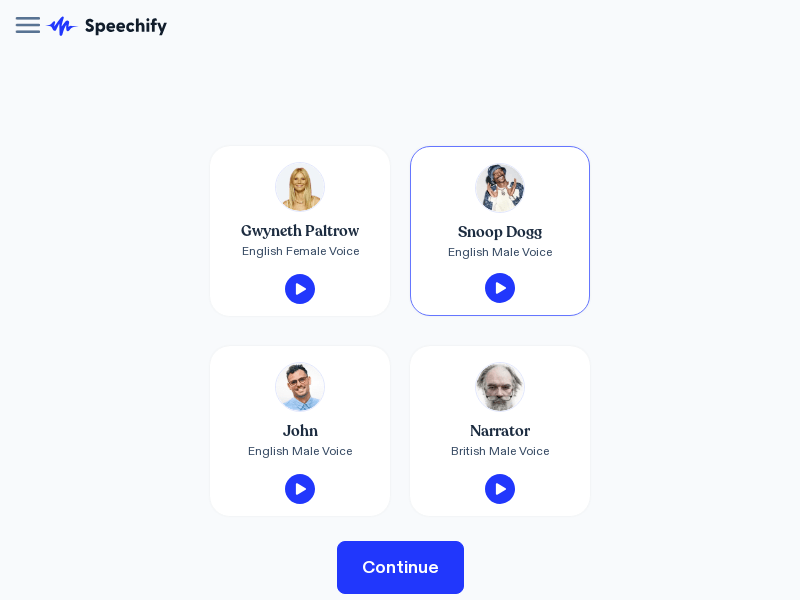
Screenshot archived from the listing page, for preview only.