Swift Board
Free real-time team retrospective boardAnonymous team boards with AI summaries
Highlights
What you can do with it
- Running a sprint retrospective with a remote team
- Brainstorming ideas in a live meeting
- Collecting honest feedback through anonymous entries
How to use it
- 1 Create a board with a single click
- 2 Pick a retrospective or brainstorming template
- 3 Share the link with your team, no registration needed
- 4 Collect notes live, then read the AI-generated summary
Who it is for
Pros
- Free and usable with no registration
- Real-time editing with anonymous entries
- AI summaries cut down on note-taking after the session
Limitations
- Free status can change, so do not build critical process on it alone
- Board content may be sensitive, so check where data is stored
- AI summaries are a starting point, not an official record
What Swift Board is
Swift Board is a team collaboration and retrospective tool that is free, anonymous, real-time, and fully customizable. The workflow is deliberately short: with a single click you create a board, then share the link with your team, and nobody needs to register an account to take part. The tool ships with more than ten sprint retrospective and brainstorming templates, so a facilitator can start a session without designing a format first. Anonymity lets team members post honestly, which matters in retrospectives where people hold back if their name is attached. On top of that, ChatGPT-powered features generate summaries of the board in real time, giving the team an instant recap instead of someone reconstructing notes afterward.
What you can do with it
- Run a sprint retrospective with a ready-made template
- Brainstorm live with a remote or hybrid team
- Collect anonymous input so people speak more freely
- Get an AI-generated summary of the session as it happens
Who it is for
- Remote and hybrid teams that need a shared board
- Facilitators who want a fast setup for workshops
- Managers looking for candid feedback without attribution
What to watch out for
Swift Board is free today, and free tools can introduce limits or paid tiers later, so keep a backup export of anything you need to keep. Retrospective content is often sensitive, including complaints about process and people, so check how boards are stored and who can access them before discussing internal issues. The AI summary is a helpful recap but it is not an official record; read it before you circulate it, because automated summaries can miss tone or drop a point that mattered. Anonymous boards also need light facilitation, since a few loud voices can dominate a wall of notes.
FAQ
Is Swift Board free?
Yes. Swift Board is described as a free collaboration and retrospective tool, and no registration is required to start a board.
How do people join a board?
You create the board and share the link. Teammates can join without creating accounts.
What are the AI summaries?
Powered by ChatGPT technology, they generate a summary of the board content in real time so the team can review what came out of the session.
Why it is free
What the official page says: 免费
Free limits, trial length and features are decided by the official site and can change at any time.
Product preview
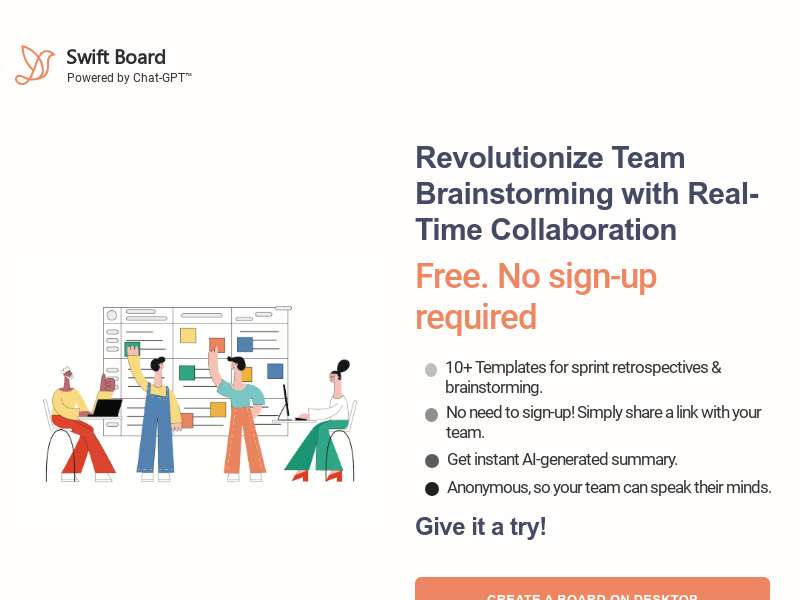
Screenshot archived from the listing page, for preview only.