SwiftAI Writing
All-in-one AI writing toolWrite reports and copy with AI
Highlights
What you can do with it
- Draft a work report from a few keywords
- Write marketing or social media copy
- Convert or compress a file in the same app
How to use it
- 1 Open SwiftAI Writing
- 2 Enter your topic or keywords
- 3 Let the AI generate the draft
- 4 Edit the result, then export or save
Who it is for
Pros
- Free trial that covers all features
- Combines writing with everyday file tools
- Simple interface made for quick starts
Limitations
- It is a trial, so long-term use likely needs payment
- Output still needs editing for accuracy and tone
- The wide feature set is more than some people need
What SwiftAI Writing is
SwiftAI Writing is an AI writing tool that generates article content from keywords and themes. It is built to handle practical office writing such as work reports and marketing copy, and it can produce a full draft quickly so you have something to edit rather than a blank page. Beyond writing, the software bundles an AI chat dialog, AI painting, translation, file conversion, and compression, so several everyday tasks live in one app. The interface is described as simple, with a concise layout for fast starts. According to the product, it provides a free trial that lets you experience all of its functions for free.
What you can do with it
- Draft full articles, reports, or copy from a few keywords
- Use the built-in AI chat to answer questions while you work
- Convert or compress files without leaving the app
Who it is for
Office workers who regularly write reports and summaries can save real time on first drafts and skip the hardest part of starting from nothing. Marketers and social media managers who need fresh copy on a schedule will use the keyword-to-text flow to get ideas moving fast. People who want writing help and basic file tools in one place, rather than several separate apps and subscriptions, will find the bundle convenient. It is aimed at users who value speed and a low learning curve over fine-grained, sentence-level control.
What to watch out for
The free access is a trial, so continued use will likely require payment; confirm the current terms before depending on it. AI drafts can contain errors, awkward phrasing, or invented details, so plan to review and edit rather than publish as-is. The wide feature set is convenient but also means a bigger tool than someone who only wants a simple writer might need. Check that the specific outputs you care about, such as a particular file format, are supported before you rely on it for real work.
FAQ
Is there a free trial?
Yes, you can try all features for free.
What can it write?
Articles, reports, and copy generated from keywords.
Does it do more than writing?
Yes, it also offers chat, painting, translation, and file tools.
Why it is free
What the official page says: for freefree trial
Free limits, trial length and features are decided by the official site and can change at any time.
Product preview
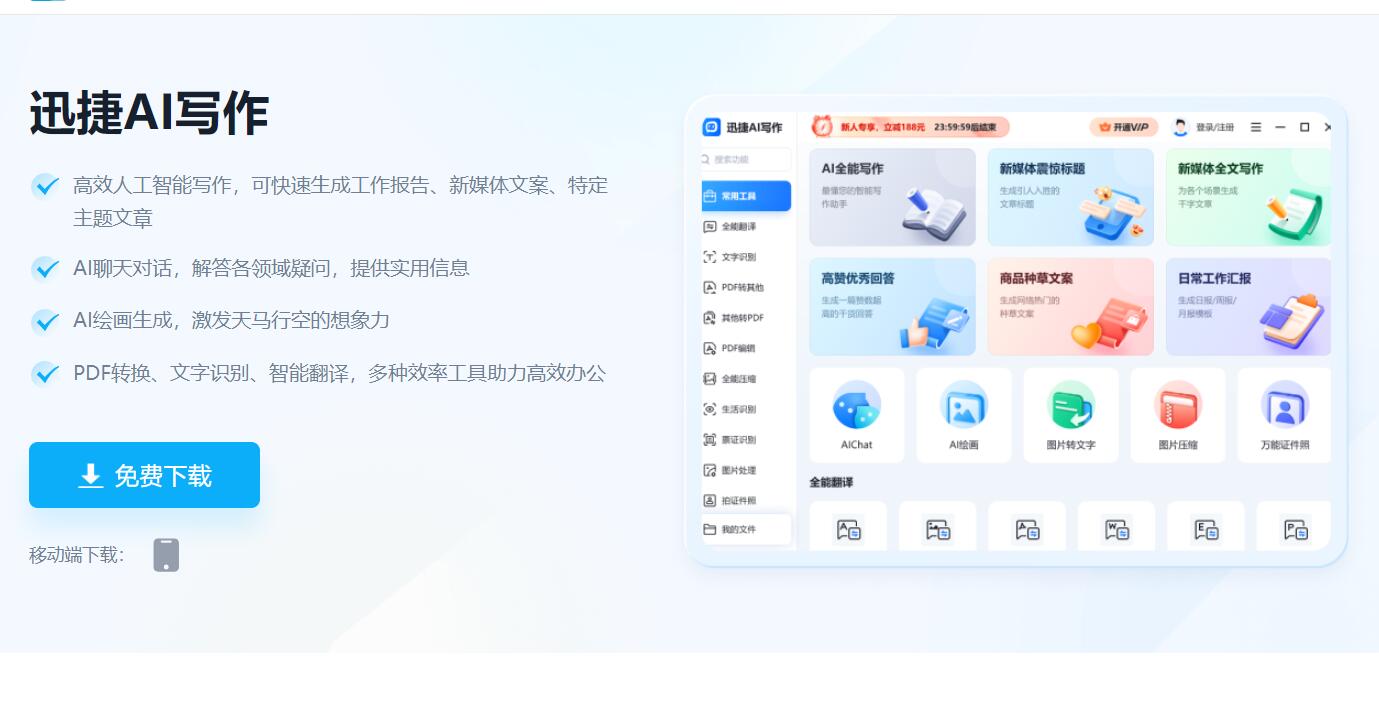
Screenshot archived from the listing page, for preview only.