Unmute
Low latency speech recognition and synthesisTalk to AI with fast speech in and out
Highlights
What you can do with it
- A creator generates voiceover for explainer videos
- A developer adds voice chat to an application
- An educator produces spoken teaching material
How to use it
- 1 Visit Unmute and register an account
- 2 Set up your voice input device as guided
- 3 Choose the language and speech model
- 4 Speak and watch the text appear in real time
- 5 Adjust and export the generated text or voice
Who it is for
Pros
- Low latency suits real time use cases
- Both recognition and synthesis are covered
- Open source plans help developers evaluate it
Limitations
- Pricing is not announced, so cost planning is hard
- Open source release is a plan, not a current fact
- Accuracy varies by language and audio conditions
- Voice likeness use needs care and consent
What Unmute is
Unmute is a speech tool built for talking with AI. It handles two directions: turning speech into text quickly, and turning text into natural sounding speech. The page emphasizes low latency, multiple languages, real time interaction, and easy integration for developers. It also says the model source code will be released as open source, and that pricing has not been announced, with a mix of free and paid access expected later. For now it reads as an early stage tool worth watching.
What you can do with it
- Convert speech to text with low delay
- Generate natural voice output from written text
- Work across multiple languages for input and output
- Embed voice interaction into another application
Who it is for
- Content creators who need fast voiceover
- Developers adding voice chat to a product
- Educators producing spoken teaching material
What to watch out for
Pricing is not published, so you cannot budget accurately yet, and the free plus paid split is only an expectation rather than a commitment. The open source release is a stated plan rather than something available today, so verify status before building on it. Recognition and synthesis quality vary by language and recording conditions, so test with your own audio and accent before relying on it in production. As with any voice tool, get clear consent before cloning or imitating a real person's voice, because misuse can cause real harm and may carry legal consequences. Features and interface details may change between versions, so review the latest notes on the page before you start. For team use, agree on naming and editing conventions in advance to avoid version conflicts or duplicated work.
FAQ
What does Unmute do?
It provides low latency speech recognition and speech synthesis for talking with AI.
Is it open source?
The page says the model source code will be released as open source in the future.
How much does it cost?
Pricing has not been announced; the page says a mix of free and paid is expected.
Why it is free
What the official page says: 免费
Free limits, trial length and features are decided by the official site and can change at any time.
Product preview
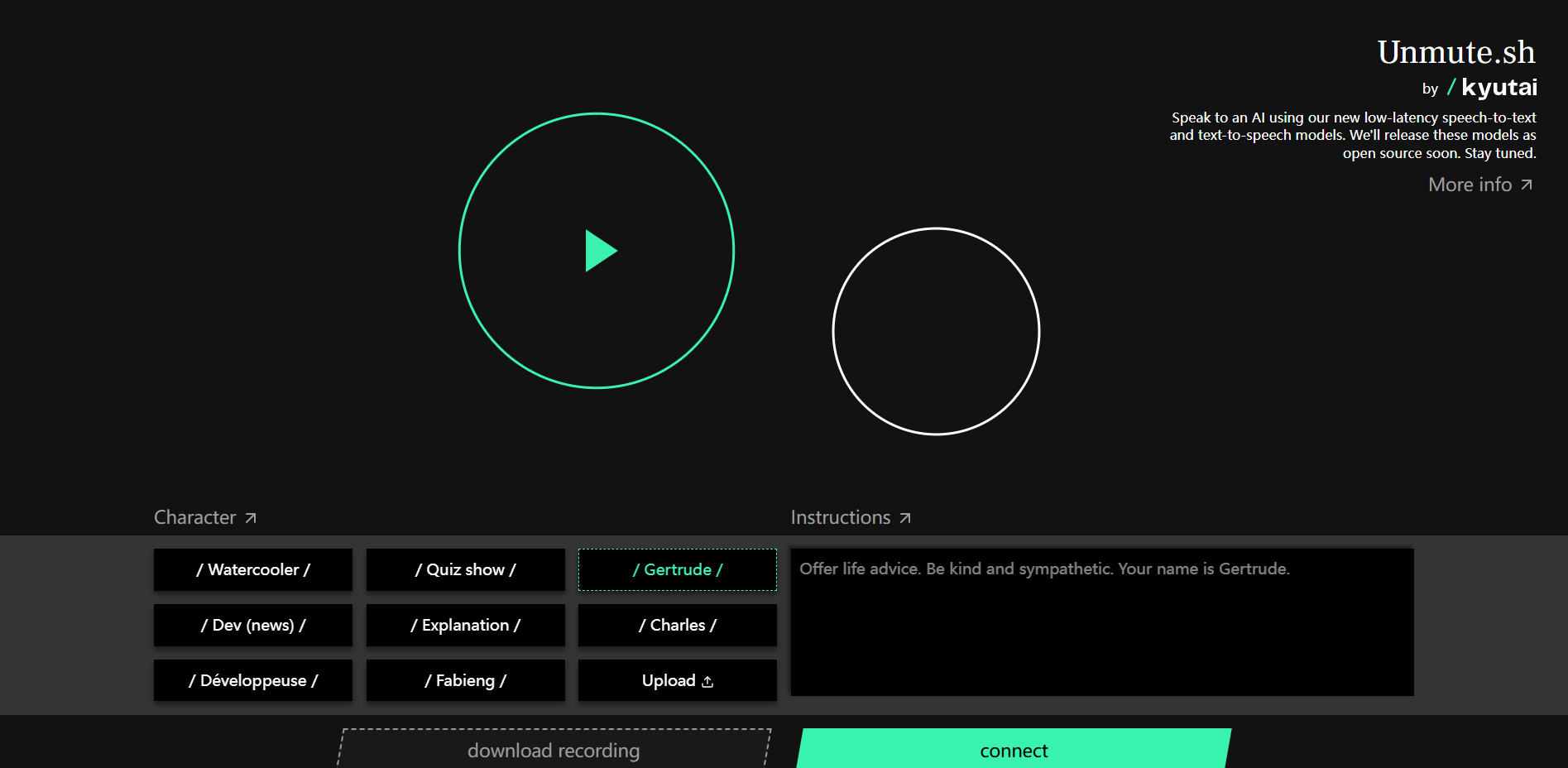
Screenshot archived from the listing page, for preview only.