Whatsetter
WhatsApp AI agent without codingQualify and book leads on WhatsApp
Highlights
What you can do with it
- A founder reports leads engaged quickly from the first day of use
- A user says booking rates improved because qualification is seamless
- A seller changes how ad leads are handled, with instant replies
How to use it
- 1 Paste your website link and upload past conversations so the tool learns your business
- 2 Let it build the agent's scripts, audience, qualification criteria, and personality
- 3 Publish the agent to WhatsApp and connect forms, webhooks, widgets, and APIs
- 4 Test and adjust in the test environment before going live
- 5 Import lead lists and set up automatic follow-up
Who it is for
Pros
- Setup in minutes without code
- No per-message charge reduces running cost
- Multi-language support for global audiences
- Test environment before customers see it
Limitations
- Automated messaging must follow WhatsApp and local rules, including consent, and the responsibility is yours
- Lead data and qualification still need human review
- Full use requires payment
- Trial terms and limits may change
What Whatsetter is
WhatSetter is a tool that deploys a conversational AI agent on WhatsApp. It is aimed at businesses that receive leads through chat and cannot reply fast enough by hand. You start by pasting your website link and uploading past conversations, and the tool converts that material into the agent's scripts, audience definition, qualification criteria, and personality. The agent then answers incoming messages, qualifies leads, books appointments, follows up automatically so leads do not go cold, and works through imported lead lists. A built-in CRM updates lead status so you know who is ready to buy. The site states it can be live in about two minutes, needs no coding and no Meta Business Manager, charges no per-message fee, and supports 70 languages with automatic detection. A test environment lets you adjust answers before customers see them, and a free trial is offered without a credit card.
What you can do with it
- Put an AI agent on WhatsApp in minutes
- Qualify and book leads automatically, day and night
- Follow up on schedule so leads do not cool off
- Import lead lists and let the agent work through them
- Keep lead status current in a built-in CRM
Who it is for
- Founders and small teams that need instant lead response
- Marketing agencies running WhatsApp for clients
- Salespeople who want qualification handled before they call
- Businesses receiving leads from ads, forms, and websites
What to watch out for
Automated messaging on WhatsApp is regulated. You must follow WhatsApp's business messaging policies and local law, including consent, opt-out handling, and message frequency, and the responsibility for compliant use sits entirely with you. Agent answers are only as good as the material you upload, so qualification scripts need review and periodic updating. Lead data flowing into the CRM should be checked, since automated qualification can misjudge intent. Full use requires payment, and trial terms and limits can change. Keep a human path for conversations the agent cannot handle.
FAQ
Do I need to code or use Meta Business Manager?
No. The site states that no coding is required and Meta Business Manager is not needed.
How is it priced?
The site states there is no per-message charge, and a free trial is offered without a credit card. Plan details should be confirmed on the site.
Can it handle other languages?
Yes. It supports 70 languages with automatic language detection.
Can I test it before customers see it?
Yes. A test environment is provided where you can chat with the agent and adjust it until the answers meet your requirements.
Why it is free
What the official page says: free trial
Free limits, trial length and features are decided by the official site and can change at any time.
Product preview
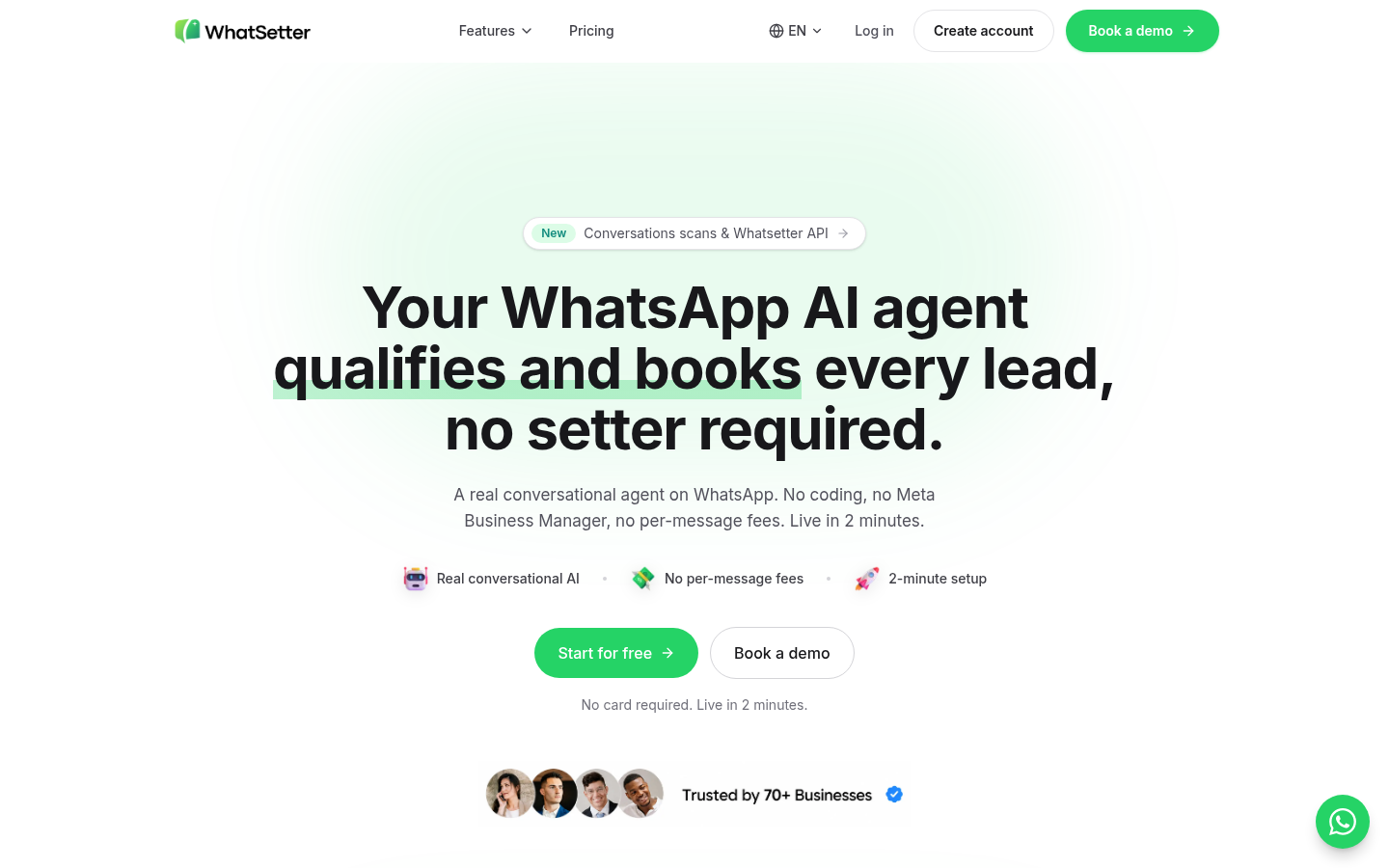
Screenshot archived from the listing page, for preview only.