Youtube Playlist Randomizer
Free YouTube playlist shuffler and looperShuffle and loop any playlist
Highlights
What you can do with it
- Shuffling a music playlist without ad breaks
- Looping a single video for repeated viewing
- Shuffling study or learning playlists
How to use it
- 1 Open the site and paste a YouTube playlist link
- 2 Click search to load the playlist
- 3 Choose shuffle, original order, or loop a single item
- 4 Revisit old playlists from the history list
Who it is for
Pros
- Free and described as ad-free
- Shuffle plus loop in one place
- Background playback while you do other things
- History list for revisiting playlists
Limitations
- It is a third-party tool, not an official YouTube product, so it can break when YouTube changes
- Free service terms can change at any time
- Depends on playlist links staying public and valid
- Playback quality depends on the source video and your connection
What Youtube Playlist Randomizer is
Youtube Playlist Randomizer is a free website that shuffles and loops YouTube and YouTube Music playlists. It was built around a specific annoyance: YouTube playlists do not randomize fully and they get interrupted by advertising. You paste a playlist link into the search bar, the list loads and starts playing, and from there you can reshuffle the whole list, revert to the original order, or loop a single video. Playlists can be saved for later and revisited through a history list, background playback is supported, and the site describes the experience as ad-free.
What you can do with it
- Shuffle a YouTube or YouTube Music playlist.
- Loop a single video or song.
- Play in the background while doing something else.
- Save playlists and find them again in the history list.
Who it is for
- Listeners who want shuffled music without ad breaks.
- Viewers who want one video on repeat.
- Learners who shuffle study and lecture playlists.
What to watch out for
This is a third-party web tool, not an official YouTube product, so it depends on YouTube keeping its links and embed behavior stable. When YouTube changes something upstream, tools like this can stop working without warning. Free services can also change their terms or disappear, so do not treat a saved playlist history as permanent storage. It works with playlist links, which generally means public playlists rather than private ones. If you rely on it for a long study session, keep the original YouTube link handy as a fallback. Run one full task end to end first, then expand once you are comfortable with the workflow and the result quality.
FAQ
Is it free?
Yes, the site says it is free to use with no ads.
Does it work with YouTube Music?
Yes, it shuffles and loops YouTube and YouTube Music playlists.
Can I play in the background?
Yes, background playback is listed as a feature.
Why it is free
What the official page says: for free
Free limits, trial length and features are decided by the official site and can change at any time.
Product preview
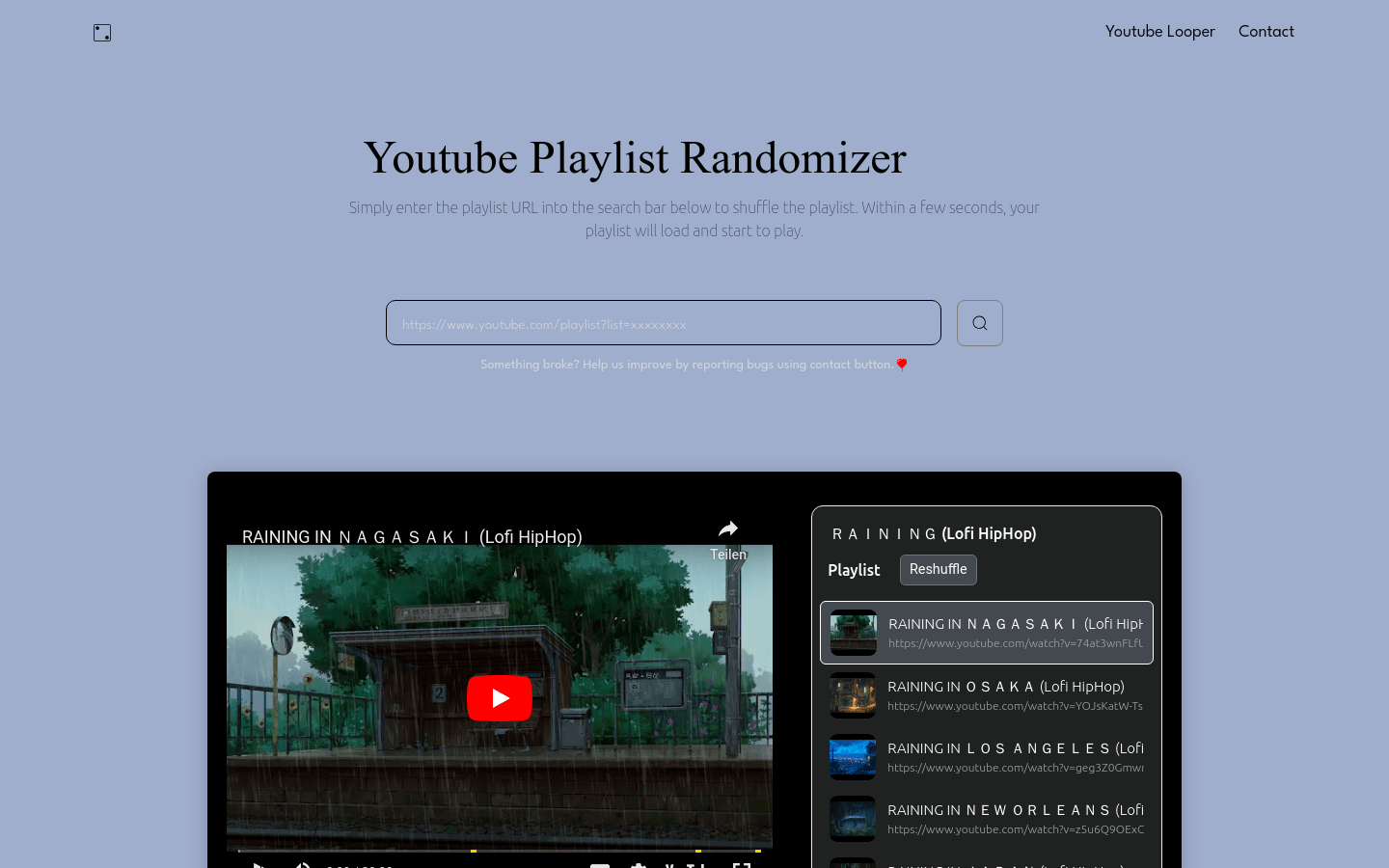
Screenshot archived from the listing page, for preview only.