Audeus
Text to speech Chrome extensionTurn web pages and documents into natural speech
Highlights
What you can do with it
- Students listen to textbooks and course notes while reviewing
- Professionals listen to reports during a commute
- Language learners improve listening by playing articles aloud
How to use it
- 1 Install Audeus from the Chrome Web Store.
- 2 Enable the extension in your Chrome extensions page.
- 3 Open a web page or document and click the Audeus icon.
- 4 Choose Read Aloud and pick your voice and speed.
- 5 Drag in documents or upload files to listen on the go.
Who it is for
Pros
- Free trial to test the voices and features
- Over 50 languages and adjustable playback speed
- Word level highlighting helps focus and comprehension
Limitations
- Free trial is limited and continued use needs a paid plan
- Voice quality and timing vary by language and content
- Works inside Chrome, so it is tied to the browser
What Audeus is
Audeus is a text to speech extension for the Chrome browser. It offers a free trial with a clear pricing plan after that. The extension uses AI to convert text from web pages, Google Docs, emails, and other sources into spoken audio. The goal is to help people take in more reading in less time, especially when their eyes are tired or their hands are busy. It supports over 50 languages, gives you a range of natural AI voices, and lets you set the playback speed to match how you listen. A word level highlighting feature moves along with the audio to keep you focused, and you can drag and drop documents straight into the browser to start listening.
What you can do with it
- Turn web pages, Docs, and emails into spoken audio.
- Pick from natural AI voices across over 50 languages.
- Follow along with word level highlighting while you listen.
- Adjust playback speed and upload documents for hands free reading.
Who it is for
- Students who want to review textbooks and notes by listening.
- Busy professionals who process reports during a commute.
- Language learners building listening skills and pronunciation.
What to watch out for
The free trial is limited, and continued use requires a paid plan. Voice quality and timing can vary by language and by the type of content, so some documents will sound more natural than others. Because it is a Chrome extension, it is tied to the browser, and you will need to be online for the service to process and play text. Behavior may vary across browsers and devices, so test before production use and consult the help docs if errors appear.
FAQ
Is there a free trial?
Yes, Audeus offers a free trial before you pick a paid plan.
What can it read?
It reads web pages, Google Docs, emails, and uploaded documents.
How many languages are supported?
It supports over 50 languages.
Why it is free
What the official page says: free trial
Free limits, trial length and features are decided by the official site and can change at any time.
Product preview
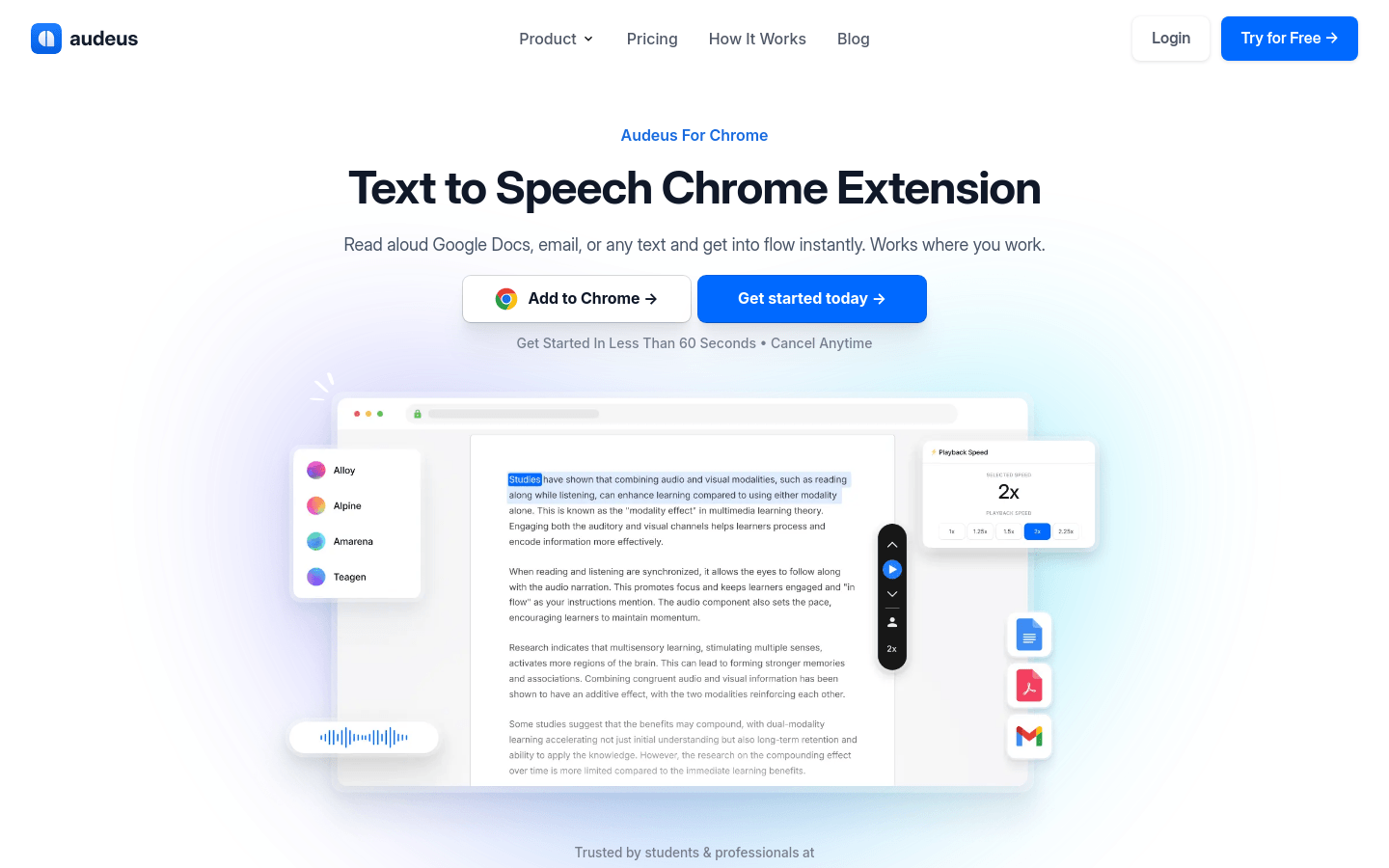
Screenshot archived from the listing page, for preview only.