Coqui
Expressive text-to-speech with voice cloningClone or design realistic AI voices
Highlights
What you can do with it
- Create voice-over for a video or animation
- Generate narration with a specific tone and pacing
- Prototype dialogue using different AI voices
How to use it
- 1 Start the Coqui Studio free trial
- 2 Choose to clone a voice or design a new one
- 3 Enter the text you want spoken
- 4 Adjust speed, emotion, and fine-tune pitch or volume
- 5 Use the timeline editor to combine parts, then export
Who it is for
Pros
- Expressive voices with control over speed and emotion
- Voice cloning and custom voice design
- Detailed editor plus timeline and project tools
Limitations
- Only a 30-minute free trial, then pay-as-you-go pricing
- Voice cloning can be misused; cloning a real person's voice without consent may violate platform or school rules and break the law, and any consequences fall on the user
- Results still need review to sound natural in context
What Coqui is
Coqui Studio uses generative AI to produce realistic and expressive text-to-speech. You can clone an existing voice or design an ideal voice, then adjust speed and emotion to shape the result. An advanced editor lets you fine-tune pitch, volume, and other parameters for each sentence, word, or character, and a timeline editor combines performances from different AI voices. Project management features help you organize sessions. It is built for voice acting, broadcasting, and film production work. A 30-minute free trial is available, with pay-as-you-go pricing after that, so you can test the voices before spending money.
What you can do with it
- Turn text into expressive speech with controllable speed and emotion
- Clone an existing voice or design a new one from scratch
- Fine-tune pitch and volume down to individual words or characters
- Combine takes from different voices on a timeline editor
Who it is for
- Video and film creators who need voice-over
- Game and app developers adding narration or character voices
- Broadcasters and audio creators producing spoken content
- Anyone prototyping dialogue or testing voice ideas
What to watch out for
The free trial is only 30 minutes, after which you pay as you go, and that pricing can change. Voice cloning is powerful and can be misused: cloning a real person's voice without their consent may violate platform or school rules and can break the law, and any consequences fall on you as the user, so only clone voices you have the clear right to use. Even with detailed controls, generated speech may still sound slightly off in context, so plan to review and adjust takes before you finalize anything.
FAQ
Can I clone a voice?
Yes. Coqui lets you clone an existing voice or design a new one, but you should only clone voices you have the clear right to use.
How long is the free trial?
The free trial is 30 minutes, after which pricing is pay-as-you-go.
What can I control?
You can adjust speed and emotion, and fine-tune pitch and volume per sentence, word, or character.
Why it is free
What the official page says: free trial
Free limits, trial length and features are decided by the official site and can change at any time.
Product preview
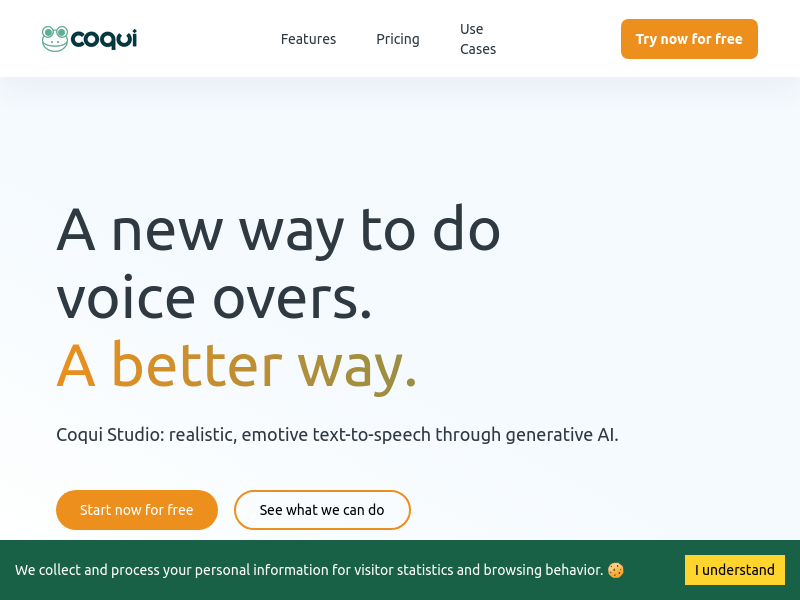
Screenshot archived from the listing page, for preview only.