
DrawingSpinUp
Turn one drawing into 3D animationFrom a single sketch to a movable character
Highlights
What you can do with it
- Turning a 2D character drawing into a 3D short film clip
- Adding motion to a game character concept
- Previewing character animation for a film sequence
- Research into 2D to 3D animation methods
How to use it
- 1 Visit the DrawingSpinUp project page
- 2 Upload a single character drawing
- 3 Choose to remove view-dependent outlines
- 4 Apply the skeleton-based refinement deformation
- 5 Use rotation-invariant convolution to optimize the animation
- 6 Preview the generated 3D animation
- 7 Download or edit it further
Who it is for
Pros
- Works from a single drawing rather than a rig
- Handles amateur and children's drawings
- Backed by published method and ablation studies
Limitations
- It is a research demo, so expect rough edges
- Results depend heavily on the input drawing
- The project page is hosted on a code platform, so it is not a commercial service
- Free access can change if the project page moves
What DrawingSpinUp is
DrawingSpinUp is a system that converts a single character drawing into a 3D animation. The problem it tackles is that amateur character drawings often look wrong in three dimensions, both in appearance and in geometry. The approach removes view-dependent outlines to improve how the character reads, then applies a skeleton-based refinement deformation algorithm to clean up the delicate structures that single-line outlines create. The output can rotate, jump, and perform. The project demonstrates results on a set of amateur drawings, including ones created by children, and it is presented as a research system with a public project page rather than a commercial product.
What you can do with it
- Turn a single character drawing into a 3D animation
- Remove view-dependent outlines from the source art
- Apply skeleton-based deformation to refine thin line art
- Preview the animated result and export it for further work
- Test the method on your own character sketches
Who it is for
- Animators working from 2D character art
- Game developers prototyping character motion
- Visual effects artists previewing animation for a sequence
- Researchers studying 2D to 3D conversion methods
- Artists curious how their drawings would move
What to watch out for
This is a research demo, so expect rough edges, limited documentation, and no support channel if something breaks. Results depend heavily on the input drawing: a clean, full-body character with clear outlines behaves very differently from a loose sketch, and some inputs will simply fail or produce something uncanny. The project page is hosted on a code platform rather than a commercial domain, which means free access can change if the page moves or the project stops being maintained, and the underlying method has its own limits that the paper describes honestly. Treat it as something to experiment with and cite, not as a production pipeline step, and do not expect the polish of a commercial animation tool.
FAQ
What does DrawingSpinUp do?
It converts a single character drawing into a 3D animation that can rotate, jump, and perform.
What kind of drawings does it accept?
Single character drawings, including amateur ones. The project demonstrates results on drawings created by children.
Is it a commercial product?
It is presented as a research system with a public project page, so treat it as a demo rather than a supported product.
Do I need to rig the character?
No. The system applies a skeleton-based refinement deformation as part of the conversion.
Why it is free
What the official page says: for free
Free limits, trial length and features are decided by the official site and can change at any time.
Product preview
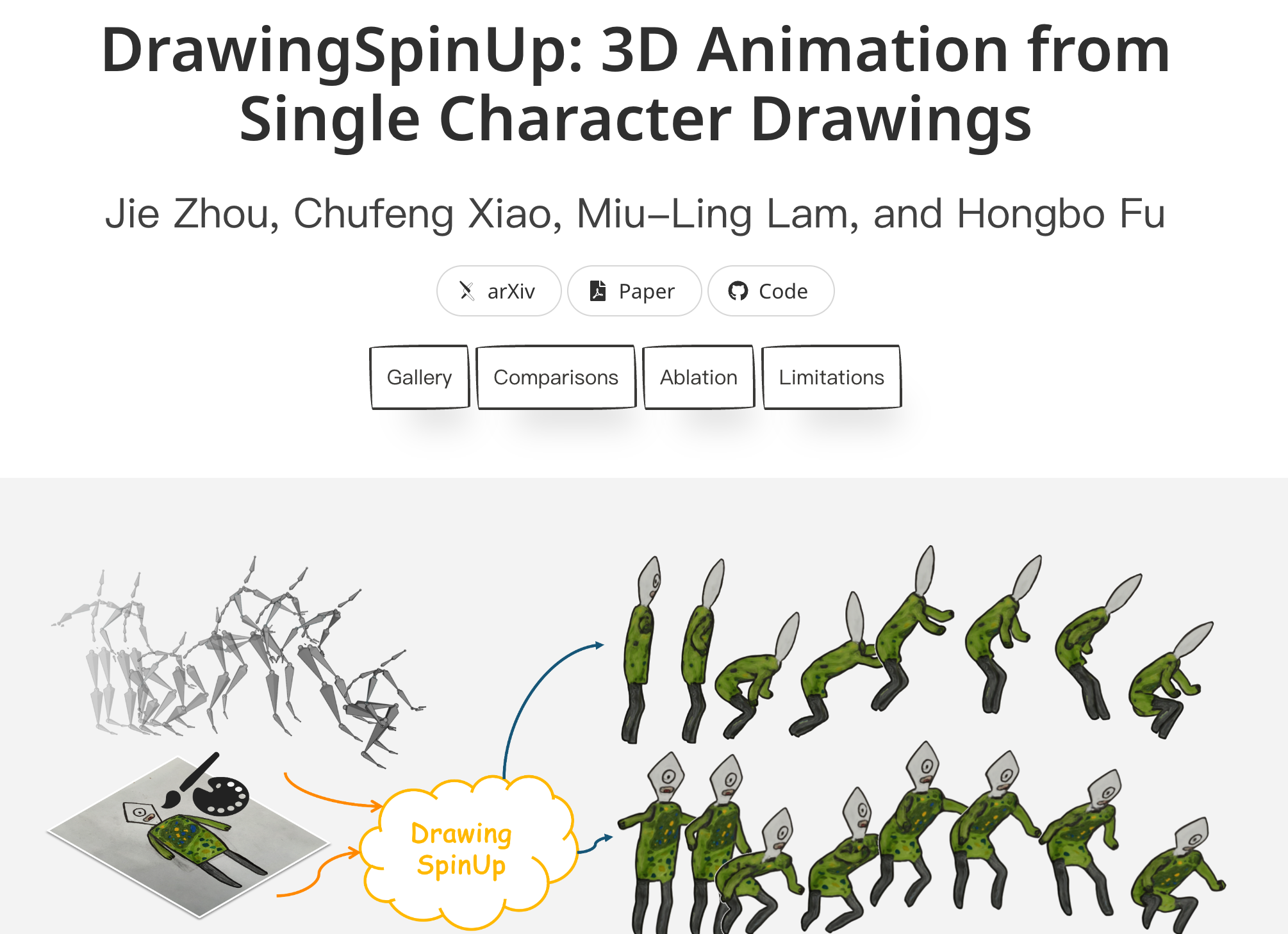
Screenshot archived from the listing page, for preview only.