HaloVoice
Real-time voice translation with live subtitlesTranslate your voice in games, streams, and meetings
Highlights
What you can do with it
- A Twitch streamer translates Chinese speech for a global audience
- Gamers coordinate with international teammates on Discord
- A multinational team runs a Zoom meeting across languages
How to use it
- 1 Install HaloVoice and open the console
- 2 In Discord, OBS, Zoom, or Teams, pick the HaloVoice virtual microphone
- 3 Click start translation to begin real-time translation and subtitles
Who it is for
Pros
- Free version to start within a minute
- Very low latency, stated under 200 ms
- Low CPU use that does not hurt game frame rates
- Integrates with common streaming and meeting apps
Limitations
- The free version is limited, and professional costs $9.9 per month; free terms can change
- Translation quality varies by language pair and accent
- It is a desktop app, so it needs Windows or macOS installed
- Live translation is a draft, not a certified interpretation
What HaloVoice is
HaloVoice is a desktop client for real-time voice translation and real-time subtitles. It is built for live broadcasts, games, and meetings where people speak different languages. You install it, choose the HaloVoice virtual microphone inside an app such as Discord, OBS, Zoom, Slack, or Teams, and your voice is translated live while subtitles appear on screen. The site says translation into more than 30 languages usually stays under 200 ms, noise cancellation keeps the audio clear, and CPU use is low enough not to hurt game frame rates. There is a free version to start with, professional at $9.9 per month, and an enterprise tier that supports customization.
What you can do with it
- Translate your voice into 30+ languages in real time during a stream or call
- Show original and translated subtitles at the same time
- Plug into OBS, Discord, Zoom, Slack, and Teams via a virtual microphone
- Keep audio clear with noise cancellation and audio processing
- Run it on Windows 10 or 11, or macOS 10.15 and higher, without a heavy CPU load
Who it is for
- Streamers on Twitch, YouTube, and TikTok who want a global audience
- Gamers coordinating with teammates in other languages
- Business people running cross-language meetings on Zoom or Teams
What to watch out for
The free version is a starting point, professional costs $9.9 per month, and free terms can change, so budget if you need it daily. Live translation is fast but not flawless: accuracy varies by language pair, accent, and background noise, so treat it as a communication aid rather than a certified interpretation. It is a desktop application, so it needs a compatible Windows or macOS machine and permission to act as a microphone. In high-stakes meetings, keep a human check on anything important that gets said.
FAQ
Is there a free version?
Yes. The site says there is a free version and you can start using real-time subtitles and translation within a minute.
How many languages?
More than 30 popular languages, with stated latency under 200 ms.
Which apps does it work with?
OBS, Discord, Zoom, Slack, and Teams, using the HaloVoice virtual microphone.
What are the system requirements?
Windows 10 or 11, or macOS 10.15 and higher.
Why it is free
What the official page says: free version
Free limits, trial length and features are decided by the official site and can change at any time.
Product preview
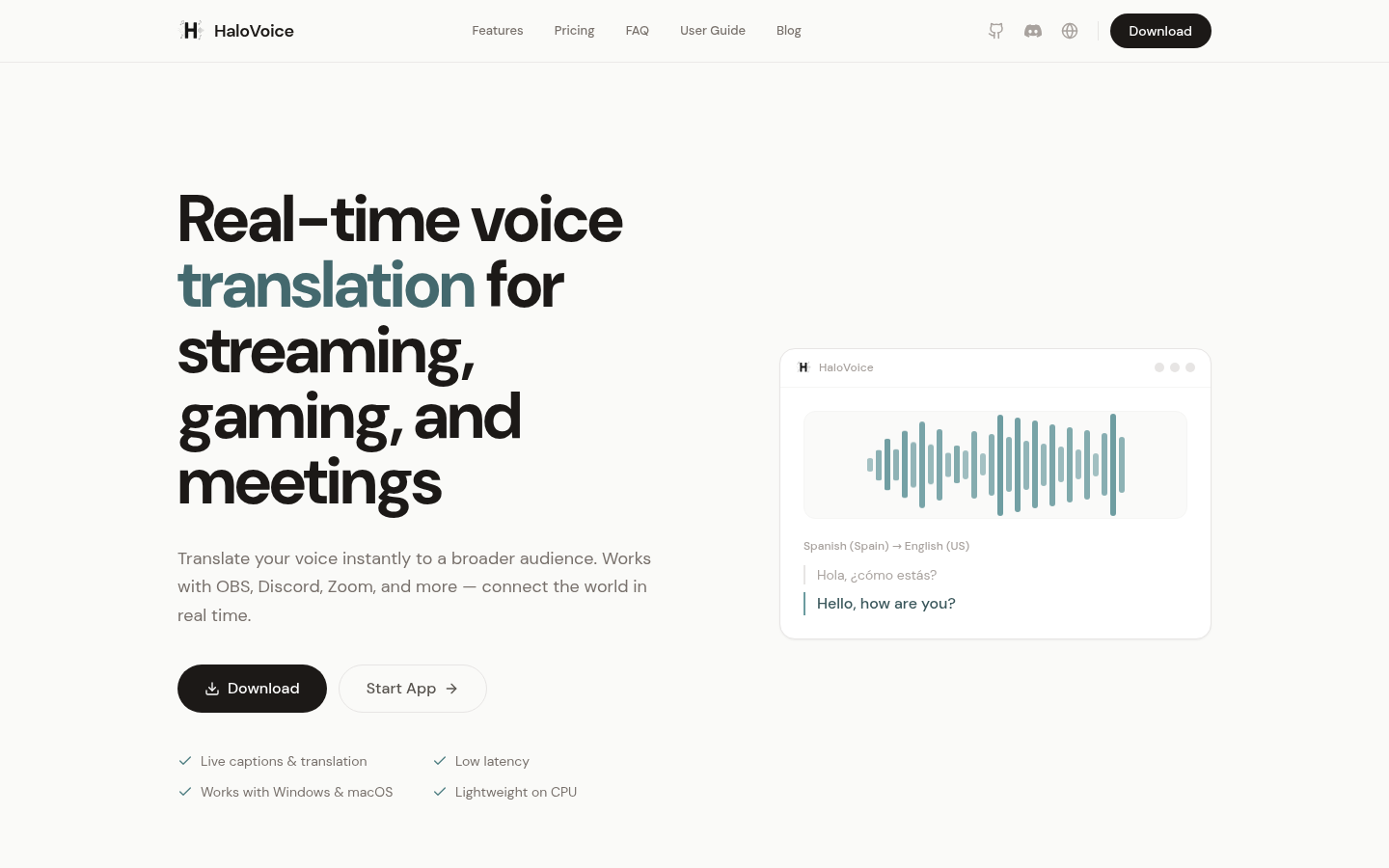
Screenshot archived from the listing page, for preview only.