MakerLab
Online 3D model design and printingDesign, share, and print 3D models
Highlights
What you can do with it
- Design a custom vase with the generator
- Make personalized name tags for students
- Turn real objects into 3D models with an AI scanner
How to use it
- 1 Visit MakerLab and register an account
- 2 Choose a design tool such as the vase generator
- 3 Select a template or upload your own materials
- 4 Adjust size, color, and details, then preview
- 5 Submit for 3D printing or download the model file
Who it is for
Pros
- Several design tools and templates in one place
- 3D printing turns designs into physical objects
- A community and marketplace for support and materials
Limitations
- Free and paid tiers both exist; printing costs extra
- 3D design has a learning curve for beginners
- You need a 3D printer or paid service for a physical model
What MakerLab is
MakerLab is an online platform for creating and printing 3D models. It offers design tools such as vase generators and sign customizers, along with templates for quick personalized creations. An innovation playground lets you experiment with tools like AI scanners, and 3D printing services turn digital models into physical objects. A community forum and the Maker's Vault help you share ideas and buy materials and tools. Both free and paid services are available depending on your needs and how far you want to take a project.
What you can do with it
- Create vases, signs, and other models with dedicated tools
- Use templates to build personalized 3D pieces quickly
- Try AI scanner tools in the innovation playground
- Send designs to 3D printing or download the model file
Who it is for
- Designers creating custom 3D pieces
- Educators making personalized classroom items
- Makers who want to print their own models
What to watch out for
Free and paid services both exist, and 3D printing is a separate cost, so budget accordingly. 3D design has a learning curve, so beginners should expect to spend time learning the tools. To get a physical object you need a printer or a paid printing service. Availability of specific tools and templates can change, so check the site for what is currently offered. When quality matters, export a small draft first to confirm the result before producing the final file. Generated suggestions are for reference only, so verify anything that affects professional judgment or important data. Save a backup of the original file before large batch jobs, and keep an exported copy of key results in case the page or service becomes temporarily unavailable.
FAQ
What is MakerLab?
It is an online platform for creating and printing 3D models, with tools like vase generators and sign customizers.
Can I print my model?
Yes. It offers 3D printing services to turn digital models into physical objects.
Is it free?
It offers both free and paid services, so check the current terms.
Why it is free
What the official page says: 免费
Free limits, trial length and features are decided by the official site and can change at any time.
Product preview
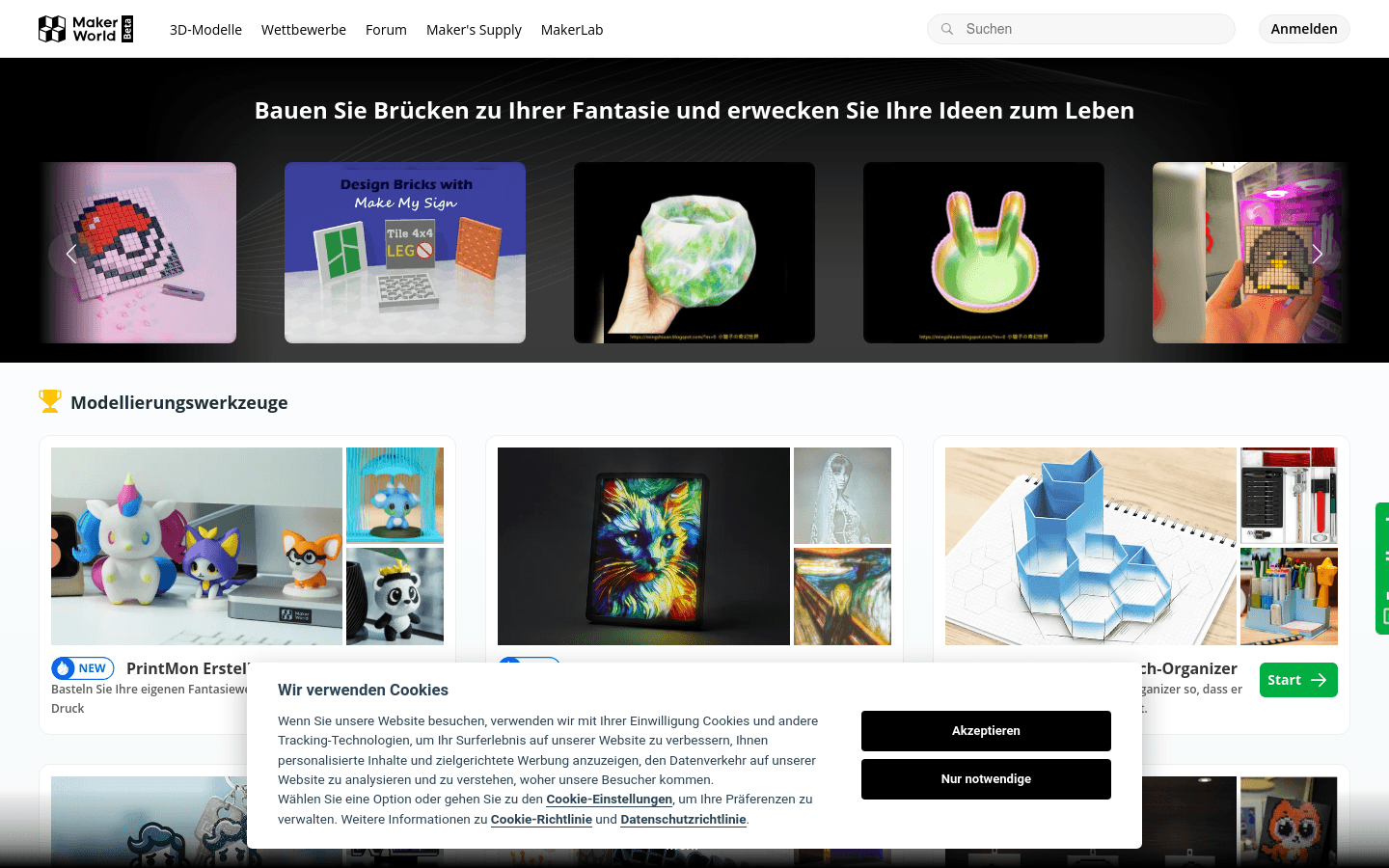
Screenshot archived from the listing page, for preview only.