MeeLang
Real-time subtitle translation for Google Meet, 30+ languagesFree Chrome extension for live meeting translation subtitles
Highlights
What you can do with it
- Follow a multinational team meeting where everyone speaks their own language.
- Understand an international academic seminar.
- Let students grasp a lesson taught in another language.
How to use it
- 1 Install the extension from the Chrome Web Store.
- 2 Join your Google Meet call.
- 3 Click Allow on the Chrome permission prompt.
- 4 Read the live subtitles and search or export the record after.
Who it is for
Pros
- Free plan with 60 minutes a month.
- Sub-second subtitles that keep up with speech.
- Records stay local in the browser for privacy.
Limitations
- The free plan is capped at 60 minutes a month, and paid terms can change.
- It currently only supports Google Meet; Zoom and Teams are still planned.
- Translation quality depends on audio and accents, so check important points.
What MeeLang is
MeeLang is a free Chrome extension that turns live speech on Google Meet into translated subtitles in more than 30 languages, with sub-second latency. The subtitles show up almost as soon as someone finishes a phrase, and the AI uses context so the wording reads naturally rather than word for word. It keeps meeting records in your browser, where you can search and replay bilingual content, and it states that it never stores meeting content on a server. The free plan gives 60 minutes of translation per month for occasional meetings, and the Pro plan costs $9.99 per month, gives 600 minutes, and adds AI meeting summaries. Speaker identification and real-time voice dubbing are listed as planned features.
What you can do with it
- Read live translated subtitles during a Google Meet call.
- Search and replay bilingual meeting records in your browser.
- Follow meetings where each person speaks their own language.
- Export records for later review.
Who it is for
People with occasional cross-language meetings, people with weekly cross-language calls, multinational teams, and educational institutions running international courses. If a shared meeting is slowed down by language, this keeps everyone on the same page without asking speakers to switch, and the local records let you catch anything you missed the first time.
What to watch out for
The free plan is limited to 60 minutes a month, and the Pro price and features can change, so check current terms if you rely on it. It only supports Google Meet right now, and Zoom, Teams, and Webex are still planned, so confirm your platform works before an important call. Translation is AI-driven and can stumble on heavy accents or noisy audio, so verify anything critical rather than trusting a subtitle blindly, and remember the tool reads the tab audio, so keep your meeting audio audible.
FAQ
Is it free?
There is a free plan with 60 minutes of translation per month.
Which meetings does it support?
Google Meet now, with Zoom and Teams planned.
Does it store my meetings?
It says records stay in your browser and are not stored on a server.
Why it is free
What the official page says: 免费免费套餐
Free limits, trial length and features are decided by the official site and can change at any time.
Product preview
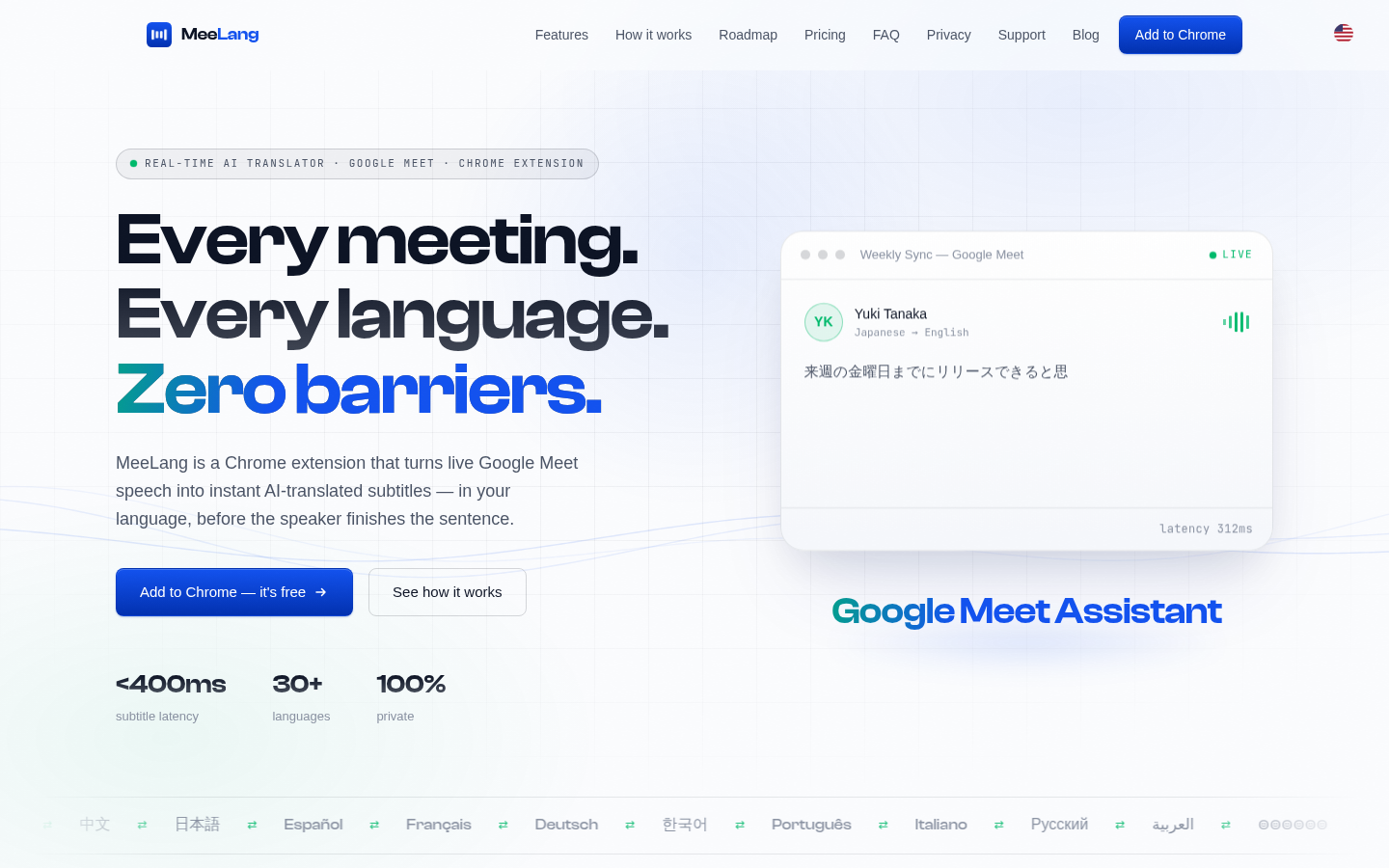
Screenshot archived from the listing page, for preview only.