Pump India
Free AWS cost saving tool using group buyingCut AWS spend automatically, no engineering work
Highlights
What you can do with it
- Reduce the monthly AWS bill for a startup without adding engineers
- Free up cloud budget for product work instead of infrastructure
- Get support and analysis for existing AWS spending patterns
How to use it
- 1 Visit the Pump site and start connecting your AWS account
- 2 Let the tool review your current usage and spending
- 3 Review the savings it proposes for your workloads
- 4 Keep the arrangement in place and monitor the monthly bill
Who it is for
Pros
- Savings are automated rather than a manual tuning project
- Listed as free, so there is no subscription line to justify
- Support and analysis are included alongside the savings mechanism
Limitations
- Free terms can change and the listing gives no long term commitment
- Savings depend on your usage pattern and on AWS pricing, so 60 percent is not guaranteed
- Scope is limited to AWS, so other clouds are not covered
What Pump is
Pump is a tool that combines AI with bulk purchasing to lower cloud computing costs automatically. According to the listing, businesses can save up to 60 percent on AWS expenses, no engineering involvement is needed, and the service is described as completely free. Alongside the savings mechanism it offers intelligent AWS support aimed at cost optimisation. The worked example in the listing is a startup spending 10,000 dollars a month on AWS and saving 6,000 dollars. The important detail is that savings come from aggregate purchasing rather than from manual tuning you perform yourself, and the scope is AWS specifically.
What you can do with it
- Reduce an existing AWS bill without hiring cloud engineers
- Reallocate cloud budget from infrastructure to product work
- Use the included AWS support to understand where money is going
- Apply savings automatically instead of running a manual review
Who it is for
- Startups and small teams with workloads on AWS
- Companies that have no dedicated cloud cost engineer
- Finance and operations staff who need to track and trim cloud spend
What to watch out for
The 60 percent figure is a ceiling in the listing, not a promise, and real savings depend on your usage pattern, instance mix, and current AWS pricing. Connecting a tool to your AWS account is a trust decision, so review what access it needs and what it can change before you link production accounts. The scope is AWS only, so if you also run on other clouds this will not address that spend. Finally, the listing describes Pump as completely free, but free terms can change, and a cost tool that touches your billing deserves a periodic re-check of both pricing and permissions.
FAQ
How much can Pump save?
The listing says up to 60 percent on AWS expenses and gives an example of 6,000 dollars saved on 10,000 dollars of monthly spend. Actual results depend on your usage.
Does it need engineers to set up?
The listing says no engineering involvement is required, though you will still need to grant access to your AWS account.
Is it free?
The listing describes Pump as completely free. Free terms can change, so confirm current conditions before relying on it.
Why it is free
What the official page says: completely free
Free limits, trial length and features are decided by the official site and can change at any time.
Product preview
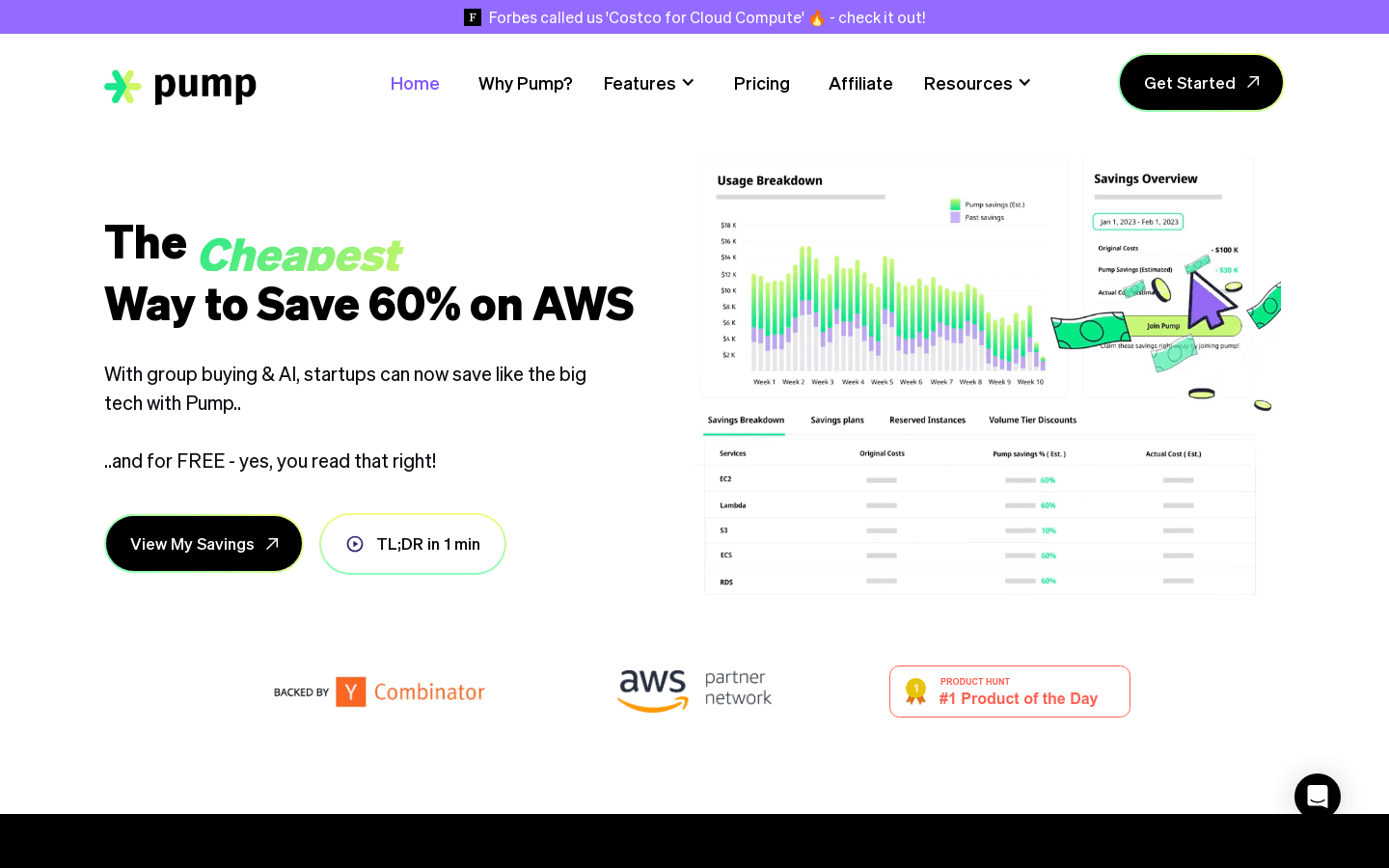
Screenshot archived from the listing page, for preview only.