Zed AI
AI coding assistant built into the Zed editorGenerate, transform, and review code inside your editor
Highlights
What you can do with it
- A developer scaffolds project initialization code quickly
- A team uses it for code review comments and optimization suggestions
- A student uses it to learn programming concepts in context
How to use it
- 1 Install the Zed AI plugin in your development environment.
- 2 Open the assistant panel and supply the context for your question.
- 3 Use slash commands to sharpen the prompt before sending.
- 4 Ask the inline assistant to edit code directly in the file.
- 5 Build a prompt library for context you reuse often.
- 6 Switch model providers based on what the task needs.
Who it is for
Pros
- Assistance happens inside the editor, not a separate window
- Slash commands and the prompt library cut repeated typing
- Multiple model providers give room to experiment
- First month of the managed service is free
Limitations
- Tied to the Zed editor, so other editors are out
- Suggestions still need review before you commit them
- Managed service is free for the first month only, then paid
- Output quality depends on the context you supply
What Zed AI is
Zed AI is the AI-assisted programming feature inside the Zed editor. Rather than a standalone chat window, it works through an assistant panel, slash commands, an inline assistant, and a personal prompt library. You supply context from your project, ask a question, and the model answers in place, or edits the code where your cursor already is. Multiple large language model providers are supported, so you can switch models as a task demands. A managed service is also offered with the first month free, built on the Anthropic API for fast text transformation.
What you can do with it
- Ask questions in the assistant panel with project context attached
- Use slash commands to shape a prompt before it is sent
- Have the inline assistant edit code directly in the open file
- Store reusable context in a personal prompt library
- Switch between model providers depending on the task
Who it is for
- Developers who already work inside the Zed editor
- Teams that want review and refactor suggestions in context
- Students learning to code with an assistant beside them
What to watch out for
Editor integration is convenient but narrow: this lives in Zed, so if your team uses another editor it will not help. Generated code still needs review. Suggestions can be plausible and wrong, especially around edge cases, security, and anything touching data, so treat the output as a first draft you verify. The managed service is free for the first month only, after which it is paid, and the quality of answers depends heavily on how much context you provide. A thin prompt produces a thin answer.
FAQ
Is there a free option with Zed AI?
The managed service is offered with the first month free. After that it is a paid service, and you can also bring your own model provider.
Which models can I use?
The listing says multiple large language model providers are supported, and the managed service uses the Anthropic API.
Does it edit files directly?
Yes. The inline assistant can edit code in place using the context generated in the assistant panel.
Why it is free
What the official page says: free trial
Free limits, trial length and features are decided by the official site and can change at any time.
Product preview
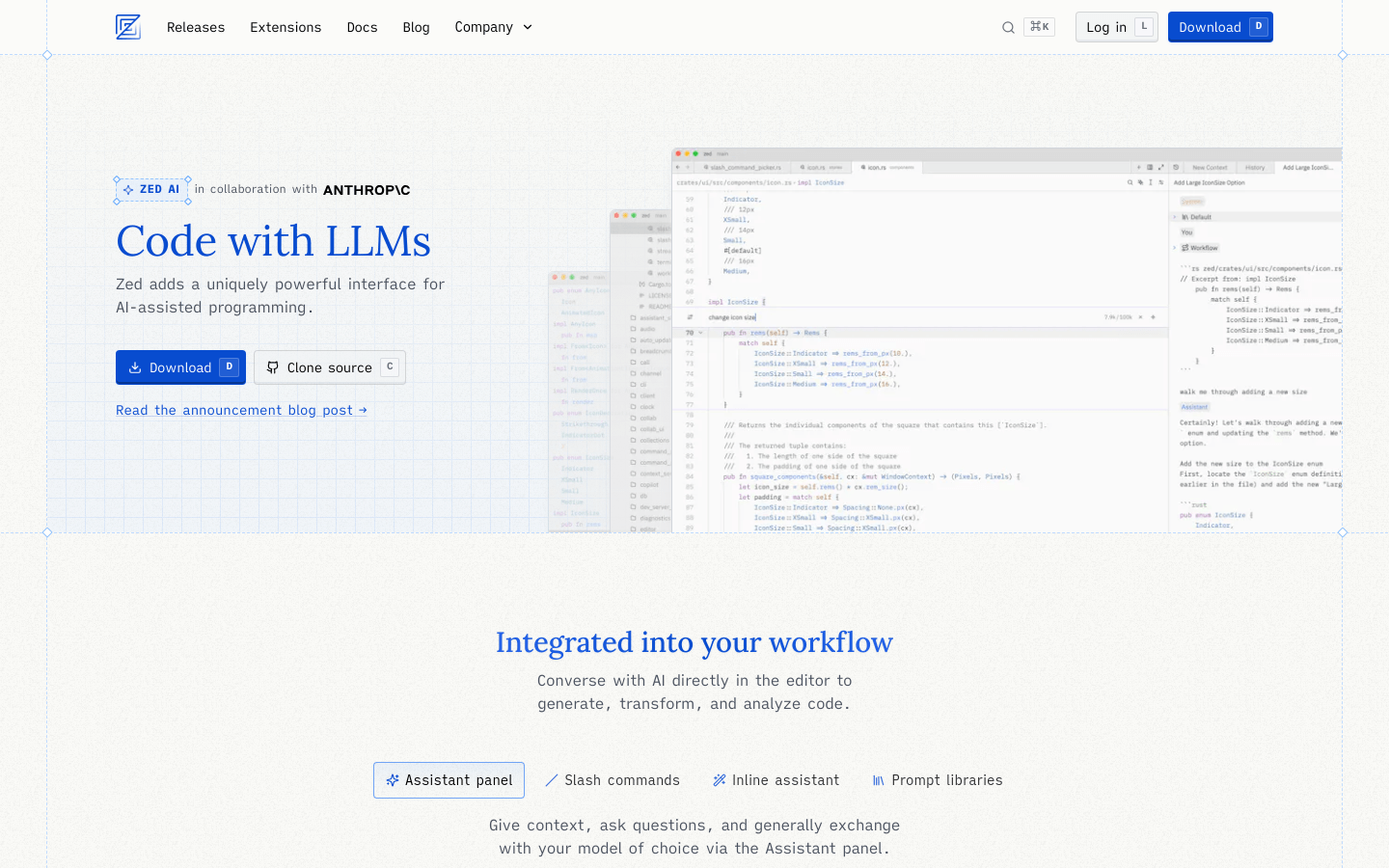
Screenshot archived from the listing page, for preview only.