Read AI for Gmail and Meet
AI summaries for Gmail and MeetShorten email threads and meetings
Highlights
What you can do with it
- Business professionals summarize long threads and reply faster
- Teams see meeting context inside email without switching apps
- Project managers improve scheduling and follow-up with smart suggestions
How to use it
- 1 Install the extension from the Chrome Web Store.
- 2 Log in with your Read account.
- 3 Enable or disable features in the extension settings.
- 4 Read the automatic summaries of email threads in Gmail.
- 5 View meeting and message context inside the thread.
- 6 Use smart replies to draft responses quickly.
- 7 Check meeting reports in Google Calendar and follow real-time notes.
Who it is for
Pros
- Free plan includes email summarization, drafting, and smart scheduling
- Works inside Gmail, so summaries arrive where you already read
- Pulls meeting context from several platforms into one thread
- Smart scheduling reduces back and forth on meeting times
Limitations
- The free plan has limits, so review what is included before depending on it daily
- The extension needs Chrome and access to your email and calendar, so check it against workplace privacy rules
- Automatic summaries and suggested replies should be read before sending, since nuance can be lost
- Meeting context depends on the connected platforms you actually use
What Read AI for Gmail and Meet is
Read AI for Gmail and Meet is a Chrome extension that shortens email threads and meetings. It generates concise summaries of long email chains, surfaces context from Zoom, Teams, Meet, and Slack inside the thread, and suggests replies based on past communication. Real-time meeting summaries let you follow notes while a call is running, and Google Calendar integration provides meeting insights and quick report access. Smart scheduling proposes meeting times and flags flexible sessions for rescheduling. The free plan covers email summarization, drafting, and smart scheduling, which makes it easy to test inside a normal Gmail workflow.
What you can do with it
- Summarize long email threads and catch key points fast.
- See meeting and message context from Zoom, Teams, Meet, and Slack in Gmail.
- Draft replies with AI suggestions based on past communication.
- Follow real-time meeting notes and get scheduling suggestions.
Who it is for
- Business professionals handling high email volume.
- Teams that meet across Zoom, Teams, Meet, and Slack.
- Project managers coordinating schedules and follow-ups.
What to watch out for
The free plan has limits, so review what is included before depending on it daily. The extension needs Chrome and access to your email and calendar, so check it against your organization's privacy and security rules. Summaries and suggested replies are generated automatically, so read them before sending, since important nuance can be lost in a short summary. Features and interface details may change between versions, so review the latest notes on the page before you start. For team use, agree on naming and editing conventions in advance to avoid version conflicts or duplicated work.
FAQ
Is there a free plan?
Yes, the free plan includes email summarization, drafting capabilities, and smart scheduling.
What does it summarize?
It summarizes long email threads and can track ongoing meetings with real-time notes.
Which platforms does it pull context from?
It shows contextual information from Zoom, Teams, Meet, and Slack inside the email thread.
Do I need Chrome?
Yes, it is a Chrome extension for Gmail and Google Meet.
Why it is free
What the official page says: free plan
Free limits, trial length and features are decided by the official site and can change at any time.
Product preview
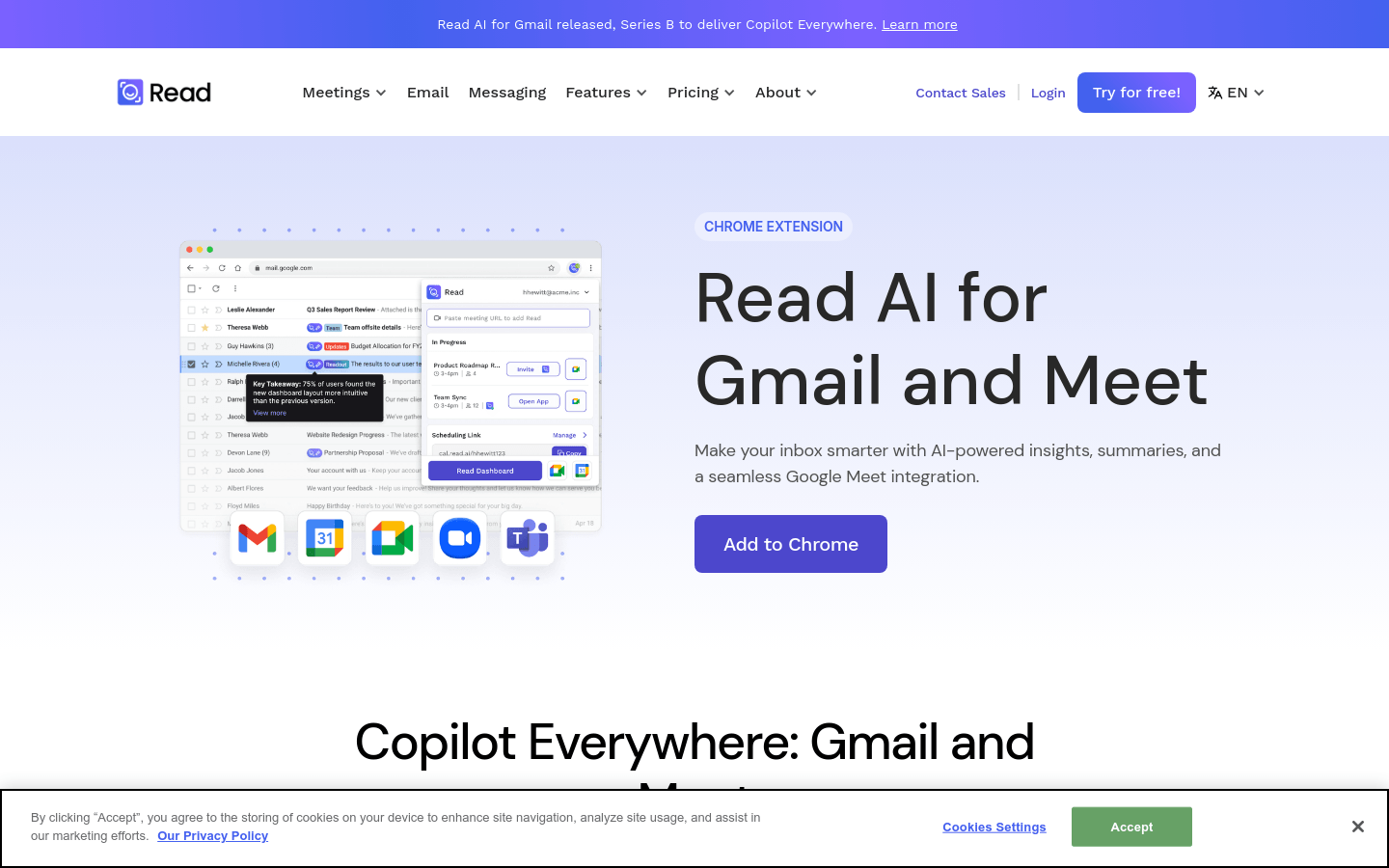
Screenshot archived from the listing page, for preview only.